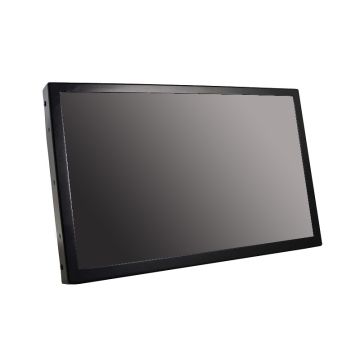
Experience Easy and Interactive Computing with Touch Screen LCD and LED Monitors
Touch screen monitors make it easy to interact with your computer, applications, and digital content. Instead of using only a mouse and keyboard, you can tap, swipe, scroll, and select items directly on the screen. Whether you're setting up a business workstation, retail kiosk, classroom, healthcare facility, or office environment, touch screen LCD and LED monitors provide a simple and efficient user experience.
At Direct Macro, we offer a variety of touch screen LCD and LED monitors designed to support business, educational, and professional applications.
Why Choose Touch Screen LCD and LED Monitors?
Touch screen monitors combine sharp image quality with responsive touch controls, making everyday tasks faster and easier. They help improve productivity, simplify workflows, and create a more interactive experience for users.
1.Ideal for Business and Professional Use
Touch screen monitors are used in many industries and environments. Businesses use them for point-of-sale systems and customer service stations. Schools and training centers use them for interactive learning. Healthcare facilities rely on them for patient management and information access. They are also commonly used in conference rooms, self-service kiosks, and office workstations.
2. LCD vs. LED: What's the Difference?
LCD (Liquid Crystal Display) and LED (Light Emitting Diode) technologies both provide clear and detailed images. LED monitors use energy-efficient backlighting that can improve brightness and contrast, while LCD technology continues to offer dependable performance and excellent image quality. Many modern displays combine the benefits of both technologies.
Key Features to Look for in Touch Screen LCD and LED Monitors
When choosing a touch screen LCD or LED monitor, it’s important to consider several features that ensure an optimal, interactive experience for your unique needs.
-
Multi-Touch Technology
Multi-touch functionality allows users to perform actions such as tapping, scrolling, zooming, and rotating directly on the screen. This makes navigation faster and more intuitive.
-
High-Quality Display Resolution
Many touch screen monitors offer full HD or higher resolutions which provide sharp text, clear images, and detailed presentations for everyday business and professional use.
-
Flexible Connectivity Options
Look for monitors with HDMI, DisplayPort, USB, and other common connections to ensure compatibility with your computers and devices.
-
Adjustable and Ergonomic Designs
Many touch screen monitors include adjustable stands or support VESA mounting, making it easy to create a comfortable and productive workspace.
-
Durable Construction
Commercial-grade touch screen monitors are built to handle daily use in offices, retail locations, educational facilities, healthcare environments, and other busy settings.
Upgrade Your Workspace Today
Whether you need a touch screen monitor for a workstation, conference room, classroom, retail location, healthcare facility, or self-service kiosk, Direct Macro offers solutions to fit a variety of business and professional needs.
Browse our selection of touch screen LCD and LED monitors to find the right display for your environment. Request a bulk quote today.


 Login
Login