


X870E vs B850 vs B650E: Which AM5 Chipset Is Best for Gaming?

If you are building a gaming PC on AMD’s AM5 platform, one of the first decisions is choosing the right chipset. The X870E, B850, and B650E are three of the most talked-about options, but with so many spec differences, marketing buzzwords, and confusing naming conventions, it’s easy to get lost.
This guide breaks everything down clearly. We’ll compare chipset specs, real-world gaming value, connectivity, and future-proofing to help you decide which AM5 motherboard is worth your money. Whether you’re eyeing a high-end X870E board or wondering if a B650E gets the job done for less, you’ll find your answer here.
Quick Overview: AMD’s AM5 Chipset Lineup
Before diving into head-to-head comparisons, let’s quickly look at how AMD chipsets are structured. If you’ve been trying to make sense of terms like x870 vs x670 or wondering about the difference between b650 and x870, the naming system is more logical than it seems once you understand the tiers:
- X-series (X870E, X870): Flagship tier – maximum connectivity, PCIe 5.0 across the board, premium VRMs
- B-series (B850, B650E, B650): Mid-range tier – strong feature sets at lower prices
- A-series (A620): Entry-level – budget builds with limited overclocking
The “E” at the end of a chipset name (e.g., X870E or B650E) stands for Extreme. Historically, it indicated that the 16 PCIe lanes from the CPU to the GPU slot were wired for PCIe 5.0 rather than 4.0. With the 800-series generation, AMD shifted this definition. More on that below.
All AM5 chipsets are built on AMD’s Promontory 21 (Prom21) silicon. Higher-end chipsets use more of these chips together to unlock more lanes, ports, and bandwidth.
Comparison Between AM5 Chipset Specifications
Here’s a side-by-side look at the key specifications that matter for gaming and general use:
| Feature | X870E | B850 | B650E |
| CPU PCIe (GPU Slot) | 16x PCIe 5.0 | 16x PCIe 5.0 | 16x PCIe 5.0 |
| Primary M.2 (CPU) | 4x PCIe 5.0 | 4x PCIe 5.0 | 4x PCIe 5.0 |
| Chipset PCIe Lanes | 20x PCIe 4.0 | 12x PCIe 4.0 | 12x PCIe 4.0 |
| USB 4.0 (40 Gbps) | Standard (required) | Standard (required) | Optional |
| USB 20 Gbps | 2 | 2 | 1 |
| USB 10 Gbps | 12 | 8 | 6 |
| SATA Ports | 8 | 6 | 4 |
| CPU Overclocking | Yes | Yes | Yes |
| RAM Overclocking (EXPO) | Yes | Yes | Yes |
| Wi-Fi 7 | Standard | Standard | Optional |
| Typical Price Range | $250–$600+ | $150–$300 | $150–$250 |
Note: These are chipset-level maximums. Actual port counts and features depend on the specific motherboard manufacturer’s implementation.
What Does “Extreme” Actually Mean on AM5?
One of the most common questions when shopping AM5 boards is: what’s the difference between X870 and X870E?
In the 600-series (X670E vs X670), the “E” designation guaranteed the GPU PCIe slot ran at PCIe 5.0 speed. With the 800-series, AMD changed this significantly. The difference between X870 and X870E is now much more substantial:
- X870E guarantees USB 4.0, more SATA ports, more USB ports, and more chipset PCIe lanes
- X870 (non-E) is essentially a B-series board from prior generations, with USB 4.0 as the only real premium advantage
It matters when comparing amd x870 vs x670 boards. An X670E board has more raw connectivity than a non-E X870, which catches many buyers off guard. If you’re researching x670 vs x870 motherboard options, don’t assume the newer generation automatically wins on features.
For amd chipsets explained simply: the “E” suffix now signals a full-connectivity flagship, not just a PCIe 5.0 GPU slot upgrade.
X870E for Gaming: Maximum Power, Maximum Price
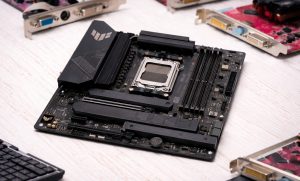
The X870E sits at the top of the AM5 stack. These boards appear in premium gaming rigs, content creation machines, and light workstation setups. Unlike server motherboards that prioritise ECC memory and redundant power paths, X870E boards focus on gaming performance and enthusiast features.
Key Advantages for Gamers:
- Guaranteed PCIe 5.0 for both the GPU slot and primary M.2 drive.
- USB 4.0 (40 Gbps) is standard, ideal for external SSDs, Thunderbolt docks, or future peripherals.
- More chipset PCIe lanes (20x vs 12x) provide room for capture cards, 10GbE networking, and additional NVMe drives.
- Premium VRM designs support AMD Ryzen 9000-series CPUs with extreme overclocking headroom.
- Often include dual-BIOS chips, seven-segment debug displays, and better audio hardware.
Who Should Buy X870E?
Serious gamers and enthusiasts who want every current and future feature covered should consider the X870E. If you use multiple high-speed SSDs, a capture card, USB 4.0 peripherals, and plan to keep this platform through several CPU generations, the X870E is a safe, forward-looking investment.
The Downside:
Price. Entry-level X870E boards start around $250, and flagship models easily exceed $500. For pure gaming, the performance uplift over B850 or B650E in actual frame rates is minimal. You are paying for connectivity and future-proofing, not raw FPS.
B850 for Gaming: The Sweet Spot
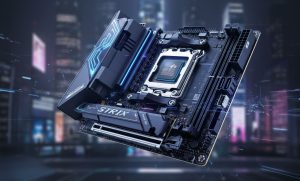
The B850 is AMD’s latest mid-range offering and arguably the most interesting addition to the AMD chipset explained story. It bridges the gap between the old B650 generation and the full X870E experience in a way that makes sense for most gamers.
Here’s what makes B850 compelling:
- PCIe 5.0 GPU slot and M.2 support – same as X870E.
- USB 4.0 is now standard (this was optional on B650/B650E).
- Wi-Fi 7 support built in as standard.
- Compatible with all AM5 CPUs, including Ryzen 7000 and Ryzen 9000 series.
- Solid VRM designs from major manufacturers support overclocking.
B850 vs B650E For Gaming:
The B850’s mandatory USB 4.0 and Wi-Fi 7 are genuine quality-of-life improvements over the B650E. If you use external storage, need high-bandwidth gaming peripherals, or want the fastest wireless gaming, the B850 is a meaningful upgrade. The chipset PCIe lane count is the same (12x PCIe 4.0), so expansion capacity is comparable.
Who Should Buy B850?
Most mainstream gamers building a new AM5 system today will find it hits the sweet spot of modern connectivity without the premium X870E price tag. For anyone not running a multi-capture-card streaming setup or rack-grade storage expansion, a B850 board offers everything you’ll use.
Who Should Buy B850?
Most mainstream gamers building a new AM5 system today. It hits the sweet spot of modern connectivity without the premium X870E price tag. For anyone not running a multi-capture-card streaming setup or rack-grade storage expansion, a B850 board offers everything you’ll realistically use.
B650E for Gaming: Still Solid, But Showing Its Age
The B650E was a popular choice when AM5 first launched and remains a capable option, especially if you find one on sale. Understanding the difference between B650 and X870 generation boards helps set expectations.
B650E Highlights:
- PCIe 5.0 for both GPU and primary M.2 – the “E” designation delivers here
- CPU and RAM overclocking fully supported
- Competitive pricing, especially on older stock
- Wide variety of board options from budget to mid-high
B650E Limitations Compared to B850 And X870E:
- USB 4.0 is optional, not guaranteed – many B650E boards lack it entirely
- Wi-Fi 7 support is optional
- Fewer USB ports overall at the chipset level
- Older platform, less likely to receive cutting-edge BIOS optimizations for future CPUs
Who Should Buy B650E?
Budget-conscious builders who already own one or find steep discounts as retailers clear inventory. For a first gaming PC or secondary build, B650E still handles gaming workloads with zero performance penalty versus X870E. Frame rates in games depend on your CPU and GPU, not the chipset.
X870E vs B850 vs B650E: Head-to-Head Summary
| Category | X870E | B850 | B650E |
| Gaming Performance | Identical | Identical | Identical |
| PCIe 5.0 GPU/M.2 | Yes | Yes | Yes |
| USB 4.0 Standard | Yes | Yes | Optional |
| Wi-Fi 7 Standard | Yes | Yes | Optional |
| Expansion Capacity | High | Medium | Medium |
| Overclocking Support | Full | Full | Full |
| Future CPU Support | AM5 till 2027+ | AM5 till 2027+ | AM5 till 2027+ |
| Value for Pure Gaming | Overkill | Excellent | Good |
| Best For | Enthusiasts / streamers | Mainstream gamers | Budget / legacy builds |
Does the Chipset Actually Affect Gaming FPS?
This is the key question, and the answer is no, not directly.
The chipset doesn’t handle gaming instructions, manage GPU rendering, or have a big impact on CPU clock speeds. Your frame rates will be about the same on an X870E or a B650E, as long as you use the same CPU, GPU, and RAM.
Here’s what the chipset does affect:
- Storage Bandwidth: PCIe 5.0 NVMe drives (on X870E, B850, or B650E) load games faster than PCIe 4.0, but your in-game frame rates won’t change.
- Stability Under Heavy Workloads: High-end X870E boards with robust VRMs are better suited to heavy overclocking and might let your Ryzen 9000 run at higher all-core speeds.
- Peripheral Performance: USB 4.0 on the X870E and B850 delivers faster transfer speeds for external devices. This is helpful if you create content and play games.
If your main goal is higher FPS in gaming, skip spending extra on the chipset and put that money toward a better GPU or more RAM.
X870E vs X670 and X670E: Should You Upgrade?
A lot of gamers are sitting on X670 or X670E systems and wondering if the 800-series is worth a platform switch. For the x870 vs x670 comparison:
If you have an X670E board, there’s no compelling reason to upgrade. You already have PCIe 5.0 on GPU and M.2, solid USB bandwidth, and your board will support Ryzen 9000-series CPUs without any hardware changes. The only genuine upgrade X870E offers over X670E is mandatory USB 4.0, and you can add that via a PCIe expansion card for under $50.
For the amd x870 vs x670 non-E comparison, the answer is even clearer: X670 actually has more connectivity than X870 in most areas (more chipset PCIe lanes, more USB ports). The only wins for X870 are USB 4.0 as standard and a PCIe 5.0 GPU slot.
The x670 vs x870 motherboard upgrade math rarely works in favor of buying new unless you’re building fresh.
Which AM5 Chipset Should You Choose?
Choose X870E if:
- You’re building a high-end gaming and content creation rig.
- You need maximum USB ports, capture card slots, or multi-drive NVMe setups.
- You want USB 4.0 and Wi-Fi 7 guaranteed out of the box.
- You’re investing in a long-term platform (AM5 through multiple Ryzen generations).
Choose B850 if:
- You want modern connectivity (USB 4.0, Wi-Fi 7) without X870E pricing.
- You’re building a mainstream gaming PC and don’t need extreme expansion.
- You want the best value for a new AM5 build in 2025 or 2026.
Choose B650E If:
- You’re on a tight budget and can find discounted inventory.
- You already own a B650E board and are just upgrading your CPU to Ryzen 9000.
- Pure gaming performance is your only concern and connectivity extras aren’t priorities.
Final Thoughts
For most gamers building a new AM5 system in 2026, the B850 is the sweet spot. It gives you PCIe 5.0 where it matters, USB 4.0 and Wi-Fi 7 as guaranteed features, and full support for current and upcoming Ryzen processors, all at a price that fits a standard budget.
The X870E earns its price for power users, streamers, and enthusiasts who need the extra connectivity headroom. If that’s you, it’s an excellent long-term platform investment.
The B650E remains viable for budget builds or if you already own one, but for new purchases, the B850 has made it obsolete at similar price points.
Whatever chipset you choose, remember that the biggest gaming performance gains come from your GPU and CPU, not the motherboard. Buy the chipset that fits your connectivity needs and budget, and spend the rest where it counts.
If you are still unsure which chipset is best for your gaming PC, contact our expert team at (855) 483-7810 or visit our website to request a bulk quote.
Frequently Asked Questions
Is Z790 better than Z890?
Z790 and Z890 are Intel chipsets, not AMD. Z890 is newer, offering PCIe 5.0 lanes and improved USB connectivity, similar to how X870E improves on X670E. Z890 is generally the better platform for new Intel builds in 2025–2026, though Z790 remains capable with 13th and 14th Gen CPUs.
Does the X870E support Ryzen 7000 CPUs?
Yes. All AM5 chipsets, including X870E, are fully backward compatible with Ryzen 7000-series processors. AMD has committed to the AM5 socket until at least 2027, so your motherboard investment spans multiple CPU generations without needing a new board.
Is B650E still worth buying in 2026?
B650E can still be a solid choice if you find it discounted, and it supports Ryzen 9000 CPUs without issue. However, for new builds, B850 is generally the better buy, it adds USB 4.0 and Wi-Fi 7 as standard features for a modest price increase that’s usually worth it.
Do I need PCIe 5.0 for gaming right now?
Not really. As of 2026, no consumer GPU requires PCIe 5.0 to perform at its best, PCIe 4.0 at x16 provides more than enough bandwidth for current GPUs. PCIe 5.0 M.2 drives offer faster sequential read/write speeds but don’t translate to noticeably higher in-game frame rates. It’s future-proofing rather than a current-day necessity.
What’s the difference between X870E and X870 (non-E)?
This is one of the most confusing points of the AM5 generation. Unlike the 600-series where “E” only meant PCIe 5.0 for the GPU slot, X870E now guarantees significantly more: twice the USB ports, more SATA ports, more chipset PCIe lanes, and mandatory USB 4.0. The non-E X870 is functionally closer to a B850 than a true flagship, making X870E the clear choice if you’re spending X-series money.
Categories


tags

Expert team support
We accept POs from fortune 1000 companies, government agencies, defense, schools and hospitals.
Do you need advice on buying or selling hardware? Fill out the form and we will return.

Sales & Support
(855) 483-7810
We respond within 48 hours on all weekdays
Opening hours
Monday to thursday: 08.30-16.30
Friday: 08.30-15.30



