


RAID 5 Vs. RAID 6: Capacity, Performance, Durability
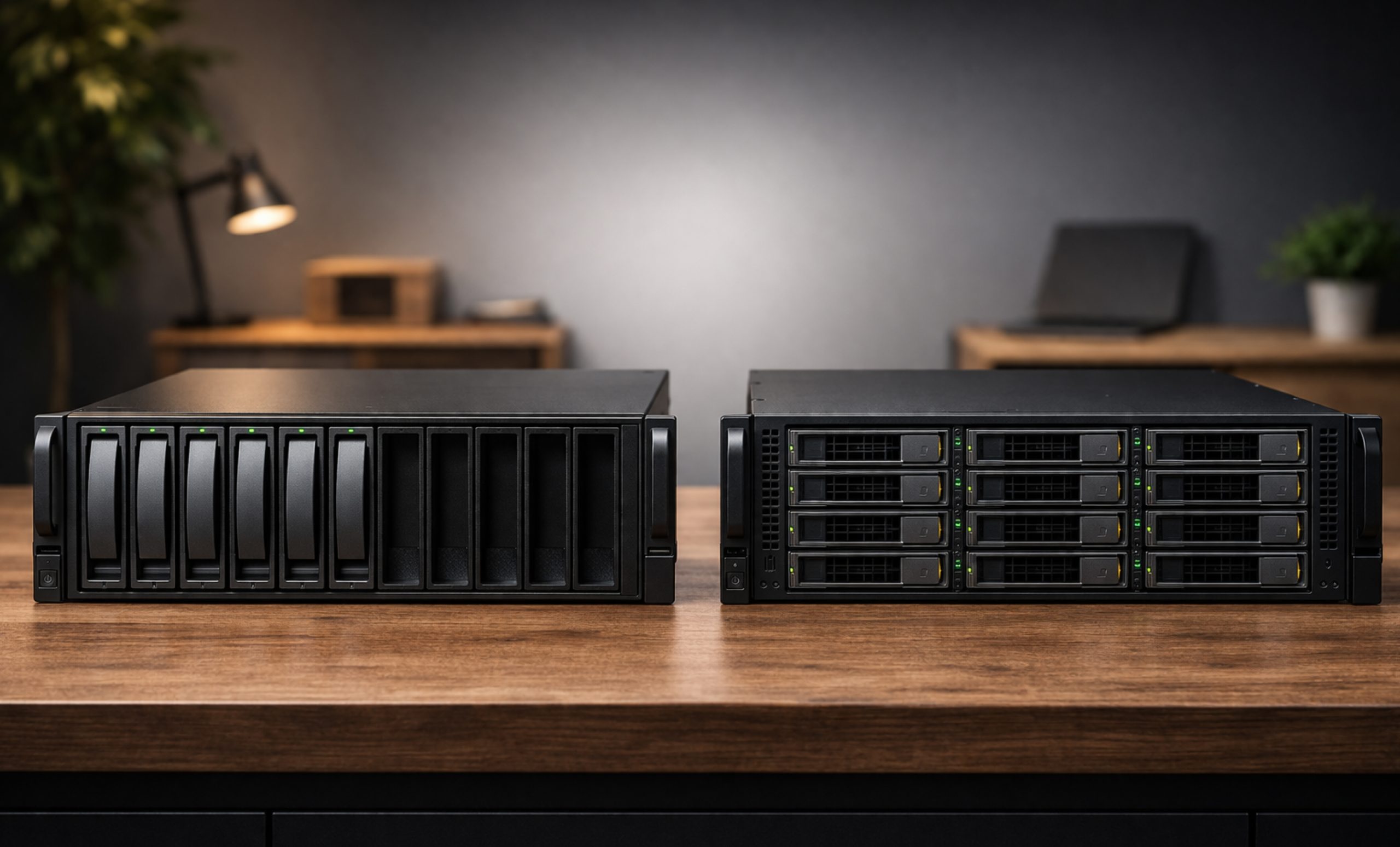
Choosing the right storage setup is a key decision for IT administrators and anyone who works with a lot of data. If you manage large amounts of information, you’ll often hear about RAID 5 and RAID 6 as the most popular options.
Both RAID 5 and RAID 6 use parity to keep your data safe, but each one focuses on different strengths: capacity, performance, and durability. In this guide, we’ll explain the differences between RAID 5 vs. RAID 6 level so you can decide which setup is right for your server.
Understanding the Fundamentals: Parity and Stripping
Before diving into the raid 5 vs raid 6 performance comparison, it is essential to understand how these systems actually work. Both levels use a technique called striping with parity.
- RAID 5 spreads data across all drives and sets aside the space of one drive to store parity information.
- RAID 6 works in a similar way, but it uses two sets of parity, so it reserves the space of two drives for extra protection.
RAID 5: A Balanced Choice
RAID 5 has been a popular choice for general-purpose servers for many years. You need at least three drives to set up a RAID 5 array. It offers a good mix of fast read speeds and efficient use of storage space.
RAID 6: Built for Extra Protection
As hard drives grew larger, often reaching double-digit terabytes, RAID 6 became the top choice for storing important data. Its extra layer of parity offers a level of protection that RAID 5 cannot provide.
Capacity
When comparing RAID 5 and RAID 6, capacity is typically the primary consideration.
In a raid 5 with 6 drives, you lose the capacity of one drive to parity. If you have six 10TB drives, your usable space is 50TB. However, in a RAID 6 configuration with the same six drives, your usable space drops to 40TB because two drives are dedicated to parity.
Quick Comparison Table
| Feature | RAID 5 | RAID 6 |
| Minimum Drives | 3 | 4 |
| Capacity Loss | 1 Drive Equivalent | 2 Drives Equivalent |
| Fault Tolerance | 1 Drive Failure | 2 Drive Failures |
Performance: The Speed Trade-off
The comparison between RAID 5 vs RAID 6 performance involves technical considerations. Both configurations provide high read speeds because data is accessed from multiple disks simultaneously; however, their write speeds differ significantly.
- Read Performance
In a raid 5 vs 6 performance test, read speeds are nearly identical. Both array types benefit from striping, which enables controllers to access data across multiple disks.
- Write Performance and the Parity Penalty
This limitation represents a significant drawback of parity-based systems. With each write operation, the controller is required to calculate parity.
- RAID 5 typically demonstrates higher write performance because it requires only a single parity calculation per write operation.
- RAID 6 requires two parity calculations for each write operation, resulting in a more substantial write penalty.
For write-intensive databases, the raid 5 vs raid 6 performance comparison usually favors RAID 5, or better yet, RAID 10.
Durability
You might wonder why someone would pick RAID 6, since it is slower and provides less storage space. The main reason is its durability.
As hard drives get larger, the time it takes to rebuild an array after a drive failure increases. If you are running raid 5 with 6 drives and one fails, your data is unprotected during the entire rebuild process (which can take days). If a second drive develops an Unrecoverable Read Error (URE) or fails during that window, all data is lost.
RAID 6 storage helps ease this worry by allowing two drives to fail at the same time. Even if one drive fails and another has an error during the rebuild, your data stays safe.
The Role of Hardware: RAID Controllers
Regardless of which level you choose, the quality of your raid controllers is paramount. Parity calculations are mathematically intensive. A Software RAID setup will tax your system CPU, whereas a dedicated hardware RAID controller has its own processor and cache memory to handle these calculations, significantly boosting raid 5 performance.
Our Top 5 Best RAID Controllers – Direct macro
When building a server or high-end workstation, the RAID controller acts as the brain of your storage subsystem. At Direct Macro, we source the most reliable units from industry-leading brands to ensure your data remains safe and accessible.
Here are 5 of the best-selling RAID controllers from different brands available at Direct Macro, along with their technical breakdown.
1. Broadcom / LSI: Mega RAID 9560-16i
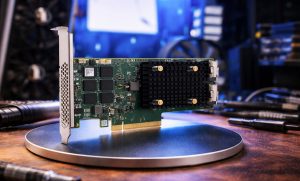
Broadcom (under the LSI/Mega RAID brand) is the gold standard for high-performance enterprise storage. Broadcom RAID 9560-16i is a high-quality Tri-Mode controller, meaning it can manage NVMe, SAS, and SATA drives simultaneously.
Specifications
- Interface: PCIe 4.0 x8
- Ports: 16 Internal
- Cache: 8GB DDR4
- RAID Levels: 0, 1, 5, 6, 10, 50, 60
Pros
- Tri-Mode Flexibility: Seamlessly mixes different drive types (SSD/HDD/NVMe) in a single array.
- Massive Cache: The 8GB cache significantly improves raid 5 performance by smoothing out write penalties.
Cons
- High Power Draw: Requires significant airflow as Tri-Mode processing generates substantial heat.
- Premium Pricing: One of the most expensive controllers on the market due to its advanced feature set.
2.HPE Smart Array P408i-a SR Gen10
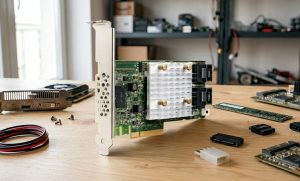
Specifically designed for HPE ProLiant Gen10 servers, the HPE smart array P408i-a is a modular type-a controller. It is a favorite for enterprise environments because it doesn’t take up a standard PCIe slot, saving space for other expansion cards.
Specifications
- Interface: PCIe 3.0 x8
- Ports: 8 Internal SAS lanes
- Cache: 2GB Flash-Backed Write Cache (FBWC)
- RAID Levels: 0, 1, 5, 6, 10, 50, 60, 1 ADM
Pros
- Slot Efficiency: The modular design installs into a dedicated storage slot, leaving PCIe lanes free.
- FBWC Reliability: Flash-backed cache ensures data is saved to non-volatile memory during power loss without needing a traditional battery.
Cons
- Vendor Locked: Primarily restricted to HPE server ecosystems; not suitable for custom white-box builds.
- PCIe 3.0 Limitation: While fast, it lacks the double-bandwidth potential of newer Gen4 controllers.
3.Dell: PERC H740P (PowerEdge RAID Controller)
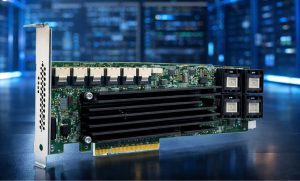
The Dell PERC H740P RAID controller is the workhorse of the Dell PowerEdge server line. It is optimized for high-end database workloads where low latency and high IOPS are required.
Specifications
- Interface: PCIe 3.0 x8
- Ports: 8 Internal
- Cache: 8GB NV Cache
- RAID Levels: 0, 1, 5, 6, 10, 50, 60
Pros
- Enormous Cache Capacity: The 8GB NV cache is best-in-class for handling large write bursts in raid 6 storage.
- Ease of Management: Fully integrates with Dell’s iDRAC for remote health monitoring and configuration.
Cons
- Proprietary Form Factor: Often sold as a Mini-Mono card, making it difficult to use in non-Dell chassis.
- Heat Sensitivity: Needs the high-static pressure fans found in PowerEdge servers to prevent throttling.
4. Adaptec (Microchip): Smart RAID 3154-8i
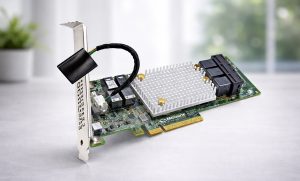
Adaptec’s Smart RAID series is known for having the lowest power consumption in the industry while maintaining high performance. The Adaptec 3154-8i RAID controller is perfect for dense server environments where thermal management is a concern.
Specifications
- Interface: PCIe 3.0 x8
- Ports: 8 Internal
- Cache: 4GB DDR4 with integrated Zero-Maintenance Cache Protection (ZMCP)
- RAID Levels: 0, 1, 5, 6, 10, 50, 60
Pros
- Integrated Supercapacitor: The ZMCP technology uses a supercapacitor rather than a lithium battery, eliminating the need for periodic battery replacements.
- Energy Efficient: Consumes significantly less wattage than comparable LSI or Dell cards.
Cons
- Software Learning Curve: The MagView storage manager is powerful but can be less intuitive for beginners.
- Throughput Caps: Under extreme NVMe loads, it may trail slightly behind the Broadcom 9500 series.
5. Intel: RS3WC080 (12GB 8-Port SAS Controller)
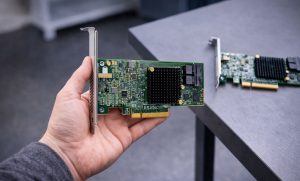
The Intel RS3WC080 SAS RAID controller is a powerhouse for users moving toward 12Gb/s SAS ecosystems. It is designed to provide high-speed data throughput for entry-level to mid-range server configurations.
Specifications
- Interface: PCIe 3.0 x8
- Ports: 8 Internal (12Gb/s SAS / 6Gb/s SATA support)
- Processor: LSI SAS3008 I/O Controller
- RAID Levels: 0, 1, 10, 1E (Note: Often used for RAID 0/1/10 stability)
Pros
- 12Gb/s Throughput: Offers double the bandwidth of older 6Gb/s controllers, making it ideal for high-speed SSD arrays.
- Broad Compatibility: Highly reliable across a wide range of server motherboards and chassis without vendor lock-in.
Cons
- Limited Parity Performance: Unlike the Mega RAID series, this controller lacks a large onboard cache, making it less ideal for high-load raid 5 performance.
- No Onboard Cache Protection: Because it lacks a dedicated cache module, it relies on system-level stability for write safety.
Comparison Table: At a Glance
| Brand | Model | Best For | Max Bandwidth | Interface |
| Broadcom | 9560-16i | Hybrid NVMe/SAS | 12Gb/s SAS / NVMe | PCIe 4.0 |
| HPE | P408i-a | ProLiant Servers | 12Gb/s SAS | PCIe 3.0 |
| Dell | PERC H740P | Database/IOPS | 12Gb/s SAS | PCIe 3.0 |
| Adaptec | 3154-8i | Thermal Efficiency | 12Gb/s SAS | PCIe 3.0 |
| Intel | RS3WC080 | 12GB SAS Speed | 12Gb/s SAS | PCIe 3.0 |
Final Thoughts
Choosing between RAID 5 and RAID 6 is really about balancing your risk tolerance with how efficiently you use your resources. RAID 5 offers good performance and more usable space, which appeals to small and medium businesses. However, as hard drives have grown larger, RAID 6 has become more popular.
RAID 6 uses dual-parity protection, which helps guard against the risk of two drives failing at once. This is especially important when you have many drives in a RAID 5 setup, since losing a second drive during a rebuild would mean losing all your data.
The performance of your RAID setup also depends a lot on the hardware you use. Choosing reliable RAID controllers from brands like Broadcom, HPE, or Intel helps make sure that parity calculations don’t slow down your system.
If you handle important data and can’t afford downtime, the extra drive needed for RAID 6 is worth it for the added security. But if your work is mostly reading data and you keep regular, reliable backups, RAID 5 is still a strong and budget-friendly choice.
Need help choosing the right RAID controller for your system?
Call us at (855) 483-7810 or visit our website Direct macro for more information and details.
FAQs
Is RAID 6 safer than RAID 5?
Yes, RAID 6 is significantly safer because it utilizes dual parity, allowing the array to survive the simultaneous failure of two drives, whereas RAID 5 can only survive one.
Which RAID is best for performance?
For raw speed, RAID 0 is fastest but risky. Between the two parity levels, RAID 5 offers better write performance due to lower parity calculation overhead than RAID 6.
Which is better RAID 5 or RAID 6?
It depends on your priority. RAID 5 is better for cost-efficient capacity and write speed; RAID 6 is better for mission-critical data security and high-capacity drive reliability.
What are the disadvantages of RAID 6?
The primary disadvantages are a higher write penalty (slower write speeds), increased cost due to requiring more drives, and lower usable storage capacity compared to RAID 5.
Can I change from RAID 5 to RAID 6?
Most modern hardware raid controllers support Online Capacity Expansion or RAID Level Migration, allowing you to convert RAID 5 to RAID 6 by adding an additional disk.
Categories


tags

Expert team support
We accept POs from fortune 1000 companies, government agencies, defense, schools and hospitals.
Do you need advice on buying or selling hardware? Fill out the form and we will return.

Sales & Support
(855) 483-7810
We respond within 48 hours on all weekdays
Opening hours
Monday to thursday: 08.30-16.30
Friday: 08.30-15.30



