


Core Switch vs Access Switch – What’s the Difference?
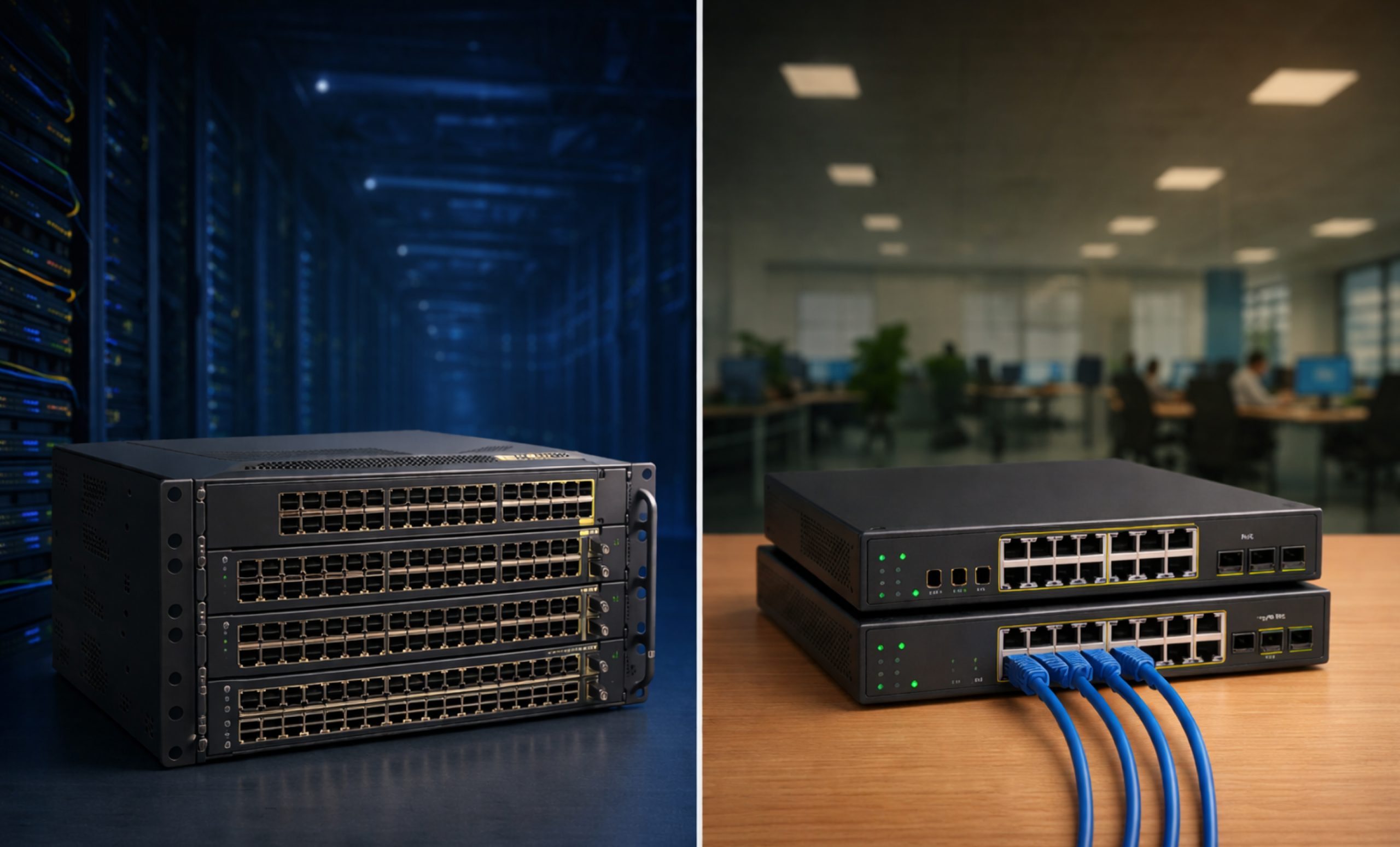
A strong and reliable network is important for any business today. As companies grow, they need fast data transfer, reliable internet, and safe communication inside the company. Network switches are a key part of this system. It is important to know that not all switches work the same way.
To make a strong and flexible network, engineers use the hierarchical internetworking model. This model has three layers: Core, Distribution, and Access. It is important to know the difference between core switches vs access switches to get good performance and avoid problems.
This guide explains what network switches do, their main features, and how they are different from each other in today’s networks.
Structure of Hierarchical Ethernet Networks
The Hierarchical Network Model has three layers. This setup makes network management easier and more reliable. Each layer has its own job. When the network is divided like this, it is easier to find and fix problems. IT teams can also make changes to specific part without affecting the whole network.
The Three Layers:
- The Core Layer: The core layer is the main part of the network. It moves data quickly and is built to be reliable.
- The Distribution Layer: This layer serves as the communication point between the access layer and the core. It handles routing, filtering, and WAN access.
- The Access Layer: The access layer is also called the edge layer. It connects users’ devices to the network through network access switches.
What is a Core Switch in Networking?
A core network switch is a main switch in a network. It is placed at the top level and handles the most traffic. Other switches connect to devices like computers or printers, but the core switch manages all the main data flow in the organization.
The main job of a core network switch is to move large amounts of data quickly. It collects data from all other switches, so it needs to be very fast and have massive switching capacity. Core switches often use high speed ports such as 40Gbps to 100Gbps.
· Why the Core Layer Matters?
If an access switch fails, just one department or group of users will lose their connection. But if a core network switch fails, the whole network stops working. For this reason, core switches are designed with “carrier-grade” reliability. They have backup power supplies, hot-swappable modules, and advanced cooling systems.
Important Parameters of Core Switches
When you compare core switches vs access switches, the core layer needs certain advanced features.
- High Forwarding Rate
The forwarding rate shows how many packets a switch can handle each second. Because the core layer collects traffic from the whole building or campus, its forwarding rate needs to be much higher than an access switch.
- Advanced Quality of Service (QoS)
In a busy network, not all data is equal. Voice-over-IP (VoIP) and video conferencing data require “real-time” transmission, while an email can afford a millisecond of delay. Core switches use sophisticated QoS to prioritize mission-critical traffic.
- Redundancy and High Availability
Redundancy is essential for core network switches. This means having backup hardware, like two power inputs, and backup software, such as using VRRP or HSRP protocols. If one path fails, another is ready to take over right away.
- Layer 3 Routing Capabilities
Some access switches only work at Layer 2, using MAC addresses. Most core switches work at Layer 3, using IP addresses. They handle the complex routing between different VLANs and subnets in the organization.
Understanding the Distribution Switch: The Bridge
Before we look more closely at access switches, it’s important to mention the distribution switch. This layer works as the middleman. It gets data from the access switches and cleans it with security policies and access control lists (ACLs) before passing it to the core.
The distribution layer is usually where inter-VLAN routing happens. By taking care of these heavy processing tasks, the distribution layer keeps the core switch from getting clogged with administrative work. It allows the core to stay focused on speed.
What are Access Switches?
Access switches play a key role on the office floor. A network access switch connects the digital network to physical devices. When you plug an Ethernet cable into a wall jack, you are using the access layer.
The Role of the Network Access Switch
Access switches mainly serve as connection points for end-user devices. These devices include:
- Workstations and Laptops
- Wireless Access Points (WAPs)
- IP Cameras and Security Sensors
- Printers and VoIP Phones
Because they connect directly to users, access switches need to have a high port density. It is common to see 48-port access switches stacked together to support an entire floor of employees.
Important Parameters of Access Layer Switches
To tell the difference between an access switch vs core switch, one must look at the features specific to the edge:
1. Power Over Ethernet (PoE)
A key feature of access switches is Power over Ethernet (PoE). With PoE, the switch can send both data and power through one Ethernet cable. It is important for devices like IP phones and ceiling cameras that are far from power outlets. Core switches rarely support PoE.
2. Port Security
Access switches are often placed in closets or under desks, making them more open to security risks. Features such as MAC Filtering or 802.1X Authentication help make sure only approved company devices can plug in and connect to the server.
3. VLAN Assignment
Access switches are responsible for placing users into the correct Virtual Local Area Network (VLAN). For example, a switch can make sure a visitor’s laptop on the “Guest Wi-Fi” cannot access the “Finance Department’s” private servers.
Access vs Core Switch: Detailed Technical Comparison
| Feature | Access Switch | Core Switch |
| Primary Function | Connects end-user devices. | High-speed data transport/backbone. |
| Location | Edge of the network (wiring closets). | Center of the network (Server Room/MDF). |
| Throughput | Lower (1Gbps to 10Gbps). | Extremely High (40Gbps to 100Gbps+). |
| PoE Support | Critical for phones/cameras. | Rarely included. |
| Routing | Mostly Layer 2 (Simple). | Full Layer 3 (Complex Routing). |
| Redundancy | Low (Single power supply). | High (Dual/Redundant everything). |
| Port Density | Very High (24-48 ports). | Moderate (High-speed fiber ports). |
Why You Shouldn’t Use an Access Switch as a Core?
Many small businesses try to cut costs by using a high-end network access switch as their core network switch. This might work for a short time, but it usually causes problems like:
- Bottlenecks: The CPU of an access switch cannot handle the “inter-VLAN” routing of an entire company.
- Latency: Users may notice “lag” during video calls or when transferring files.
- Single Point of Failure: Without the backup hardware of a true core switch, a single power surge could shut down the entire business.
Choosing the Right Hardware: The Cisco Example
Among industry leaders, Cisco core switches are often seen as the standard for quality.
- Cisco Access Switches: The Catalyst 9200 series work well at the network edge, providing PoE+ and simple management.
- Cisco Core Switches: The Catalyst 9500 and 9600 series are designed for the core, with the ability to scale up and stack to support thousands of users.
Whether you choose Cisco, Juniper, or another brand, the principle remains the same: Invest in a robust core network switch to protect your uptime, and use versatile access switches to empower your users.
Conclusion
In the comparison between access switches vs core switches, remember that they work together as a team, not against each other.
- The network access switch manages the “entry points” and provides power to devices.
- The distribution switch filters and routes traffic based on security policies.
- The core network switch acts as the high-speed highway that ties everything together.
Following this layered setup makes your network easier to manage, more secure, and better prepared for future growth. Knowing the difference between access and core switch is the first step to building a strong IT environment.
For more information and update about access and core switch feel free to call us at (855) 483-7810 or visit our website for bulk order request.
FAQs
What are core switches?
Core switches are high-capacity, high-speed networking devices that serve as the central backbone of a network. They are responsible for fast and reliable data transport between different segments and layers of the enterprise.
What is the difference between access switch and core switch?
The main difference is their role: an access switch connects end-user devices (like PCs) to the network, whereas a core switch connects multiple distribution switches together to move large amounts of data across the network backbone.
What is a Cisco core switch?
A Cisco core switch is a specialized high-performance hardware unit, such as the Cisco Catalyst 9500, designed to handle the massive routing and switching demands of a large organization’s central network layer.
Do I always need a distribution switch?
In very small networks, you can use a “collapsed core” design where the core switch also performs the duties of the distribution layer. However, as your business grows, adding a distribution layer helps maintain speed.
Can core switches provide power to IP phones?
Typically, no. Core switches use high-speed fiber optic ports to connect to other switches. Power over Ethernet (PoE) is almost exclusively found on access switches because that is where the phones are actually plugged in.
Categories


tags

Expert team support
We accept POs from fortune 1000 companies, government agencies, defense, schools and hospitals.
Do you need advice on buying or selling hardware? Fill out the form and we will return.

Sales & Support
(855) 483-7810
We respond within 48 hours on all weekdays
Opening hours
Monday to thursday: 08.30-16.30
Friday: 08.30-15.30



