


SanDisk Optimus GX Pro 8100 8TB SSD Review: The Ultimate High-Capacity PCIe 5.0 Drive
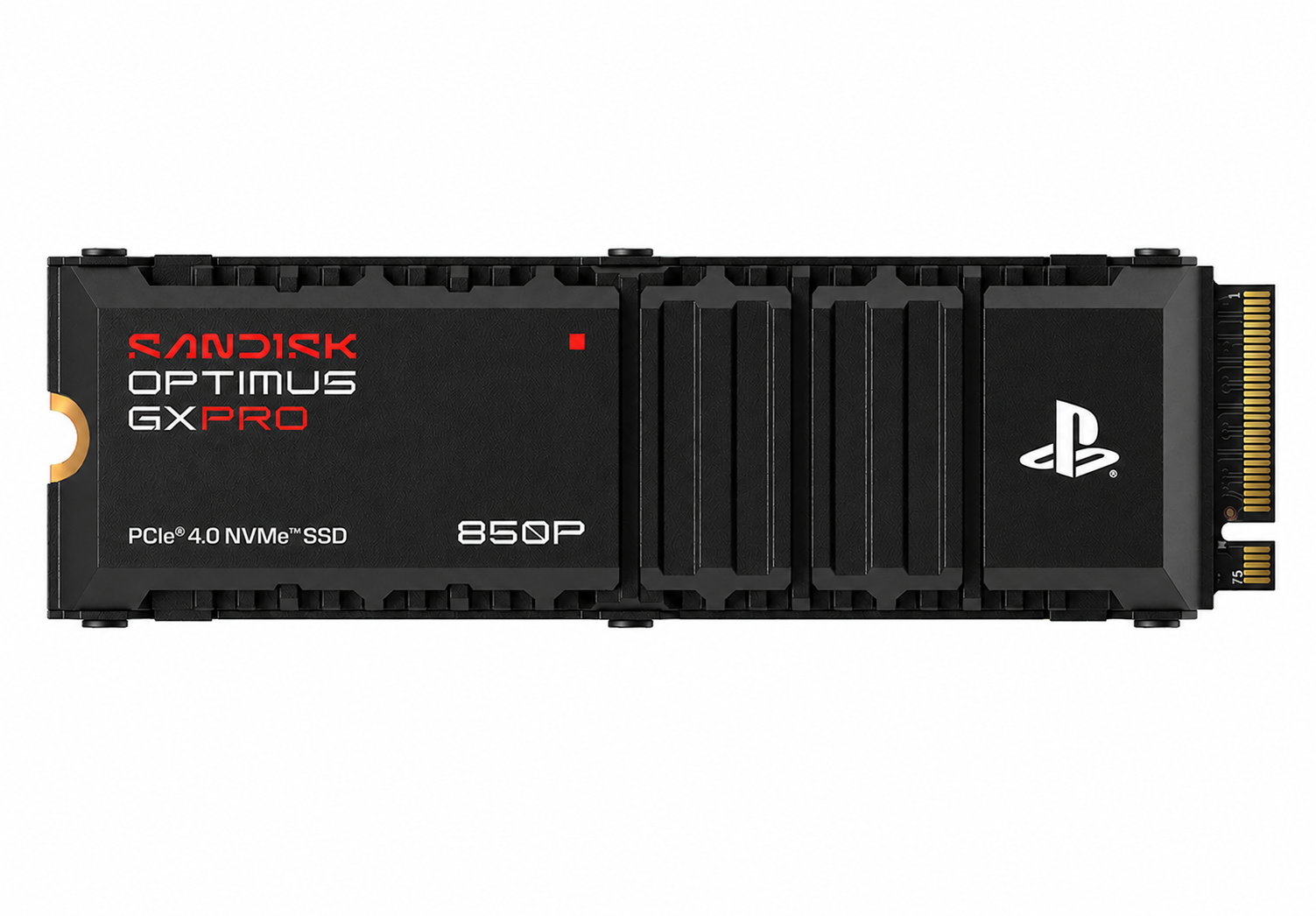
The SanDisk Optimus GX Pro 8100 arrives with a large storage capacity, flagship PCIe 5.0 speed paired with a massive 8TB of capacity in a single M.2 2280 stick. For creators, data scientists, and power users who have outgrown 2TB and 4TB drives, an 8TB high-capacity NVMe SSD that doesn’t sacrifice throughput has been a long time coming. In this SanDisk Optimus GX Pro 8100 8TB SSD review, we put the drive through synthetic benchmarks and real-world workloads, compare it against the Samsung 9100 Pro and Crucial T705, and answer the question that matters most: is this the best PCIe 5.0 SSD you can buy right now?
Below you will find our full breakdown of design, sustained performance, thermals, and value, plus clear guidance on whether the jump from PCIe 4.0, or from a 4TB drive, is worth it for your workflow.
Specifications at a Glance
| Specification | SanDisk Optimus GX Pro 8100 (8TB) |
| Interface | PCIe 5.0 x4, NVMe 2.0 |
| Form factor | M.2 2280 (single-sided / double-sided) |
| Capacities | 1TB, 2TB, 4TB, 8TB |
| Sequential read | Up to 14,900 MB/s |
| Sequential write | Up to 14,000 MB/s |
| Random read / write | Up to 2.4M / 2.2M IOPS |
| NAND | 3D TLC |
| DRAM cache | Yes (LPDDR4) |
| Endurance (8TB) | Up to 4,800 TBW |
| Warranty | 5 years |
Design and Build Quality
SanDisk keeps the Optimus GX Pro 8100 in a standard M.2 2280 footprint, so it drops into any modern desktop motherboard or PCIe 5.0-ready laptop without an adapter. The 8TB model is double-sided, packing NAND on both faces of the PCB, which is worth noting if your laptop or PlayStation 5 expansion slot has limited clearance. There is no bundled heatsink in the box; SanDisk assumes you will pair the drive with your motherboard’s M.2 heatsink, and as our thermal testing shows, that assumption matters.
Build quality is reassuringly solid. The controller is a current-generation PCIe 5.0 design backed by an LPDDR4 DRAM cache, which helps sustain random-access performance under heavy multitasking, a meaningful advantage over the DRAM-less designs creeping into the budget NVMe SSD market.
PCIe 5.0 Performance: Benchmarks and Real-World Speed
Performance is the entire reason this drive exists, so we tested it on a PCIe 5.0 x4 slot with the latest chipset drivers, both bare and under an active heatsink.
1. Sequential Throughput
In CrystalDiskMark, the SanDisk Optimus GX Pro 8100 benchmark results landed close to its rated ceiling: roughly 14,900 MB/s sequential read and 14,000 MB/s sequential write. That puts it at the front of the fastest PCIe 5.0 SSD pack and makes short work of large file transfers such as a 100GB video project copies in seconds rather than minutes. For anyone moving 8K footage, disk images, or large datasets daily, that headroom is transformative.
2. Random IOPS and Workstation Workloads
Sequential numbers grab headlines, but random performance defines how snappy a drive feels. Here the Optimus GX Pro 8100 posted up to 2.4M read IOPS and 2.2M write IOPS at high queue depths. As an NVMe SSD for workstations, think code compilation, virtual machines, database work, and CAD scratch disks, it stays responsive where lesser drives bottleneck. Its blend of capacity and IOPS also makes it a credible enterprise SSD option for edge workstations that need fast local storage without a U.2 backplane.
Thermals and Sustained Performance
PCIe 5.0 drives run hot, and the Optimus GX Pro 8100 is no exception. Bare on an open bench, the drive throttled within a few minutes of sustained writes, with sequential speeds dropping sharply once the controller crossed its thermal limit. Under a standard motherboard M.2 heatsink, however, it held composure: sustained write speeds stayed high through our 200GB continuous-write test with only minor tapering as the SLC cache filled. The takeaway is simple, treat a heatsink as mandatory, not optional, on this drive.
SanDisk Optimus GX Pro 8100 vs Samsung 9100 Pro vs Crucial T705
How does it stack up against the two PCIe 5.0 heavyweights most buyers cross-shop? Here’s a head-to-head on the specifications of SanDisk Optimus GX Pro 8100 8TB vs Samsung 9100 Pro 8TB vs Crucial T705 that matter.
Comparison Table:
| Specifications | SanDisk Optimus GX Pro 8100 | Samsung 9100 Pro | Crucial T705 |
| Max capacity | 8TB | 4TB | 4TB |
| Seq. read | ~14,900 MB/s | ~14,800 MB/s | ~14,500 MB/s |
| Seq. write | ~14,000 MB/s | ~13,400 MB/s | ~12,700 MB/s |
| Random read | ~2.4M IOPS | ~2.2M IOPS | ~1.55M IOPS |
| DRAM cache | Yes | Yes | Yes |
| Best for | Max capacity + speed | Balanced flagship | Value flagship |
| Prices | $4500 | $1262 | $745 |
| Condition | Refurbished | New | New |
The headline difference is capacity. The Samsung 9100 Pro and Crucial T705 top out at 4TB, while the SanDisk Optimus GX Pro 8100 doubles that to 8TB without surrendering its place among the fastest drives. If you only need 2TB or 4TB, the Samsung 9100 Pro remains a superb all-rounder and the Crucial T705 is the value pick. But if you want one drive that delivers both leading throughput and 8TB of room, the Optimus GX Pro 8100 stands alone.
PCIe 5.0 vs PCIe 4.0 SSD: Is the Upgrade Worth It?
A top PCIe 4.0 SSD peaks around 7,000–7,500 MB/s, so on paper the Optimus GX Pro 8100 is roughly twice as fast. Whether you feel that depends on your workload. For gaming, the real-world difference is modest today, load times improve only marginally because games are rarely storage-bound. For sustained sequential work video editing, 3D rendering caches, large dataset transfers, and backups, the PCIe 5.0 advantage is obvious and time-saving. If your daily work involves moving tens or hundreds of gigabytes, the best PCIe 5.0 SSD pays for itself in saved time; if you mostly game and browse, a quality PCIe 4.0 drive still represents better value.
Comparison Table:
| Feature | PCIe 5.0 (GX Pro 8100) | PCIe 4.0 SSD |
| Peak sequential read | Up to 14,900 MB/s | ~7,000–7,500 MB/s |
| Peak sequential write | Up to 14,000 MB/s | ~6,500–7,000 MB/s |
| Interface bandwidth (x4) | ~64 GB/s | ~32 GB/s |
| Gaming benefit | Marginal today | Excellent value |
| Best for | Video, 3D, large transfers | Gaming, everyday use |
| Relative price | Premium | Lower / better value |
8TB SSD vs 4TB SSD: Who Needs This Much Capacity?
Capacity is the Optimus GX Pro 8100’s signature feature, so weigh 8TB against the more common 4TB tier honestly. A 4TB SSD comfortably holds a large game library or a working video project or two. You step up to 8TB when you stop wanting to manage storage at all, keeping entire 8K project archives, multiple VM images, raw photo libraries, and a full game collection on one drive without constantly offloading. The best 8TB SSD also reduces drive count in a build, freeing M.2 slots and simplifying backups. If you regularly hit 70–80% usage on a 4TB drive, the jump to 8TB is the upgrade that ends the juggling.
Comparison Table:
| Factor | 8TB SSD | 4TB SSD |
| Usable capacity | ~8TB | ~4TB |
| Typical use | 8K archives, multiple VMs, full game library | One large project or game library |
| Storage management | Set and forget | Periodic offloading needed |
| Drives in build | One drive does it all | Often need a second drive |
| Cost per TB | Higher (premium) | Lower |
| Best for | Pros needing maximum headroom | Mainstream power users |
Endurance, Software, and Everyday Reliability
Capacity and speed mean little without endurance to back them, and the 8TB Optimus GX Pro 8100 is rated for up to 4,800 TBW which means enough headroom that even heavy professional users are unlikely to wear it out within the 5-year warranty period. That endurance, combined with its DRAM cache, is what separates it from cheaper high-capacity drives that cut corners on controller design.
SanDisk’s dashboard software rounds out the package, offering firmware updates, real-time temperature and health monitoring, and a secure-erase tool. For professionals storing client work, the ability to track drive health and SMART data at a glance is genuinely useful, and TCG Opal support on the enterprise-leaning configurations adds hardware encryption for sensitive workloads. None of this is flashy, but reliable monitoring and timely firmware are exactly what you want from a drive you intend to trust with irreplaceable projects for years.
On value, the Optimus GX Pro 8100 sits at the premium end of the market, as any 8TB flagship will. Measured purely on cost per terabyte it won’t undercut a 4TB drive, but that misses the point: you are paying for consolidation and headroom. For the user who genuinely needs 8TB of fast local storage, owning one drive instead of two, with fewer points of failure and simpler backups, justifies the premium.
Who Should Buy the SanDisk Optimus GX Pro 8100?
This drive is built for a specific and demanding user. if you are a video editor, 3D artist, photographer, data scientist, or developer who needs both maximum capacity and top-tier speed on a single drive this product is for you, and if your system has a PCIe 5.0 slot and an M.2 heatsink to keep it cool. It’s overkill for a pure gaming build or a general-use PC, where a 2TB or 4TB PCIe 4.0 drive delivers a better price-to-performance ratio. But for high-capacity NVMe SSD workloads where time is money, it’s one of the most capable consumer drives available. You can buy this if:
• Content Creators and Video Editors: Editing 8K footage and moving multi-gigabyte project files is exactly where the 14,900 MB/s throughput and 8TB capacity pay off.
• Data Scientists and Developers: Large datasets, virtual machines, and frequent code compiles benefit from the high random IOPS and DRAM-backed responsiveness.
• 3D Artists and CAD Professionals: Scratch disks, texture libraries, and render caches stay fast under sustained load, keeping your workflow fluid.
• Power Users Who Want One Drive: If you are tired of juggling storage across multiple SSDs, 8TB of fast space consolidates everything onto a single, reliable drive.
Final Thoughts
The SanDisk Optimus GX Pro 8100 delivers genuine flagship PCIe 5.0 performance with class-leading 8TB capacity in a standard M.2 form factor. It runs hot and needs a heatsink, and it commands a premium price, but for professionals who need a single, fast, high-capacity drive, there is currently nothing that matches its combination of speed and space. If you have been waiting for an 8TB drive that doesn’t compromise on throughput, this is it.
Before making purchase check it’s pros and cons:
Pros: Class-leading 8TB capacity; near rated 14,900 MB/s sequential speeds; strong random IOPS for workstation tasks; 5-year warranty.
Cons: Runs hot without a heatsink; premium pricing; double-sided design may not fit slim laptops.
Ready to upgrade your storage? If you need uncompromising PCIe 5.0 speed with a massive 8TB of headroom in a single drive, the SanDisk Optimus GX Pro 8100 delivers. Contact our experts for more details, latest prices and availability. Request a bulk quote today before stock runs out.
Frequently Asked Questions
1. Is the SanDisk Optimus GX Pro 8100 the fastest PCIe 5.0 SSD?
It is among the fastest, with rated sequential reads up to 14,900 MB/s that match or edge out the Samsung 9100 Pro and Crucial T705. Its standout advantage is offering those speeds at 8TB, a capacity its rivals don’t reach.
2. Do I need a heatsink for the Optimus GX Pro 8100?
Yes. Like all high-performance PCIe 5.0 SSDs, it throttles under sustained load without adequate cooling. A motherboard M.2 heatsink keeps it running at full speed during long transfers.
3. Is PCIe 5.0 worth it over PCIe 4.0?
For heavy sequential workloads like video editing and large file transfers, yes, PCIe 5.0 is roughly twice as fast. For gaming and everyday use, a quality PCIe 4.0 SSD still offers better value.
4. Will the 8TB model fit in a laptop or PS5?
It uses the standard M.2 2280 size, but the 8TB version is double-sided, so confirm your laptop or PS5 expansion slot has the clearance for a double-sided drive before buying.
Categories


tags

Expert team support
We accept POs from fortune 1000 companies, government agencies, defense, schools and hospitals.
Do you need advice on buying or selling hardware? Fill out the form and we will return.

Sales & Support
(855) 483-7810
We respond within 48 hours on all weekdays
Opening hours
Monday to thursday: 08.30-16.30
Friday: 08.30-15.30



