


Server Maintenance Checklist for Maximum Uptime

Key Takeaways
- A written server maintenance checklist turns uptime from luck into a repeatable process; daily, weekly, monthly, and annual tasks each serve a different purpose.
- Preventive server maintenance is cheaper than recovery: most outages start as a warning that nobody was watching.
- Server monitoring with thresholds and alert routing is the top-return item on the list; without it, the rest of the checklist runs blind.
- Hardware maintenance covers drives, fans, PSUs, memory, and thermal paths and accounts for a large share of avoidable failures in aging enterprise servers.
- Implement patches on a schedule, following a test-then-production sequence, and ensure a verified rollback plan is always available.
- Maintain up-to-date documentation and critical spares to ensure recovery time is based on the process, not on the memory of a single engineer.
Why a Server Maintenance Checklist Decides Your Uptime?
Every hour of uptime you provide depends on decisions made weeks ago. A server maintenance checklist records these decisions. Without it, maintenance becomes reactive: someone notices a failing drive after an application slows, a rack overheats because a fan quietly failed three months earlier, or the team neglects patch windows, causing the platform to become outdated by years. A checklist ensures that work is done regularly, logged properly, and smoothly transferred when staff changes.
The goal of preventive server maintenance is not to keep hardware pristine. It is to reduce the number of surprises. Vendors build enterprise servers to run for years, and they usually do, but they run best when someone checks the boring things on schedule. Temperature. Free disk space. Backup restores. Firmware levels. RAID health. Power redundancy. None of these tasks are difficult; all of them are easy to forget.
This guide provides a practical checklist organized by frequency, along with the reasoning behind each item so you can adapt it to your estate rather than copying it unthinkingly. Whether you run three servers in a comms room or a few hundred across two data centers, the structure holds.
The Real Cost of Unplanned Downtime
Downtime costs far more than the outage window itself. Add the lost transaction revenue, the support load, the overtime, the post-incident reporting, and the slower, harder-to-quantify erosion of internal trust in the platform. Regulated workloads may also carry reporting obligations tied to availability. Even a modest e-commerce operation can lose thousands of dollars in an afternoon, and the recovery work often consumes the same engineers who were supposed to be doing preventive maintenance, which is how organizations fall into a permanent firefighting cycle.
Most outages are not caused by dramatic failures but by small, warning signals that go unnoticed: such as a SMART pre-failure attribute, a memory correctable-error counter increasing, a filesystem reaching 94% capacity, or a battery-backed cache unit exceeding its service life. Server monitoring tools are designed to detect these indicators, and maintenance checklists ensure they are reviewed and acted upon. This combination of monitoring and scheduled human review helps improve system reliability from three nines to four.
There is also a hardware-lifecycle dimension. A server running past its supported life with no spares on the shelf is an availability risk regardless of how well you patch it. Part of any honest IT maintenance plan is knowing which machines are near end of life and what the replacement or upgrade path looks like, whether that is a full server system refresh, a rebuild on a server barebone platform, or a targeted component upgrade.
Daily Server Maintenance Checklist
Daily tasks are about detection, not intervention. They should take one engineer no more than fifteen minutes across a small estate, and ideally, a dashboard or a morning digest email handles most of them, with a human actually reading it.
- Take a moment to review overnight alerts, then dismiss or escalate each one. Remember, leaving alerts unread is like not monitoring at all, so staying on top of them helps ensure everything runs smoothly.
- Verify that backup jobs finished successfully and compare the reported data volume with the expected baseline.
- Review disk and volume capacities on all production servers, focusing on any that exceed 80%.
- Verify that core services and application endpoints respond by performing synthetic checks instead of relying on a green status indicator.
- Monitor system, application, and hardware logs regularly to identify new errors, focusing on disk, memory, and power issues.
- Verify that the inlet temperature and fan status in the rack are within normal limits to ensure everything is running smoothly.
The only essential requirement is backup verification. Having a backup you haven’t tested by restoring is merely an assumption, not true protection.
Weekly Server Maintenance Checklist
Weekly work shifts focus from observation to action. This stage involves settling minor debts identified during daily checks and analyzing trends instead of isolated snapshots.
- Perform a simple test restore of at least one file set or a virtual machine to see how quickly you can recover, and be sure to note the recovery time. This helps you understand the recovery process better and ensures everything is working smoothly.
- Review RAID and storage array health, including rebuild status, hot-spare availability, and controller cache battery state.
- Implement approved security updates on non-critical and test systems before the scheduled production patch window.
- Monitor capacity trends in CPU, memory, storage, and network to identify growth early and prevent incidents.
- Check that antivirus, endpoint, and intrusion-detection definitions are all up to date on every server workload. Keeping these current helps protect your systems effectively.
- Keep an eye on failed login attempts, watch over privileged account activities, and stay informed about any new administrative accounts. These steps help us ensure our system stays secure and trustworthy.
- Clear temporary files, rotate and archive logs, and ensure that log shipping to your central collector is active.
Monthly Server Maintenance Checklist
Monthly maintenance includes hardware upkeep and physical inspections. While remote monitoring provides valuable insights, it cannot detect issues such as a cable being half-pulled from a port, missing blanking panels, or dust accumulation on a front bezel that restricts airflow.
- Apply the full production patch set, including the operating system, hypervisor, firmware, and BIOS, following your usual change process. This helps ensure everything is updated smoothly and securely.
- Take a moment to casually check the racks, look over the cable arrangements, blanking panels, any dust that might have settled, the airflow routes, and keep an eye on those amber status LEDs. It’s a simple step that really helps keep everything running smoothly.
- Verify test redundancy by intentionally failing a power supply, a network path, and a cluster node, then confirm that each failover functions correctly.
- Let’s review user accounts and permissions together, making sure to remove access for staff who have left and any inactive service accounts. This helps keep everything secure and up-to-date.
- Make sure to update your asset inventory to include any hardware, firmware, or configuration changes you’ve made over the past month. It’s a simple step that helps keep everything organized and up to date!
- Check UPS runtime and battery health, and kindly confirm the generator or secondary feed test results if they are applicable.
- Analyze the past month’s incident log and identify which checklist item could have detected each issue sooner.
That final point transforms a static checklist into a dynamic one. Each incident provides feedback on the checklist’s effectiveness.
Quarterly and Annual Hardware Maintenance
Some tasks are only meaningful on a longer cycle, either because they require a maintenance window or because they involve lifecycle decisions rather than routine housekeeping. Quarterly and annual hardware maintenance help prevent failures that monitoring can’t predict, such as mechanical wear, thermal degradation, and component obsolescence.
- Clean air filters, fan assemblies, and heatsinks, and replace thermal paste on systems that have been running hot for a long time.
- Reseat and inspect memory modules, expansion cards, and drive carriers on any system that has recorded correctable errors.
- Review firmware baselines throughout the fleet and establish standard versions instead of patching machines to the latest version each week.
- Verify the complete disaster recovery plan from start to finish, ensuring it includes documented failover procedures to a secondary site or provider.
- Check the warranty and support status, and identify any enterprise servers with unsupported hardware or software.
- Compare the spare parts inventory (drives, PSUs, fans, memory, rails, and cables) with your recorded failure history.
- Make sure to balance your power consumption and rack density with your cooling capacity before adding any new equipment. This helps keep everything running smoothly and safely.
Annual reviews are also the right moment for honest lifecycle decisions. If a platform is out of warranty, thermally marginal, and running on drives past their rated hours, no amount of checklist discipline will make it reliable. Costing a refresh that includes a new chassis, updated server motherboards, and current-generation memory is part of maintenance, not separate from it.
Building a Server Monitoring Stack That Warns You Early
Server monitoring is the backbone of the entire checklist. Without telemetry, you are inspecting, not managing. A workable monitoring setup covers four layers, and gaps in any one layer create blind spots that only reveal themselves during an outage.
- Hardware Layer: Out-of-band management such as iDRAC, iLO, or IPMI reports drive health, memory errors, PSU state, fan speeds, and inlet temperature independently of the operating system. This is the layer people most often skip, and the one that gives the earliest warning of physical failure.
- Operating System Layer: The metrics include CPU load, memory pressure, swap activity, disk latency, queue depth, filesystem capacity, and service status. Of these, disk latency is especially important, as it tends to increase gradually and is often the earliest indicator of an array component failure.
- Application Layer: This layer tracks response times, error rates, queue backlogs, database connection counts, and transaction throughput. It focuses on the availability that truly matters, as a server might be operational while the service it provides is unusable.
- Alerting and Routing Layer: Thresholds are aligned with real-world conditions, with defined escalation paths, on-call schedules, and a clear rule for waking someone at 3 a.m. Alert fatigue is the leading cause of monitoring failures; an estate generating two hundred alerts nightly effectively has no effective alerts.
Configure thresholds in two levels: a warning that triggers a ticket during business hours, and a critical alert that pages someone. This simple adjustment transforms most monitoring systems from producing noise into effective early-warning tools, making actual server uptime improvements measurable instead of just anecdotal.
Patching and Security Hygiene
Patching involves balancing availability and security, highlighting the importance of a documented process. The goal isn’t to always stay fully up-to-date but to be predictably current, with a clear recovery plan if a patch causes issues.
- Maintain a scheduled patch window with clear downtime expectations communicated for each service tier.
- Conduct tests in a staging environment that closely mirrors production, covering firmware and driver levels.
- Take a snapshot or image before applying changes, and confirm the snapshot is valid before you begin.
- Patch in waves: start with non-critical systems, then move to secondary, and finally to primary systems, ensuring a bad update remains contained.
- Treat firmware and BIOS as part of the patch cycle, not an afterthought; storage and network firmware bugs cause real outages.
- Document a rollback procedure and the triggering criteria, and establish these beforehand rather than during the window.
Security hygiene includes: least-privilege access, multi-factor authentication on management interfaces, out-of-band management on an isolated network segment, disabled unused services and ports, and encrypted backups stored offline or immutably. A ransomware event is an availability event, and it will test your restore process more thoroughly than any drill.
Documentation, Spare Parts and Ownership
A maintenance program is only as strong as the information supporting it. When an engineer is troubleshooting at 2 a.m., the difference between a twenty-minute fix and a four-hour outage is usually documentation quality: knowing which array the volume lives on, which PSU feeds which circuit, and where the spare drive is kept.
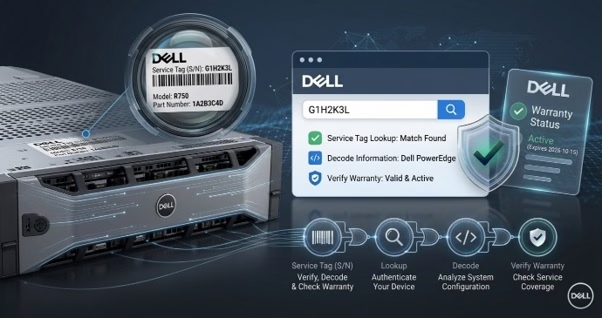
Keep a current asset register covering make, model, serial number, service tag, warranty expiry, firmware level, physical location, and rack unit. Maintain network and power diagrams, a dependency map showing which services rely on which hosts, and runbooks for the failures you consider most likely. Record every maintenance action with a date and an owner, because the maintenance log is what tells you whether a recurring fault is one problem or three.
Stock spares according to your own failure history, not a vendor’s suggestion. Hard drives and power supplies fail most often, so hot spares for both should be on site. Memory, fans, rails, mounting hardware, and cabling are cheap to hold and expensive to wait for. If you run identical hardware across several racks, standardizing on shared server accessories and rack components reduces the number of distinct parts you need to keep.
Finally, assign named ownership. A checklist with no owner is a document; a checklist with an owner and a monthly review is a process. Rotate the reviewer so more than one person understands the estate.
Common Server Maintenance Mistakes to Avoid
Exotic failures cause very little downtime; quietly skipped routine tasks cause most of it. These are the mistakes that undermine an otherwise solid server maintenance checklist, and each one is avoidable.
- Relying on backups without testing restore processes is the most common cause of a minor issue turning into a disaster.
- Monitoring only the operating system without the hardware removes your earliest warning of physical failure.
- Postponing patch windows until the backlog grows so large that patching itself becomes a risky operation.
- Physical inspection is often overlooked because remote management creates a sense that it’s unnecessary.
- Running redundancy that you haven’t tested yet can be risky, because untested failover might not work when you need it, making it unreliable.
- Documentation tends to get overlooked, so the recovery really depends on the memory of a single engineer. It’s a bit risky, but with teamwork and good record-keeping, things can be smoother. Remember, keeping thorough documentation helps everyone in the long run!
- Think of end-of-life hardware as an investment in future planning, rather than just a matter of what’s available. This perspective helps ensure your resources are used wisely, and you’re prepared for the road ahead.
Work through this checklist for one full quarter, and the change is usually obvious: fewer emergencies, shorter incidents, and maintenance performed in daylight rather than at midnight. Preventive server maintenance is unglamorous, repetitive work, and it is the most reliable investment in uptime available to any IT team.
Final Thoughts
Uptime is the cumulative result of small, scheduled habits, not something you buy once. A server maintenance checklist works because it removes judgment from routine work and reserves it for problems that genuinely need it.
Start smaller than you think you need to. Run the daily list for a month, automate what you can, then add the weekly and monthly layers. Log every task and every incident, and let incidents reshape the checklist. Be realistic about hardware, too: when server monitoring keeps flagging the same machine, the answer is usually a refresh, not another maintenance pass.
Ready to close the hardware gaps your checklist keeps finding? Contact our hardware experts or browse our full range of enterprise server components such as server systems, chassis, racks and cabinets, server hard drives, memory, and server motherboards, plus the spares and upgrades you need to keep uptime where it should be. Explore server components now.
Frequently Asked Questions
- How often should I run a server maintenance checklist?
Perform daily monitoring checks, weekly backup and storage reviews, monthly patching and physical inspections, and quarterly hardware maintenance on enterprise servers.
- What is preventive server maintenance?
Preventive server maintenance involves scheduled inspections, patching, and hardware checks performed before failure, rather than reactive repairs after downtime has already occurred.
- Which server monitoring metrics affect uptime most?
Disk capacity and latency, memory errors, CPU load, inlet temperature, and service response times provide the earliest warning of failures that affect server uptime.
- Does hardware maintenance really improve server uptime?
Yes. Cleaning airflow paths, replacing worn drives and fans, and updating firmware prevent the mechanical and thermal failures that cause most avoidable IT maintenance incidents.
Categories


tags

Expert team support
We accept POs from fortune 1000 companies, government agencies, defense, schools and hospitals.
Do you need advice on buying or selling hardware? Fill out the form and we will return.

Sales & Support
(855) 483-7810
We respond within 48 hours on all weekdays
Opening hours
Monday to thursday: 08.30-16.30
Friday: 08.30-15.30



