


Top Portable Printers for Travel and Remote Work in 2026
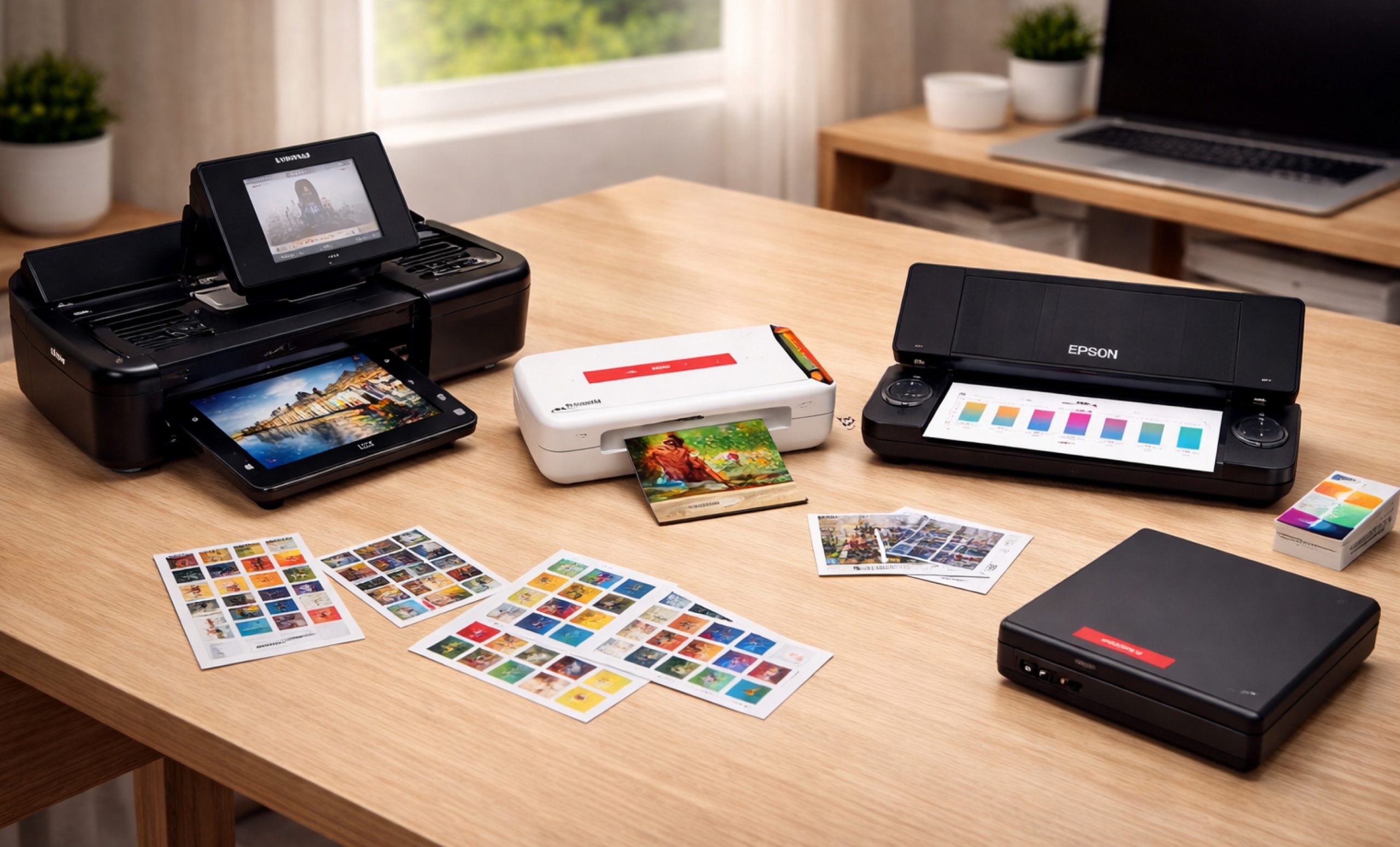
The modern workplace has transformed dramatically, with remote work and digital nomadism now the norm rather than the exception. As professionals work from coffee shops, hotel rooms, and co-working spaces all over the world, there is a greater demand for compact, efficient technology. Portable printers, which provide professional-quality printing without the bulk of traditional office equipment, are among the most useful tools in a remote worker’s arsenal, even for those transitioning from traditional print industry roles such as offset printing positions into more flexible, mobile workflows. Depending on your business needs, understanding the difference between a Label Printer vs Barcode Printer can help you choose the right device for inventory, shipping, or product labeling tasks.
Why Portable Printers Matter in 2026
Portable printers have become indispensable companions for business travelers, remote workers, and creative professionals in an age when flexibility defines success. These small devices bridge the gap between digital convenience and physical documentation requirements, allowing users to print contracts, boarding passes, photos, and important documents wherever work takes them. Choosing the right printer accessories, such as carrying cases, extra batteries, or replacement paper trays, can further enhance the functionality and convenience of your portable printer.
The latest generation of wireless portable printers provides unprecedented convenience. Gone are the days of tangled cables and complicated setup procedures. Today’s best portable printers connect seamlessly via Bluetooth, Wi-Fi, or even USB-C, allowing quick printing from smartphones, tablets, and laptops with minimum hassle.
What Makes a Portable Printer Ideal for Every User?
When evaluating good portable printers for travel and remote work, several factors are considered:
- Weight and Size: Best models weight under 2 pounds and fit in backpacks.
- Battery Life: At least 50 pages per charge for all-day productivity.
- Print Quality: Sharp text and vibrant images without compromising portability.
- Connectivity Options: Wireless capabilities including Wi-Fi, Bluetooth, and USB-C.
- Paper Handling: Support for various paper sizes and types.
- Durability: Strong construction for travel demands.
- Cost Per Page: Affordable ink or consumable replacement costs.
Leading Portable Printers for Travel in 2026
1. HP Officejet 250 Mobile All-in-One

The HP Office Jet 250 revolutionizes mobile office productivity by combining printing, scanning, and copying capabilities in a single portable device for professionals everywhere.
Specifications:
- Print Technology: Thermal Inkjet
- Weight: 6.5 lbs (2.95 kg)
- Print Speed: 10 ppm (black), 7 ppm (color)
- Resolution: Up to 4800 x 1200 dpi
- Battery Life: 50 pages per charge
- Connectivity: Wi-Fi, USB, Wi-Fi Direct
- Display: 2.65-inch color touchscreen
- Paper Capacity: 50 sheets
- Functions: Print, Scan, Copy
Reasons to Buy:
- All-in-one functionality combines printing, scanning, and copying functions in a single compact device, eliminating the need for multiple printers while traveling.
- The color touchscreen allows for standalone operation without the need for a computer connection, allowing for quick document handling via an intuitive interface, increasing productivity.
- Supports legal-size paper up to 8.5 x 14 inches, allowing for contracts and official documents that standard portable printers cannot handle.
- USB and wireless connectivity options allow you to print from laptops, smartphones, and tablets using multiple connection methods for convenience.
- An automatic document feeder streamlines the scanning of multi-page documents, saving time and effort when digitizing paperwork while traveling remotely.
- Professional print quality yields sharp text and vibrant colors that are appropriate for client presentations, proposals, and business correspondence needs.
Reasons to Avoid:
- Heavier than print-only portable printers at 6.5 pounds, making it less convenient for frequent traveler who prioritize ultralight luggage.
- Higher initial cost compared to basic models, requiring a larger upfront investment that may not be suitable for budget-conscious buyers or casual users.
- Ink cartridges have limited capacity, necessitating frequent replacements during long trips, which raises operational costs and maintenance requirements over time.
- Slower print speeds than desktop printers may frustrate users who require high-volume printing, as it takes longer to complete large document batches.
2. Canon PIXMA TR150

Canon’s PIXMA TR150 printer provides exceptional print quality in a remarkably compact design, making it ideal for professionals who require high-quality output anywhere.
Specifications:
- Print Technology: Inkjet (4-ink system)
- Weight: 4.5 lbs (2.1 kg)
- Print Speed: 9 ppm (black), 5.5 ppm (color)
- Resolution: 4800 x 1200 dpi
- Battery Life: 330 pages per charge (optional battery)
- Connectivity: Wi-Fi, USB-C, Wi-Fi Direct
- Paper Capacity: 50 sheets
- Paper Size Support: Up to 8.5 x 14 inches
Reasons to Buy:
- Exceptional print quality produces professional documents and photos with sharp text and accurate colors using advanced four-ink printing technology.
- The lightweight design of 4.5 pounds makes it easy to carry in bags without adding unnecessary weight for frequent travelers.
- Long battery life delivers 330 pages per charge with optional battery, ensuring extended printing capability during long trips away from outlets.
- Four-ink systems have better color accuracy and smoother gradients than three-ink systems, making them ideal for presentations and marketing materials.
- USB-C charging and connectivity provide modern convenience by enabling fast data transfer and universal charging compatibility with modern mobile devices.
- Fits easily in laptop bags with compact dimensions, allowing seamless integration into existing travel setup without requiring additional luggage space.
Reasons to Avoid:
- Battery sold separately in some packages raises total cost, necessitating additional purchases to achieve true portability and cordless operation.
- In comparison to all-in-one models, the lack of scanning and copying functionality limits versatility, necessitating the use of separate devices for document digitization.
- It is more expensive than basic portable printers and requires a higher initial investment, making it unsuitable for budget-conscious users or infrequent printing.
- Slower print speeds than laser options may frustrate users with high-volume needs, taking more time to complete large jobs.
3. Epson Work Force WF-110

The Epson Workforce WF-110 represents the ultimate level of portability, weighing only 1.6 pounds and providing professional-quality printing to mobile users all over the world.
Specifications:
- Print Technology: Inkjet (4-color pigment)
- Weight: 1.6 lbs (0.73 kg)
- Print Speed: 7 ppm (black), 4 ppm (color)
- Resolution: 5760 x 1440 dpi
- Battery Life: 50 pages per charge
- Connectivity: Wi-Fi, Wi-Fi Direct, USB
- Paper Capacity: 20 sheets
- Dimensions: 12.2 x 6.1 x 2.5 inches
Reasons to Buy:
- With the weight of 1.6 pounds, Epson workforce WF-110 is the lightest wireless portable printer that available at Direct macro store. Its compact size makes it ideal for minimalist travelers who prioritize luggage weight reduction.
- Excellent for frequent travelers who require reliable printing on the go without having to carry heavy equipment that adds to the burden of travel.
- Wi-Fi Direct printing enables network-free operation, allowing you to print without a router connection in hotels, airports, or remote locations with ease.
- The high print resolution of 5760 x 1440 dpi produces sharp documents with crisp text and detailed graphics for professional presentations.
- Compact enough to fit into any bag with a slim profile, including briefcases, backpacks, and carry-on luggage compartments.
- The affordable price point for portable printers provides excellent value, making professional mobile printing accessible without breaking the bank or overspending.
Reasons to Avoid:
- The limited paper capacity of only 20 sheets requires frequent refilling during lengthy printing sessions, disrupting workflow and lowering overall productivity.
- Slower print speeds of 7 ppm black and 4 ppm color take more time to complete jobs than competitors and stationary printers.
- Print-only functionality without scanning or copying restricts versatility, requiring the use of additional devices for complete document management when traveling remotely away from the office.
- The limited battery life of 50 pages per charge may not be sufficient for heavy users, necessitating frequent recharging during busy workdays.
Portable Photo Printers: Capturing Memories on the Go
Portable photo printers have evolved into sophisticated devices capable of producing lab-quality prints for creative professionals and photographers alike.
1. Canon SELPHY CP1500

The Canon SELPHY CP1500 brings professional dye-sublimation printing to the portable format, producing stunning, fade-resistant photos that will last for generations.
Specifications:
- Print Technology: Dye-Sublimation
- Weight: 1.9 lbs (0.86 kg)
- Print Size: Postcard (4 x 6 inches)
- Print Speed: 47 seconds per 4×6 photo
- Battery Life: 54 prints per charge (optional battery)
- Connectivity: Wi-Fi, USB, SD card slot
- Durability: Water-resistant, fade-resistant prints
Reasons to Buy:
- Professional photo quality using dye-sublimation technology results in continuous-tone prints that meet commercial lab standards for color accuracy and detail preservation.
- Multiple connectivity options, such as direct camera printing via USB, SD cards, and wireless, allow for seamless printing from a variety of devices.
- Prints can last up to 10 years without fading if stored properly, preserving precious memories for future generations.
- The compact design is ideal for events and travel, fitting easily into bags and allowing photographers to provide instant prints at weddings and parties.
- Water-resistant prints are ideal for outdoor use because they can withstand moisture and fingerprints, making them suitable for scrapbooks, photo albums, and general handling.
- A dedicated Canon app with editing features allows you to customize your photos before printing, including filters, borders, and adjustments for the best results.
Reasons to Avoid:
- Photo printing without document capability has limited functionality, making it unsuitable for users who require versatile printing for business documents or text.
- The higher cost per print than inkjet technology increases operating costs over time, with dye-sublimation consumables costing more per photograph produced.
- Optional battery increases total cost above the base price, requiring additional investment to achieve true portability and cordless operation away from outlets.
- The 4×6 print size limits creative options and preventing larger prints for framing or professional portfolio presentations that require larger formats.
2. HP Sprocket Studio

The HP Sprocket Studio uses ZINK zero-ink technology to revolutionize instant photography, delivering sticky-backed photos ideal for social media enthusiasts everywhere.
Specifications:
- Print Technology: Thermal (ZINK – Zero Ink)
- Weight: 1.3 lbs (0.59 kg)
- Print Size: 4 x 6 inches
- Print Speed: Under 60 seconds
- Connectivity: Bluetooth
- Paper Type: ZINK adhesive-backed photo paper
- App Features: Filters, borders, stickers
Reasons to Buy:
- ZINK technology eliminates replacement costs and messy cartridge changes, allowing for hassle-free printing on self-contained paper.
- Extremely portable and lightweight at 1.3 pounds slips easily into bags, making it perfect for parties, events, and travel without burden.
- Instant sticky-back photos with adhesive backing are ideal for scrapbooking, wall decoration, and other creative projects that don’t require any additional glue or tape.
- Simple Bluetooth smartphone connectivity quickly pairs with iOS and Android devices, allowing for easy printing directly from phone galleries and apps.
- Fun social media integration through the HP app lets users to add filters, augmented reality features, and creative edits before printing memories.
- Great for parties and events providing instant photo sharing, creating memorable takeaways for guests at celebrations, gatherings, and special occasions.
Reasons to Avoid:
- Limited to smartphone printing only via Bluetooth restricts compatibility, preventing direct printing from cameras, computers, or tablets without workaround solutions.
- Lower print quality than dye-sublimation produces less detailed images with visible grain, not suitable for professional photography or archival purposes.
- Higher per-print cost than traditional inkjet increases expenses over time, with ZINK paper packs costing more per photo than standard paper.
- Small 4×6 format only restricts creative flexibility, preventing larger prints for framing, professional use, or displays requiring bigger photograph sizes.
Choosing the Right Portable Printer for Your Needs
Choosing from the best portable printers requires understanding your specific requirements:
For Business Travelers:
- Prioritize models with scanning and copying capabilities, especially if a reliable scanner is important for your workflow.
- Look for wireless portable printers with multiple connectivity options.
- Choose printers supporting various paper sizes including legal.
- Consider battery life for long days away from outlets.
- HP Office Jet 250 excels for comprehensive business needs.
For Creative Professionals:
- Focus on portable photo printers with high color accuracy.
- Evaluate print permanence and water resistance.
- Consider dye-sublimation over ZINK for professional work.
- Look for direct camera connectivity options.
- Canon SELPHY CP1500 delivers professional photo results.
For Lightweight Travel:
- Select small portable printers under 2 pounds.
- Prioritize compact designs that fit in laptop bags.
- Ensure Wi-Fi Direct capability for network-free printing.
- Consider print-only models to minimize weight.
- Epson Workforce WF-110 offers extreme portability
Budget Considerations:
When searching for the best buy portable printers, evaluate:
- Initial purchase price vs. long-term ink costs.
- Availability and cost of replacement cartridges.
- Battery life and replacement battery costs.
- Warranty coverage and customer support.
- Total cost of ownership over 2-3 years.
Maximizing Your Portable Printer Investment
To get the most from portable printers for travel, follow these essential tips:
Protection and Transport:
- Invest in quality padded carrying cases.
- Remove paper before packing to prevent jams.
- Store ink cartridges properly to prevent drying.
- Keep printers in climate-controlled environments.
- Avoid extreme temperatures that damage components.
Power Management:
- Keep spare batteries or power banks ready.
- Charge batteries fully before long trips.
- Use airplane mode to conserve battery when wireless isn’t needed.
- Understand your printer’s power consumption patterns.
- Consider solar chargers for remote locations.
Maintenance and Updates:
- Perform regular firmware updates for optimal performance.
- Clean print heads monthly to maintain quality.
- Use manufacturer-recommended cleaning cycles.
- Keep driver software updated on connected devices.
- Register products for warranty protection.
Supply Management:
- Stock compatible paper and ink before extended trips.
- Research local availability at destinations.
- Consider high-yield cartridges for longer trips.
- Store extra supplies in sealed bags to prevent moisture damage.
- Track expiration dates on ink cartridges.
Connectivity Optimization:
- Download manufacturer apps before traveling.
- Test wireless connections before important printing needs.
- Save frequently used documents in cloud storage.
- Configure print settings for optimal quality and speed
- Enable security features to protect wireless printing.
The Future of Mobile Printing
As remote work continues shaping professional landscapes, portable printers will evolve with enhanced connectivity, improved battery technology, and even more compact designs. Integration with cloud services and AI-powered document management will further streamline mobile workflows. Similarly, understanding the differences between Enclosed vs Open 3D Printers can help professionals and hobbyists choose the right 3D printing solution for their workspace, balancing safety, precision, and versatility.
The best portable printers in 2026 already demonstrate this trajectory, offering features once reserved for full-sized office equipment. As technology advances, the line between portable and old printers will continue blurring, making high-quality mobile printing accessible to more professionals worldwide.
Final Thoughts
The right portable printer transforms how remote professionals work, eliminating the stress of finding print shops in unfamiliar locations. Whether you need a full-featured wireless portable printer for business documents or a compact portable photo printer for creative projects, 2026’s offerings provide unprecedented quality and convenience in remarkably small packages.
By understanding your specific needs and carefully evaluating the best portable printers available, you can invest in technology that enhances productivity and maintains professionalism regardless of your location. As portable printers for travel continue evolving, they remain indispensable tools for the modern mobile workforce.
For more details and information about portable printers for traveling needs and remote work, call us at (855) 483-7810 or visit our website for bulk order.
Frequently Asked Questions
Are Portable Printers Worth It?
Portable printers are definitely worth it for frequent travelers and remote workers who need reliable document printing away from traditional offices. The best portable printers offer convenience, professional quality, and wireless connectivity that justify their investment for mobile professionals.
Do Portable Printers Print in Color?
Yes, most wireless portable printers print in color, offering vibrant output for documents and images. Both standard portable printers and specialized portable photo printers deliver excellent color quality, though some budget models focus exclusively on black-and-white printing for cost efficiency.
What is the Best Portable Printer to Buy?
The best portable printer to buy depends on your specific needs. For business documents, the HP Office Jet 250 and Canon PIXMA TR150 rank among the best buy portable printers. For photos, dedicated portable photo printers like HP Sprocket deliver superior results for creative professionals.
Categories


tags

Expert team support
We accept POs from fortune 1000 companies, government agencies, defense, schools and hospitals.
Do you need advice on buying or selling hardware? Fill out the form and we will return.

Sales & Support
(855) 483-7810
We respond within 48 hours on all weekdays
Opening hours
Monday to thursday: 08.30-16.30
Friday: 08.30-15.30



