


How Much RAM Do I Need? 8GB vs 16GB vs 32GB vs 64GB
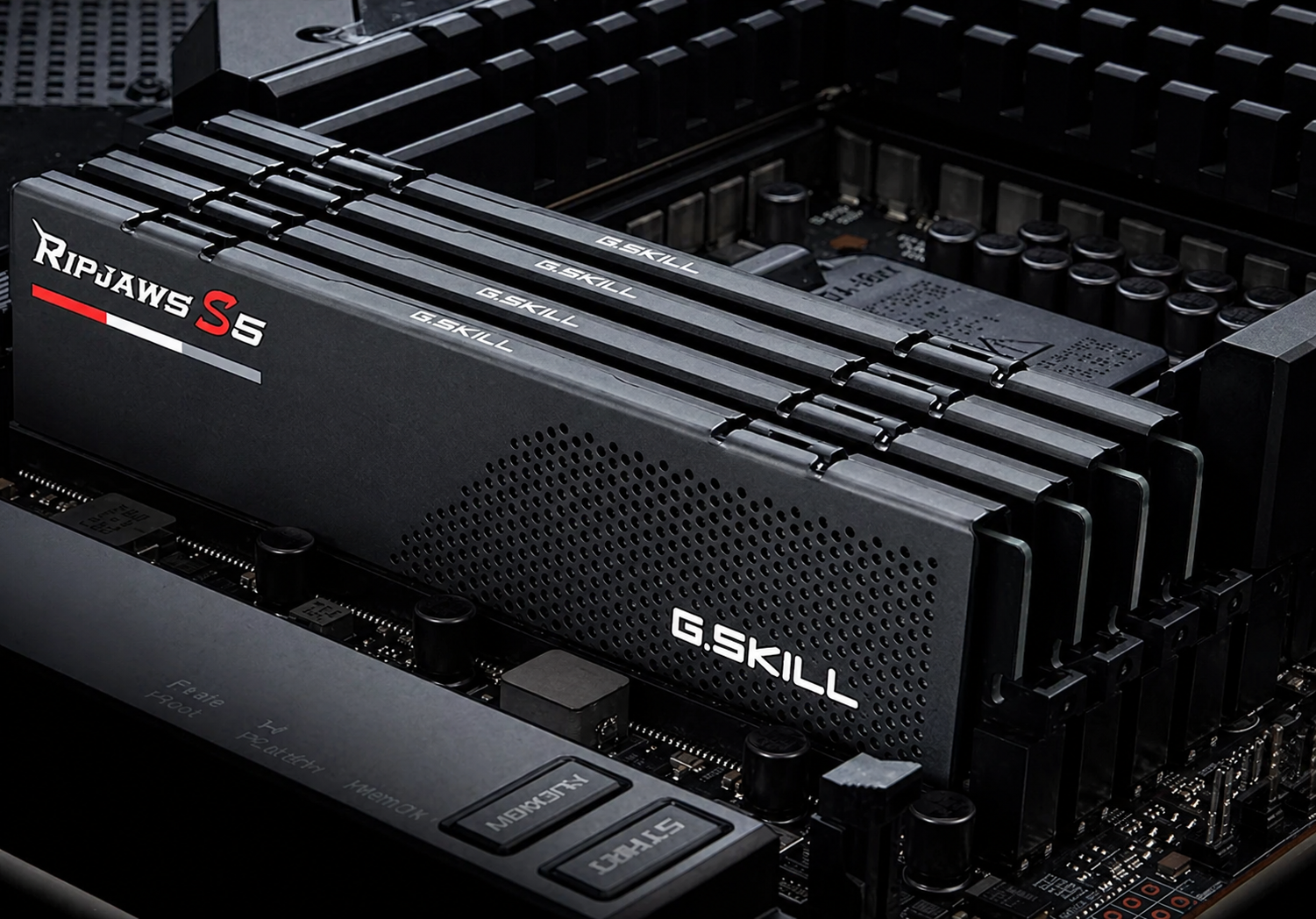
Picking the right amount of RAM is a key step when building or upgrading a PC in 2026. Software and games use more memory than before, and Windows 11 takes up more background memory, too. No matter if you game, work remotely, create content, or study, this guide will help you compare 8GB, 16GB, 32GB, and 64GB RAM so you can make a smart choice and keep your PC up to date.
What Is RAM and Why Does It Matter in 2026?
RAM (Random Access Memory) is your computer’s short-term memory, a place where data is stored for quick access by the processor. It holds items the CPU needs right away, such as open browser tabs, running applications, temporary game files, and ongoing system processes. More RAM (Random Access Memory) lets your computer handle more tasks at the same time without slowing down.
In 2026, RAM is more important than ever. Applications (apps) are larger, web browsers use more memory for each tab, and modern games can require several gigabytes of data to load at once. RAM is much faster than your solid-state drive (SSD) or hard disk drive (HDD). After your central processing unit (CPU) and graphics processing unit (GPU), RAM has the biggest impact on how fast your computer feels.
You can think of RAM like your desk space. A bigger desk lets you keep more things out and ready to use, while a small desk means you have to keep putting things away and getting them out again. In computers, this kind of slowdown really happens.
8GB vs 16GB RAM: What Is the Difference in 2026?
The difference between 8GB and 16GB RAM is more significant than ever. In 2026, DDR5 is the norm, and operating systems consume more memory even when idle. 8GB now directly limits performance, while 16GB enables smoother multitasking and gaming.
1. 8GB RAM: Falling Behind Fast
8GB of RAM used to be a good starting point. In 2026, it’s the bare minimum, and even that is not enough. Windows 11 uses 3 to 5GB just to run, so there’s very little left for anything else.
- Typical Use Case: Very light web browsing, basic document work, and offline media playback.
- Gaming: Struggles with nearly every modern AAA title, resulting in stuttering, long load times, and occasional crashes
- Multitasking: Opening Chrome alongside a game typically uses up all available memory.
- Future-Proofing: Not good. 8GB systems are already struggling and will only get worse in 2026 and later.
2. 16GB RAM: Still the Sweet Spot for Most Users
When choosing between 8GB and 16GB RAM in 2026, 16GB RAM offers noticeably better performance for most users. The step up means smoother gameplay, easier multitasking, and future-ready specs.
- Gaming: Handles virtually every 2026 title at 1080p and 1440p with ease
- Multitasking: Run a game, Discord, browser, and a music app simultaneously without slowdowns
- Work: Supports remote work tools like Zoom, Slack, and multiple browser sessions comfortably
- Future-proofing: Good. 16GB should stay useful through 2027 and probably longer for most people.
| Category | 8GB RAM | 16GB RAM |
| Everyday Browsing (2026) | Tight | Comfortable |
| Modern AAA Gaming | Struggles | Smooth |
| Multitasking | Very Limited | Reliable |
| Remote Work Tools | Marginal | Excellent |
| Future-Proofing | Poor | Good (2–3 yrs) |
8GB vs 32GB RAM: An Entirely Different League
Comparing 8GB to 32GB RAM in 2026 highlights major differences. 8GB handles only basic tasks, while 32GB allows intensive creative work, streaming, and heavy multitasking without slowdowns.
With 32GB, you can run a game, record with OBS, keep 20 browser tabs open, join a Discord call, and have a video editor running, all at once, without slowdowns. On an 8GB system, running even two of these tasks simultaneously will significantly reduce performance.
If you use Adobe Premiere Pro, DaVinci Resolve, Blender, or similar creative tools in 2026, 8GB is not enough. It might even stop these programs from opening large projects. 32GB gives you the memory these apps really need.
16GB vs 32GB RAM: Should You Upgrade in 2026?
Deciding between 16GB and 32GB RAM in 2026 means weighing current needs against future flexibility. 16GB is reliable for gaming and office work; 32GB allows for heavy multitasking and creative workloads as they become mainstream.
RAM With 16GB If You:
- Play games at 1080p or 1440p without streaming or recording.
- Use your PC primarily for productivity, communication, and media consumption.
- Work with light photo editing in apps like Lightroom or Canva.
- Have a limited budget and need to prioritize either GPU or CPU.
Upgrade to 32GB If You:
- Stream or record gameplay, there’s a clear difference between 16GB and 32GB RAM when using OBS.
- Edit videos at 4K in Premiere Pro, DaVinci Resolve, or Final Cut Pro.
- Run virtual machines or Docker containers alongside everyday work.
- Keep dozens of browser tabs open all the time (this uses a lot of RAM in 2026).
- Work in music production with large VST libraries loaded in Ableton or FL Studio.
The main difference between 16GB and 32GB RAM in 2026 is stability under heavy use. With 16GB, occasional slowdowns may occur when multitasking; with 32GB, you gain consistent smoothness in demanding scenarios.
32GB vs 64GB RAM: Gaming and Professional Workloads in 2026
For gaming in 2026, 64GB of RAM offers very little benefit over 32GB. Most games use less than 26GB, making 32GB more than sufficient. Higher capacities are only necessary for specialized workloads.
Who Actually Needs 64GB RAM in 2026?
- Professional video editors working with 6K or 8K RAW footage in multi-track timelines.
- 3D artists rendering complex scenes in Cinema 4D, Maya, or Houdini.
- Machine learning engineers running local AI model inference or fine-tuning.
- Architects and engineers using CAD software alongside real-time visualization tools.
- Software developers running multiple VMs, large Docker environments, or compiling massive codebases.
- Data analysts processing large datasets using tools such as Pandas, Spark, and R.
For gaming, there’s almost no difference in frame rates or stability between 32GB and 64GB RAM. Games aren’t designed to use 64GB of system memory. If you want better gaming performance, upgrading your graphics card will help much more than adding more RAM beyond 32GB.
| RAM | Best For in 2026 | Gaming Verdict | Value |
| 8GB | Extremely light tasks only | Not recommended | Poor |
| 16GB | Gaming, work, everyday use | Sweet spot | Excellent |
| 32GB | Creators, streamers, devs | Ideal for dual-use builds | Great |
| 64GB | AI/ML, 3D, video production | Overkill for gaming | Niche |
How Much RAM Do You Need for Gaming in 2026?
Gaming is one of the most memory-hungry uses for a PC, and RAM prices are exploded in 2026, the minimum needed RAM has gone up. Here’s what different types of games require:
RAM Requirements by Game Type in 2026
- Indie and legacy titles (Minecraft, Stardew Valley, older RPGs): 8GB minimum, 16GB recommended
- Competitive multiplayer (Valorant, CS2, Apex Legends): 16GB runs perfectly.
- Mid-tier AAA games (FIFA 26, Call of Duty, Forza Horizon): 16GB recommended
- Open-world AAA titles (GTA VI, Starfield expansions, Cyberpunk 2077 with mods): 16GB minimum, 32GB for best experience
- Simulation and strategy (Cities Skylines II, Microsoft Flight Simulator 2024): 32GB strongly recommended
If you’re deciding between 16GB or 32GB RAM for gaming:
For gaming at 1080p or 1440p, 16GB is enough. However, if you stream, record gameplay, use a second monitor with Chrome, or play simulation games, 32GB is the better and more comfortable choice in 2026.
8GB of RAM is no longer enough for gaming in new builds or upgrades. Even budget gaming PCs in 2026 should have at least 16GB.
DDR5 Is Now the Standard – Does RAM Speed Matter?
As of 2026, DDR5 (Double Data Rate 5), a type of computer memory, has fully taken over as the mainstream standard across new Intel Core Ultra and AMD Ryzen 9000 series platforms. DDR4 (Double Data Rate 4), the previous generation of memory, still exists in older systems and budget boards, but new builds are almost universally DDR5.
For gaming, the performance difference between DDR4 and DDR5 at the same capacity is small, usually a 3 to 7% difference in frame rates. What matters more is how you set up your RAM. Two 8GB RAMs (to get 16GB in dual-channel mode, which allows data to flow simultaneously across two memory RAMs) will always perform better than one 16GB RAM, because dual-channel mode gives your CPU (central processing unit) more memory bandwidth.
Always choose dual-channel over single-ram setups. That means, if your motherboard has four memory slots and you want 32GB of RAM, buy two 16GB RAMs or four 8GB RAMs instead of one 32GB. Dual-channel enables better performance and stability in modern systems.
How to Know If You Need More RAM Right Now?
Not sure if your RAM is slowing down your PC? Here are the most obvious signs you need an upgrade:
- Your PC slows to a crawl when multiple applications are open at the same time.
- Games stutter or show frame drops even when your GPU and CPU are not maxed out.
- Task Manager shows RAM usage consistently above 80–85% during normal use.
- Chrome or Edge tabs automatically reload when you switch between them.
- Your system takes an unusually long time to open apps or switch between programs.
- You notice increased disk activity (thrashing), a sign that Windows is using your SSD as overflow RAM.
On Windows 11, press Ctrl + Shift + Esc to open Task Manager, then go to the Performance tab. Watch your RAM usage during your busiest times. If it’s often at 80% or higher, upgrading your RAM will make a big difference right away.
Final Thoughts
Here’s a simple summary of the 8GB, 16GB, 32GB, and 64GB RAM choices for 2026:
- 8GB RAM: Only acceptable for extremely basic or legacy use. Avoid for any new gaming build.
- 16GB RAM: The best all-around choice for gamers, students, and everyday users, the clear sweet spot.
- 32GB RAM: The right call for content creators, streamers, power users, and anyone who multitasks heavily.
- 64GB RAM: Reserved for professional workloads, AI/ML development, 3D rendering, and enterprise video production.
Upgrading your RAM is one of the easiest and most affordable ways to boost your PC’s performance. With DDR5 prices steady and 16GB kits more budget-friendly in 2026, you don’t have to settle for only 8GB. Enjoy faster speeds and smoother multitasking. Request a bulk quote today and get the RAM you need for a better computing experience.
FAQs
1. How much RAM do you need for gaming?
For gaming in 2026, 16GB RAM is the recommended standard. It handles modern AAA titles, background apps like Discord, and browser tabs comfortably. Gamers who also stream should consider 32GB RAM.
2. How much is 8GB of RAM?
In 2026, 8GB DDR5 RAM costs roughly $20–$35, depending on speed and brand. It is the most affordable option, but it is too limited for modern gaming builds or productive multitasking. Note that prices may fluctuate based on market demand and availability.
3. What is RAM good for?
RAM holds the temporary data your processor needs instantly, such as open apps, browser tabs, and game assets. More RAM means smoother multitasking, faster app switching, and better overall system performance.
4. Is 8GB of memory enough for gaming?
No, 8GB of RAM for gaming falls short in 2026. Most modern titles recommend 16GB, and 8GB results in frequent stuttering, slow load times, and crashes in demanding open-world or AAA games.
5. What’s the difference between DDR4 and DDR5 RAM in 2026?
In 2026, DDR5 RAM is the new standard for most platforms. It offers faster speeds, higher bandwidth, and better power efficiency compared to DDR4. While DDR4 is still found in older or budget systems, new builds almost always use DDR5 for improved performance and future compatibility.
Categories


tags

Expert team support
We accept POs from fortune 1000 companies, government agencies, defense, schools and hospitals.
Do you need advice on buying or selling hardware? Fill out the form and we will return.

Sales & Support
(855) 483-7810
We respond within 48 hours on all weekdays
Opening hours
Monday to thursday: 08.30-16.30
Friday: 08.30-15.30



