


ASUS vs MSI – Best Gaming Motherboards for RTX 50 Series
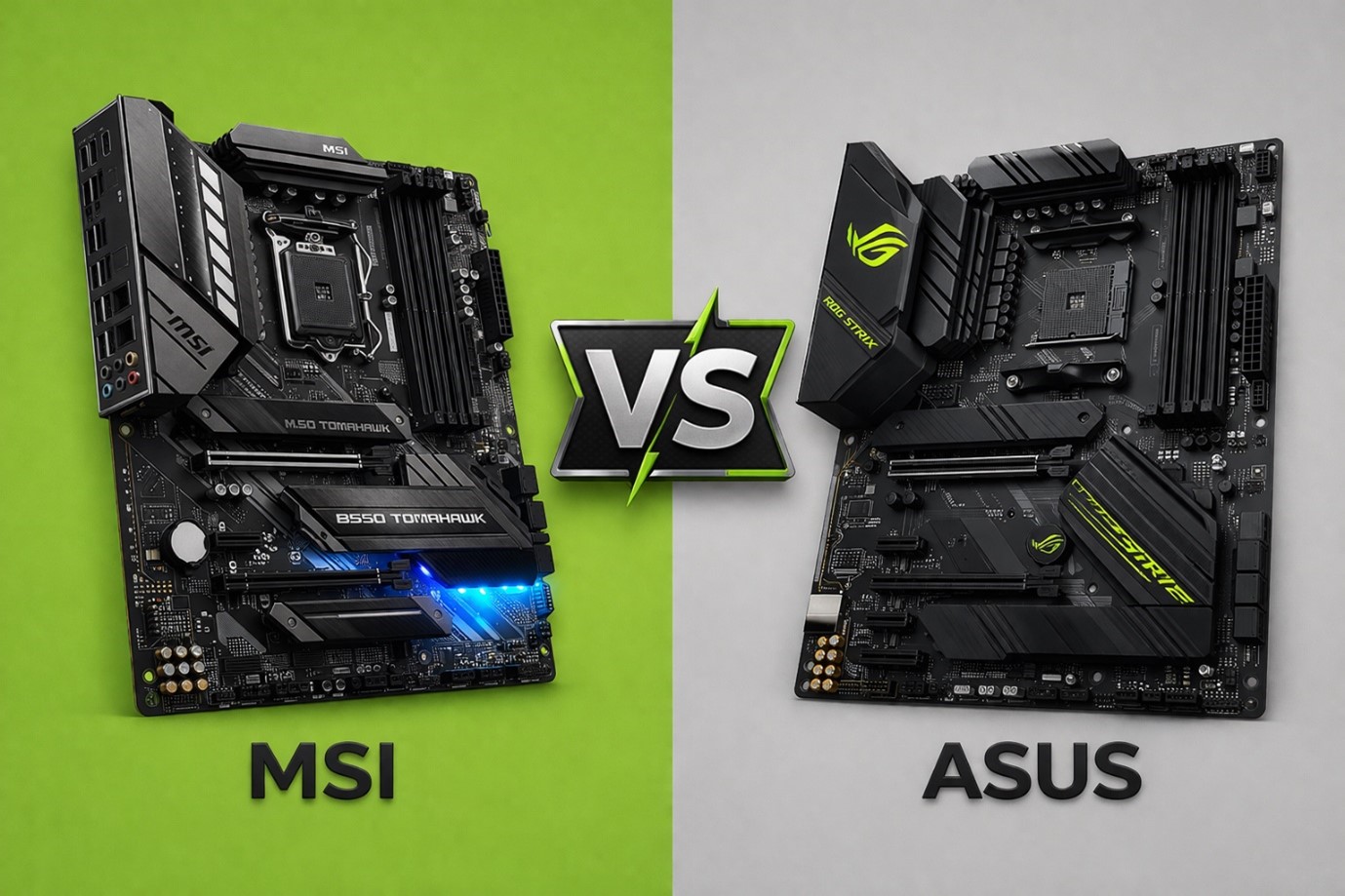
The launch of the NVIDIA RTX 50 series graphics cards has excited gamers everywhere, offering new levels of performance and visuals. To get the most out of these powerful GPUs, you need a strong foundation such as, a high-end gaming motherboard. In this arena, two top brands, ASUS and MSI, lead the way. Many gamers face the choice between ASUS vs MSI motherboards, and it’s easy to see why. Both have excellent options, each with unique pros and cons. In this blog, we’ll discuss about the msi vs asus brand debate and compare their flagship motherboards for the RTX 50 series to help you decide which one is the best motherboard MSI or ASUS fit for your gaming setup.
MSI vs ASUS Motherboards Comparison
Comparison between MSI vs ASUS motherboards helps to consider more than just the technical specifications. Both brands are leaders in the 2026 market, but they take different approaches to BIOS stability, design, and cooling performance.
Comparison Table
| Feature | ASUS (ROG/TUF) | MSI (MPG/MAG) |
| Best For | Enthusiast Overclocking | Price-to-Performance Value |
| BIOS Interface | Highly Intuitive & Polished | Functional & Easy to Navigate |
| Build Quality | Premium Aesthetics | Robust & Durable |
| Software | Armoury Crate (Feature Rich) | MSI Center (Lightweight) |
| RTX 50 Support | Reinforced Safe Slot | Steel Armor Slots |
In the end, ASUS motherboards comparison tends to offer features aimed at enthusiasts, while best motherboard msi options focus on reliability and value. Both brands are strong choices for 2026.
MSI: Innovation and Accessibility for Everyday Gamers
MSI has become a key name in the motherboard market over the past few years. Their MAG and MPG series stand out for offering a good mix of features, performance, and price. Many users like MSI motherboards for their easy-to-use BIOS interface, which helps beginners set up and adjust their systems, even those taking breaks to play games like block breaker google.
MSI motherboards work well for most gaming setups. Their VRM designs give steady power to the CPU and GPU, and their cooling systems are effective, even if not as advanced as those on top ASUS models. MSI is also recognized for features like Core Boost technology, which helps the CPU run better and more reliably.
Top MSI Motherboard Pick from Direct Macro Store
1. MSI MEG Z790 GODLIKE
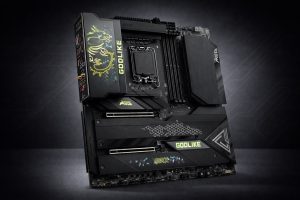
Specifications
- E-ATX Form Factor
- Intel Z790 Chipset
- 26+2+1 Phase Power
- DDR5 7800+ (OC)
- 7x M.2 Slots
- 10G + 2.5G LAN
- Wi-Fi 6E
- M-Vision Dashboard
Pros
- MSI Meg Z790 Godlike provides top-notch power delivery and cooling make it a great pick for extreme overclocking and high-end RTX 50 series builds.
- The M-Vision dashboard offers real-time hardware monitoring and system control via a built-in touch-sensitive 4.5-inch IPS LCD display.
Cons
- Because of its large E-ATX size, you need a big case, which means it won’t fit in most standard gaming PC builds.
- Its very high price makes it a luxury for enthusiasts and more than what most mainstream or competitive gamers need.
2. MSI MPG Z790 EDGE WIFI
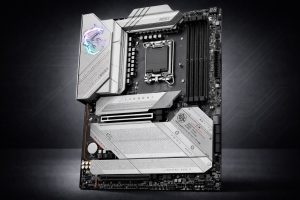
Specifications
- ATX Form Factor
- Intel Z790 Chipset
- 16+1+1 Phase Power
- DDR5 Support
- 5x M.2 Slots
- 5G LAN
- Wi-Fi 6E
- Bluetooth 5.3
Pros
- MSI MPG Z790 Edge WIFI model stands out with its silver-white look, making it great for themed builds. It also offers plenty of USB ports.
- It comes with a main PCIe 5.0 slot, so it will work well and offer top speeds with the upcoming NVIDIA RTX 50 series GPUs.
Cons
- It does not have Thunderbolt 4 support, which could be a downside for creators who need very fast external storage or want to connect several displays together.
- The higher price for the “Edge” design might be tough to justify, especially when compared to the similar MSI Tomahawk.
3. MSI MPG Z790 CARBON WIFI
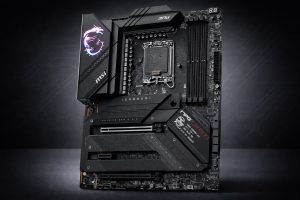
Specifications
- ATX Form Factor
- Intel Z790 Chipset
- 19+1+1 Phase Power
- DDR5 7600+ (OC)
- 5x M.2 Slots (1x Gen5)
- 5G LAN
- Wi-Fi 6E
Pros
- MSI MPG Z790 Carbon Wifi motherboard offers extended heatsink and direct-touch heat pipe which help keep the system cool, so it runs smoothly even during intense gaming or rendering sessions.
- It comes with a PCIe 5.0 M.2 slot, which means your storage can keep up with the latest RTX 50 series graphics cards.
Cons
- The MSI Center software can use a lot of system resources and sometimes feels intrusive, especially when compared to the simpler BIOS controls offered by other brands.
- The carbon-fiber look is pretty understated, so it might not be the best choice if you want a motherboard with lots of RGB lighting at this price point.
ASUS: Power and Precision for the Discerning Gamer
ASUS is well known for making high-performance motherboards that stand out for their technology and design. The ROG (Republic of Gamers) series is a favorite among gamers because it offers strong features, reliable power delivery, and great overclocking options. For the RTX 50 series, ASUS motherboards are built to deliver steady power to these demanding GPUs. They use quality VRM (Voltage Regulator Module) designs and components to keep power delivery efficient, even when under heavy use. Many ASUS motherboards also include advanced cooling, like large heatsinks and extra fan headers, to help keep everything cool and running smoothly.
ASUS also stands out for its software and BIOS interface. The AI overclocking feature uses artificial intelligence to automatically boost CPU performance, so even beginners can get more out of their system. The BIOS is easy to use and offers plenty of options for those who want to customize their setup. ASUS motherboards also look great, with modern designs and addressable RGB lighting so you can personalize your gaming PC.
Top ASUS Motherboard Pick from Direct Macro Store
1. ASUS ROG MAXIMUS Z790 HERO (90MB11A0-M0AAY0)
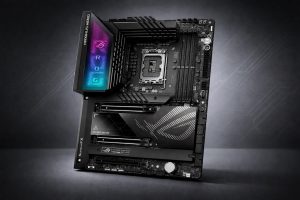
Specifications
- ATX Form Factor
- Intel Z790 Chipset
- 20+1 Phase Power
- DDR5 7800+ (OC)
- Dual Thunderbolt 4
- 5x M.2 Slots
- Wi-Fi 6E
Pros
- ASUS ROG Maximus Z790 Hero has two Thunderbolt 4 ports, offering fast 40Gbps connections for professional workstations, high-end accessories, or 8K displays.
- AI overclocking and AI cooling II help you automatically adjust system performance and fan speeds with just one click.
Cons
- Even though it is expensive, it only comes with 2.5Gb Ethernet, while some competing flagship motherboards have 10Gb LAN.
- Memory can be unstable at the highest advertised overclocked speeds and often needs specific high-quality RAM kits from the QVL.
2. ASUS LGA 2066 ATX Motherboard – TUF X299 MARK 2
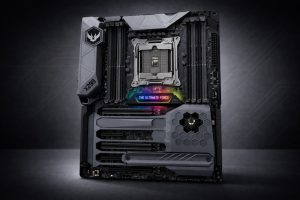
Specifications
- ATX Form Factor
- Intel X299 Chipset
- LGA 2066 Socket
- 8x DDR4 DIMM (256GB Max)
- 3-Way SLI/Crossfire Support
- Dual M.2
Pros
- ASUS LGA 2066 ATX motherboard uses military-grade TUF components and Thermal Radar 3 which makes it reliable for nonstop use in tough workstation or rendering settings.
- It has eight DIMM slots that support up to 256GB of quad-channel memory, which is great for demanding professional tasks and multitasking.
Cons
- Since it uses an older HEDT platform, it does not have newer features like PCIe 5.0, Wi-Fi 6, or DDR5 memory support.
- The upgrade options are limited because Intel no longer focuses on the LGA 2066 socket for its latest processors.
3. ASUS G73jh Gaming Socket 989 Laptop System Motherboard (60-NY8MB1200-D08)
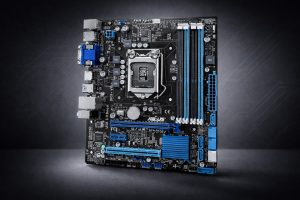
Specifications
- Micro-ATX Form Factor
- Intel H67 Chipset
- LGA 1155 Socket
- DDR3 Support
- 2x PCIe x16
- SATA 6Gb/s
- USB 3.0
Pros
- ASUS G73jh gaming motherboard has compact Micro ATX design which makes it a good option for building or fixing small PCs and older home office setups.
- It has two PCIe x16 slots and GPU Boost technology, so you get more expansion options than you might expect from an older, budget board.
Cons
- It uses older DDR3 memory and does not have M.2 slots, so it will not work with modern fast storage or the latest gaming parts.
- It is not a good fit for the RTX 50 series because it does not support PCIe 4.0 or 5.0 and will cause major CPU bottlenecks.
Why Choose Direct Macro for Your Gaming Hardware?
When you need high-end components, it’s important to have a supplier you can trust. Direct Macro is known as a top platform for enterprise and professional hardware, connecting the latest technology with customers smoothly.
- Authenticity Guaranteed: Every high-end gaming motherboard is genuine and comes with an official warranty, so your RTX 50 series purchase is always protected.
- Global Logistics: With 5 strategically located warehouses, Direct Macro ensure rapid delivers across the US, Europe, and Asia. It helps keep your build on schedule with minimal delays.
- Technical Expertise: Their team knows the details of the MSI and ASUS motherboard 2026 options and can help you avoid issues like VRM thermal throttling.
- Competitive Pricing: Direct Macro offers high-value hardware at prices that compete with major retailers which makes it a good asus motherboard for gaming destination.
Tips For Choosing the Right Motherboard for Your RTX 50 Series PC
1. Identify Your User Profile
Think about your gaming goals and hardware preferences for 2026 before choosing between an ASUS vs MSI motherboard.
2. Choose ASUS (ROG Series) for Elite Performance
Pick an ASUS ROG Series motherboard if you want top performance and advanced features, especially if you’re a demanding gamer who values overclocking options.
- ASUS boards use high-quality parts and strong power delivery, but you’ll pay more for these premium features.
3.Choose MSI (MAG/MPG Series) for Balanced Value
Go with an MSI MAG series or MPG Series motherboard if you want good performance and easy-to-use features at a more affordable price.
- The best motherboard msi options in these series provide a solid foundation for most builds without breaking the bank.
4. Prioritize Stability and Reliability
If stability and reliability matter most, MSI boards are a good pick. They may not have every high-end feature, but they offer smooth and dependable gaming.
5. Evaluate Your Budget
Carefully considering your requirements and total spend allows you to make an informed decision on which msi or asus motherboard is right for your RTX 50 series rig.
6. Focus on Future-Proofing
No matter which brand you pick, make sure your motherboard supports PCIe 5.0 standards. This will help you get the most out of your gaming experience in the future.
Final Thoughts
If you’re building a gaming PC with an RTX 50 series card, keep in mind that the motherboard is more than just a component. It’s the base for your system’s performance, stability, and future upgrades. Take your time to look into your options and choose one you’ll be happy with for years. When it comes to asus vs msi, both brands offer great choices.
To get the reliable motherboard for your gaming adventure browse our full selection of motherboards at Direct Macro store today, and build a great gaming setup for better experience.
For more details and information about msi vs asus motherboards, call us at (855) 483-7810 or visit our website for bulk order.
FAQs
Are msi motherboards good?
Yes, MSI motherboards are generally considered good. They offer a great balance of performance, features, and value, particularly in their MAG and MPG series, making them popular choices for many gamers.
What is the best motherboard, ASUS or MSI?
The best motherboard depends on individual needs. ASUS typically offers higher-end performance and features but at a premium price, while MSI often provides a better value for money. Asus vs msi motherboard is a close call.
Which brand is best for a motherboard?
Both ASUS and MSI are top-tier motherboard brands. The best one depends on your budget, required features, and personal preference. Some prefer ASUS for its performance and aesthetics, others MSI for its value and ease of use.
Are MSI and ASUS motherboards reliable?
Both MSI and ASUS motherboards are generally reliable. However, as with any electronic component, defects can occur. Choosing a well-reviewed model with high-quality components can help ensure long-term reliability.
Which MSI series is the best?
The MEG series is the best motherboard msi offers for flagships, while the MPG series provides the perfect balance of high-end features and mid-range pricing for 2026 builds.
Categories


tags

Expert team support
We accept POs from fortune 1000 companies, government agencies, defense, schools and hospitals.
Do you need advice on buying or selling hardware? Fill out the form and we will return.

Sales & Support
(855) 483-7810
We respond within 48 hours on all weekdays
Opening hours
Monday to thursday: 08.30-16.30
Friday: 08.30-15.30



