


Cheapest SSD for Laptops in 2026
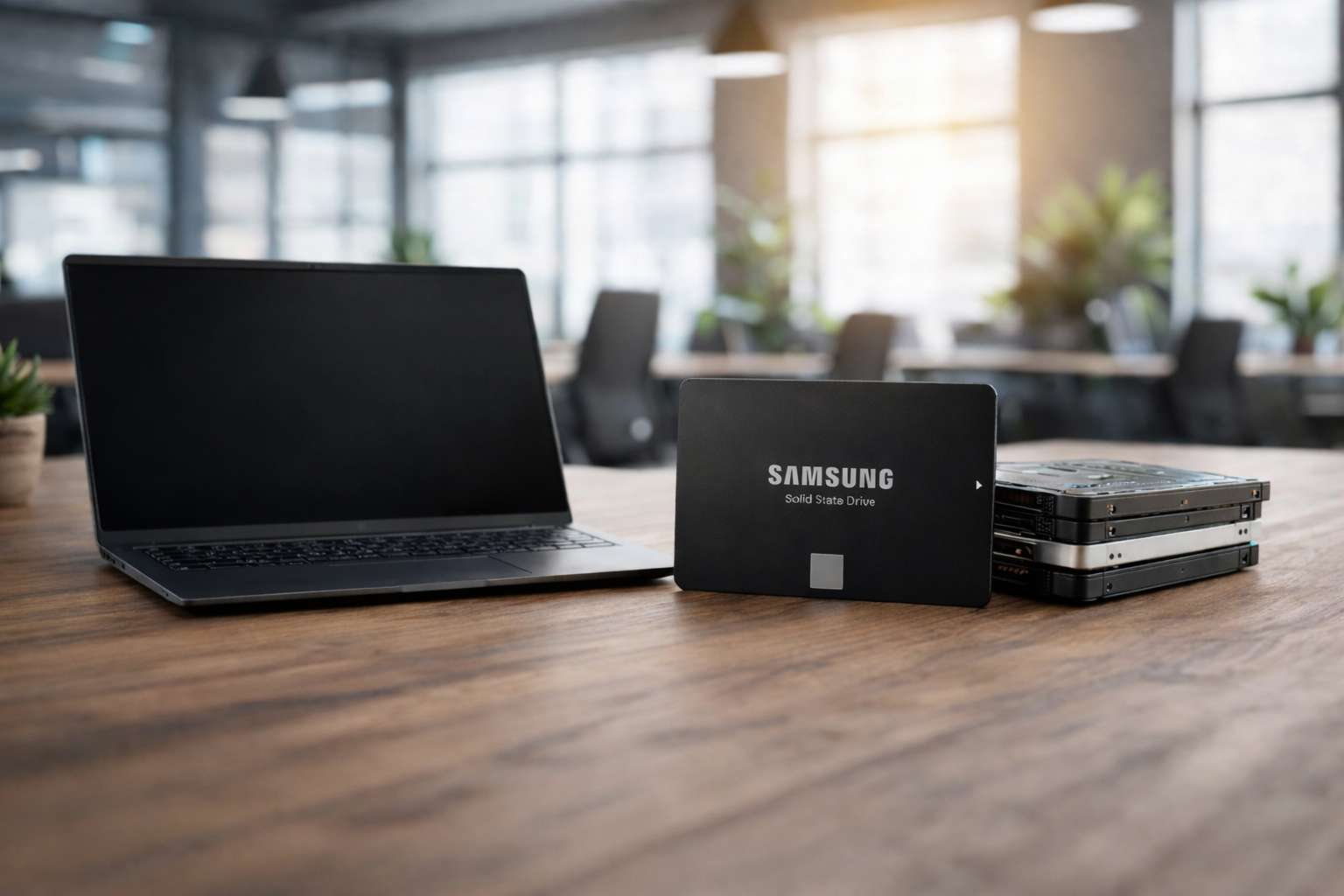
In 2026, the storage market is feeling the pressure of an AI-tax. As more NAND flash is used for large data center drives, finding the cheapest SSD for your laptop takes some planning. Whether you want to bring new life to an older laptop or add space to a newer one, the cheapest SSD for laptop upgrades is now about getting the most value for your money, not just the lowest price per gigabyte.
Switching to a budget-friendly SSD is the best way to get rid of system lag. Start by checking out our guide to the top choices at Direct Macro. Whether you want the cheapest NVMe SSD for fast boot times or an affordable external SSD for backups on the go, these tips will help you pick and buy the right upgrade. You can save money and still get a reliable drive.
Why SSDs are Important for Startups and Established Businesses?
Using cheapest SSD drives is an important step for today’s businesses. Fast storage helps reduce downtime, speeds up data-heavy tasks, and keeps your team productive when it matters most.
- Enhanced Productivity: With cheapest SSD drives, employees spend less time waiting for systems to start and more time getting work done.
- Lower IT Costs: Installing a budget-friendly SSDs keep your hardware last longer, so you won’t need to replace laptops as often.
- Superior Data Security: Even best budget SSDs are more durable than HDDs, helping protect important business data from damage if a device is dropped or fail.
- Better Energy Efficiency: Modern SSDs use less power, which can lower your electricity bills and help to increase battery life for remote teams’ devices last longer on a single charge.
- Scalable Storage Solutions: Choosing the cheapest 2TB SSD allow growing businesses manage bigger datasets without going over their hardware budget.
The Impact of High SSD Prices in 2026 on Businesses
The surge in the 2026 market has changed how companies buy technology. With even the Cheapest NVMe SSDs becoming expensive, firms now focus on upgrades that offer the best value so their limited IT budgets still deliver good performance.
- Budget Constraints: Because the cheapest NVMe SSDs now cost more, businesses are focusing on essential storage upgrades instead of spending on high-end, faster components.
- Delayed Hardware Cycles: With prices rising for best cheap SSDs, many companies are keeping their older laptops longer and making smart internal upgrades instead of replacing devices.
- Shift to QLC: To save money on large storage needs, more businesses are choosing QLC NAND drives for non-critical bulk data, since these are often the cheapest 4TB SSDs available.
- Strategic Procurement Needed: Getting a good deal on cheapest SSD laptops now requires keeping an eye on market changes, especially as demand from AI-focused businesses drives prices up.
- Focus on Value: Instead of chasing the fastest Gen5 SSDs, companies are choosing cheapest ssd drives that offer enough speed for everyday office tasks.
Why Direct Macro is Your Strategic Partner for Budget SSDs?
Direct Macro offers a reliable inventory of top best budget SSDs in stock. We make it easier for you to find what you need even when supplies are low. They focus on quality, so every cheapest 1TB SSD drive meets strict industry standards for reliability.
- Authentic Hardware: Direct Macro lists verified part numbers, so you know your cheapest 1TB SSD drive is genuine and high-quality component.
- Competitive Pricing: We keep SSD prices low by maintaining a strong supply chain, even with 2026 global market changes.
- Expert Technical Support: Our team can help you find the best budget SSDs that work with your business or personal laptop.
- Fast Global Shipping: We offer fast worldwide deliverers to ensure you get your cheapest external SSD quickly to avoid delays in your work or creative projects.
- Bulk Order Discounts: Startups can save even more on cheapest ssd drives by buying in bulk to upgrade multiple office computers at once.
Our Top 5 High-Performance Budget SSDs for Laptops
In 2026, SSDs priced between $100 and $280 hit the sweet spot for performance. The cheapest SSD options work well for simple tasks, but this mid-range tier gives professionals and gamers the best value for speed crossing into the $200+ enthusiast territory.
1. Crucial BX500 1TB SATA (CT1000BX500SSD1)
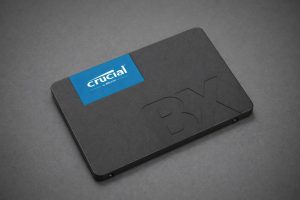
If you have an older laptop with a 2.5-inch drive bay, the Crucial BX500 1TB SATA SSD is often the cheapest 1TB SSD drive you can find that still offers brand-name reliability.
Specifications
- Form Factor:5-inch / 7mm
- Interface: SATA III 6Gb/s
- Sequential Read: Up to 540 MB/s
- Sequential Write: Up to 500 MB/s
- Price: $226.03
Buying Reason: It is the ultimate revival drive. It transforms slow, clicking hard drives into snappy systems for a fraction of the cost of a new laptop.
Final Tip: Perfect for office laptops and students who need reliable storage for documents and web browsing rather than high-end gaming.
2. WD Black SN850X 1TB NVMe (WDBB9G0010BNC)
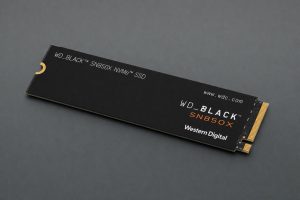
The WD Black SN850X 1TB NVMe is a legendary name in storage. While prices have fluctuated in 2026, the 1TB model remains one of the best cheap SSDs for high-end gaming laptops.
Specifications
- Form Factor:2 (2280)
- Interface: PCIe Gen 4.0 x4
- Sequential Read: 7,300 MB/s Read
- Sequential Write: 6,300 MB/s Write
- Price: $166.40
Buying Reason: It features Game Mode 2.0, which optimizes thermal management, crucial for laptops that tend to run hot during intensive tasks.
Final Tip: If your laptop supports PCIe Gen 4, this is the most reliable performance-per-dollar drive you can buy in this price bracket.
3. Samsung 990 EVO Plus 1TB (MZ-V9S1T0BW)
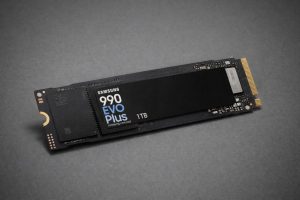
Samsung 990 EVO Plus 1TB is the cheapest NVMe SSD that offers hybrid support for both PCIe 4.0 x4 and PCIe 5.0 x2 interfaces, making it incredibly versatile for transitional hardware.
Specifications
- Form Factor:2 (2280)
- Interface: Hybrid Interface
- Sequential Read: 7,250 MB/s Read
- Sequential Read: 6,300 MB/s Write
- Price: $269.00
Buying Reason: It provides near-flagship speeds with significantly better power efficiency than previous generations. It helps to extend the battery life of your laptop.
Final Tip: Choose this SSD if you want a future-proof drive that stays cool without needing a bulky, laptop-incompatible heatsink.
4. Kingston FURY Renegade 1TB (SFYRS/1000G)
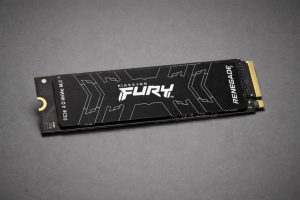
For those seeking the cheapest SSD drives with high TBW (Terabytes Written) endurance, the Kingston FURY Renegade 1TB is a top-tier choice for heavy-duty content creation.
Specifications
- Form Factor:2 (2280)
- Interface: PCIe Gen 4.0 x4
- Sequential Read: 300 MB/s Read
- Sequential Write: 7, 6,000 MB/s Write
- Price: $275
Buying Reason: It uses a low-profile graphene aluminum heat spreader that dissipates heat effectively without adding height to the drive.
Final Tip: It is the best budget SSD for video editors and developers who move hundreds of gigabytes of data every single day.
5. Micron 5300 Pro 960GB SATA (MTFDDAK960TDS-1AW1ZABYY)

The Micron 5300 Pro is the cheapest SSD in the “Pro” category that offers enterprise-level 3D TLC NAND for incredible data reliability.
Specifications
- Form Factor: 2.5-inch
- Interface: SATA III 6Gb/s
- Sequential Read: 540 MB/s Read
- Sequential Write: 520 MB/s Write
- Price: $390
Buying Reason: It features power-loss protection and a high Mean Time To Failure (MTTF), making it the best budget SSD for business users who cannot afford data corruption.
Final Tip: This is the ideal cheapest ssd laptop upgrade for older corporate laptops that only have a 2.5-inch drive bay but require 24/7 reliability.
Why Buy Budget SSDs?
In 2026, more people are choosing best budget SSDs not just to save money, but to use their resources wisely. For most daily activities, like streaming 4K videos or multitasking, you don’t need the super-fast 14,000 MB/s speeds of pricey Gen5 drives. If you pick cheapest SSDs from trusted brands such as Direct Macro, you get several advantages:
- Energy Efficiency: Many budget SSDs lack DRAM, so they use less power and help your laptop battery last longer.
- Cooler Operation: Because these drives run at lower speeds, they produce less heat. It is important for slim laptops that cannot cool themselves as well.
- High Capacity: You can often buy the cheapest 2TB SSD for the same price as a high-end 1TB drive, giving you more room to breathe.
Quick Buyer’s Checklist
If you’re choosing out the best budget SSD for your laptop, keep these tips in mind before you buy.
- Verify the Port: Check which port your laptop uses. Does it need an M.2 NVMe drive or a 2.5-inch SATA SSD?
- Check the Gen: Make sure your motherboard supports PCIe Gen4 before spending more. If not, choose a cheapest NVMe SSD in Gen3 to save money.
- Capacity vs. Cost: For a smooth experience with Windows or macOS in 2026, it’s best to get at least a 1TB SSD.
- Think Externally: If you don’t want to open your laptop, the cheapest external SSD is an easy plug-and-play option.
Final Thoughts: Finding the Right Balance in 2026
As the storage market changes in 2026, it’s more important than ever to shop wisely. While it’s tempting to go for the cheapest SSD, it’s better to focus on smart savings. Choosing a good-value SSD from a trusted brand helps keep your laptop running smoothly and reliably for years.
If you’re a startup founder buying SSDs for your team or a student looking for an affordable 1TB drive, Direct Macro offers options that balance performance and price. Upgrading your storage is one of the best ways to keep your hardware up to date, so don’t let a slow drive limit you. Choose a reliable SSD and notice the boost in your daily productivity.
Still have queries in mind? Ask our experts. Call us at +1-855-483-7810 or submit your inquiry online; our experts will get back to you shortly with a customized solution for your business.
Frequently Asked Questions (FAQs)
What is the cheapest SSD?
Currently, the cheapest SSDs are 2.5-inch SATA drives like the Crucial BX500. They provide a significant speed boost over traditional hard drives while remaining the most affordable entry point for storage.
What SSD should I buy for my laptop?
Check your laptop’s manual for compatibility. Most modern laptops (post-2020) require an M.2 NVMe SSD. For older laptops, a 2.5-inch SATA SSD is the standard budget-friendly upgrade for improved performance.
Are cheap SSDs reliable for long-term use?
Yes, if you stick to reputable brands like Samsung, Crucial, and WD. These manufacturers provide warranties and management software (like Samsung Magician) that help monitor drive health and performance.
Is a 1TB SSD enough for a student laptop in 2026?
A 1TB SSD is the “sweet spot” for 2026. It provides enough space for the OS, several large applications, and years of course materials without needing constant cloud offloading.
Why are SSD prices higher in 2026?
Increased demand for AI-specific high-capacity drives has limited the supply of standard consumer NAND flash. Strategic buying from retailers like Direct Macro helps mitigate these market-wide price surges.
Categories


tags

Expert team support
We accept POs from fortune 1000 companies, government agencies, defense, schools and hospitals.
Do you need advice on buying or selling hardware? Fill out the form and we will return.

Sales & Support
(855) 483-7810
We respond within 48 hours on all weekdays
Opening hours
Monday to thursday: 08.30-16.30
Friday: 08.30-15.30



