


How to Choose the Right Enterprise SSD for Your Server

Key Takeaways
- Match SSD endurance to your workload first. Read-intensive drives cost less per terabyte, but they fail prematurely under heavy write workloads, and no warranty covers such misuse.
- The interface sets your ceiling. A SATA SSD caps near 550 MB/s, a SAS SSD reaches 12 Gb/s with dual-port failover, and an NVMe SSD scales into the gigabytes-per-second range.
- DWPD, not capacity, predicts drive lifespan. Calculate your daily write volume before comparing price tags across enterprise storage vendors.
- Power-loss protection and end-to-end data protection separate genuine enterprise SSDs from repackaged client drives. Never deploy a drive without PLP in a write-back cache tier.
- eMLC still wins on endurance for write-heavy tiers. 3D eTLC wins on capacity per rack unit and now covers most mixed-use server SSD roles.
- Verify that caddy, backplane, and firmware are compatible with your server generation before you order. A perfect drive in the wrong tray is a return, not an upgrade.
Every server refresh comes down to one question: which drive will survive your workload for the next five years? Enterprise SSDs look almost identical on a spec sheet, yet a read-intensive drive dropped into a write-heavy database burns through its endurance budget long before the warranty expires. Capacity and price tell you almost nothing about that risk.
This enterprise SSD buying guide gives you a repeatable way to choose. You work through five decisions in order: workload profile, interface, SSD endurance, enterprise-only protection features, and physical compatibility. Each step rules out drives that cannot serve you, so your shortlist narrows as you read. The guide ends with ten enterprise SSDs that Direct Macro stocks today, plus budgeting guidance, so you finish with real part numbers instead of a list of criteria.
Why the Right Enterprise SSD Matters
A server drive is not just a faster desktop drive. It belongs to a different class of hardware. It absorbs heavy random writes for five years without firmware crashes or silent data loss. Pick the wrong drive, and you will not notice on day one. You notice eighteen months later, when the drive hits its write ceiling mid-quarter, and your RAID array starts firing predictive failure alerts.
The real cost of a mismatch is never the drive itself. It is the emergency replacement at list price, the RAID rebuild window, and the engineer hours you spend redoing an upgrade you already paid for. Spending twenty minutes on the five checks below removes almost all of that risk.
Step 1: Define Your Server Workload Before You Shop
Vendors sort every enterprise SSD into one of three endurance tiers. Once you know your tier, you can rule out roughly two-thirds of the catalog right away.
· Read-Intensive Workloads
Web servers, content delivery nodes, VDI gold images, analytics read replicas, and archive tiers are read constantly but write very little. Pick drives rated around 1 DWPD. A write-intensive drive here wastes budget you could spend on capacity.
· Mixed-Use Workloads
Virtualization hosts, general-purpose database servers, mail servers, and file shares sit in the middle at roughly 3 DWPD. Choose this tier when you do not know your write pattern. Most modern server SSD models target it.
· Write-Intensive Workloads
OLTP databases, write-back cache tiers, log aggregation, video ingest, and heavy virtualization churn need 5 to 10 DWPD. These drives use eMLC NAND or heavily over-provisioned 3D eTLC. This is the one tier where cutting costs backfires.
Step 2: Choose the Interface: SATA SSD, SAS SSD, or NVMe SSD
The interface sets your throughput ceiling, your failover options, and whether the drive even fits your existing backplane.
· SATA SSD
A SATA SSD tops out around 550 MB/s on a 6Gb/s link with a single port and a shallow command queue. It stays the cheapest route to bulk enterprise storage for boot volumes, backup targets, and cold tiers, and almost every server backplane accepts it.
· SAS SSD
A SAS SSD runs at 12Gb/s, supports dual-port active-active paths for controller failover, and handles far deeper queues than SATA. It powers most RAID-backed enterprise storage, so most stocked enterprise inventory, including the eMLC and 3D eTLC families, uses SAS.
· NVMe SSD
An NVMe SSD talks straight to the CPU over PCIe, delivering gigabytes per second and microsecond latency instead of milliseconds. Choose NVMe for latency-sensitive databases, in-memory analytics, and all-flash nodes, but confirm your server has spare U.2 bays or PCIe 4.0 lanes.
Step 3: Read SSD Endurance Correctly (DWPD and TBW)
Vendors state SSD endurance in two ways. Confusing the two causes the most common and costly mistake in enterprise storage buying.
· DWPD Vs. TBW
- DWPD (drive writes per day): how many times you can overwrite the full capacity every day across the warranty term. A 1.6TB drive at 3 DWPD absorbs 4.8TB of writes daily.
- TBW (terabytes written): the total lifetime write budget. Use it to compare drives of different capacities, because a large drive at 1 DWPD can outlive a small drive at 3 DWPD.
· How to Size Endurance for Your Server
Pull your average daily write volume from your monitoring platform, divide by the capacity you intend to buy, and add roughly 30 percent headroom for write amplification and growth. That figure is your minimum DWPD. Drives bought below that floor do not fail gracefully. They fail at the worst possible moment.
· eMLC Vs. 3D eTLC NAND
Enterprise MLC (eMLC) stores two bits per cell. It delivers the highest endurance and the most consistent write latency, so it still dominates write-intensive tiers. Enterprise TLC (3D eTLC) stores three bits per cell, stacked vertically for density, and modern controllers and over-provisioning have pushed it well into mixed-use territory at a much lower cost per terabyte, as a rule: eMLC for logs and cache, 3D eTLC for capacity and general virtualization.
Step 4: Check the Enterprise-Only Features
These specifications separate a true enterprise SSD from a consumer drive with a server-sounding model number.
- Power-Loss Protection (PLP): onboard capacitors flush in-flight writes to NAND when power drops. Insist on it for any drive that holds a write cache.
- End-To-End Data Protection: parity checks follow the data through the controller and DRAM, not just the NAND, so they catch silent corruption before it reaches your array.
- Self-Encrypting Drive (SED), ISE, and FIPS 140-2: hardware AES encryption with instant secure erase. Choose FIPS validation when you handle regulated data or need audited decommissioning, and confirm the module appears in NIST’s Cryptographic Module Validation Program
- Consistent Latency (QoS): Enterprise firmware trades peak burst speed for predictable 99.99th-percentile response times, and users feel that consistency.
- Dual-Port SAS Support: lets two controllers reach the same drive and removes a single point of failure in high-availability enterprise storage.
Step 5: Confirm Physical and Firmware Compatibility
A correctly specified drive is still useless if it will not seat in the bay or the controller will not recognize it. Before ordering, confirm four things: the form factor and thickness your bays accept (2.5-inch 7mm or 15mm), whether the drive ships with the caddy or sled your chassis needs, whether your HBA or RAID controller supports the interface generation, and whether your server vendor requires OEM-keyed firmware before the drive reports health data. On mixed-vendor fleets, standardizing on one or two SKUs per tier saves far more time than chasing the lowest per-drive price.
Top 10 Enterprise SSDs for Servers
Every drive below is a genuine enterprise SSD that Direct Macro stocks, drawn from ten different manufacturers and covering all three server interfaces. We took every specification from the listed product pages. Each entry notes capacity and endurance class so that you can map the SKU straight onto the workload tiers above.
1. HPE 1.6TB NVMe 4.0 Mixed Use SSD, SED FIPS 140-3 (P61043-B21)
The HPE 1.6TB NVMe 4.0 Mixed Use SSD suits ProLiant servers that need FIPS-validated encryption alongside PCIe 4.0 speed.

P61043-B21 - HPE 1.6TB NVMe 4.0 High Performance Mixed Use 2.5-Inch BC U.3 Self-encrypting FIPS 140-3 CM7 Solid State Drive (SSD)
- Price
- $0.00
- Brand
- HPE
- Sku
- P61043-B21
- Status
- Available
Specifications
- Capacity:6TB
- Interface: PCI Express 4.0 NVMe (U.3)
- Endurance Class: high-performance mixed use
- Security: self-encrypting, FIPS 140-3
- Form Factor:5-inch BC
Reasons to Buy:
- A genuine HPE part number means firmware, health reporting, and iLO integration work on day one, with no OEM-key surprises.
- FIPS 140-3 self-encryption covers regulated workloads, so decommissioning becomes a cryptographic erase instead of physical destruction.
2. Intel D7-P5520 1.92TB NVMe U.2 SSD (SSDPF2KX019T1M)
The Intel D7-P5520 1.92TB NVMe U.2 SSD is a dependable PCIe 4.0 workhorse for read-heavy database and analytics nodes.

SSDPF2KX019T1M - Intel D7-P5520 Series 1.92TB PCI-Express 4.0 NVMe 2.5-Inch U.2 Internal Solid State Drive (SSD)
- Price
- $1,060.00
- Brand
- Attribute not found
- Sku
- SSDPF2KX019T1M
- Status
- Available
Specifications
- Capacity:92TB
- Interface: PCI Express 4.0 NVMe
- Form Factor:2 2.5-inch
- Series: D7-P5520 data center
Reasons to Buy:
- Intel data center firmware prioritizes steady latency under sustained load, which keeps query response times predictable.
- The U.2 form factor drops into standard 2.5-inch NVMe bays, so you need no riser cards or chassis changes.
3. Micron 9550 MAX 25TB NVMe 5.0 E3.S SSD (MTFDLBQ25T6THB)
The Micron 9550 MAX 25TB NVMe 5.0 E3.S SSD brings PCIe 5.0 bandwidth and mixed-use endurance to the densest storage nodes.
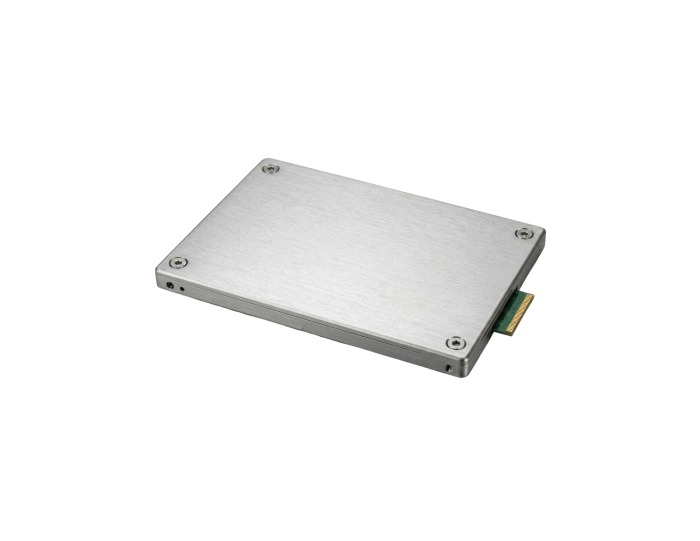
MTFDLBQ25T6THB-1BK1DABYYR - Micron 9550 MAX 25TB Triple-Level Cell PCI Express NVMe 5.0 x4 512 Mixed Use (OCP 2.0 + TCG Opal) E3.S Data Center Solid State Drive (SSD)
- Price
- $17,462.50
- Brand
- Attribute not found
- Sku
- MTFDLBQ25T6THB-1BK1DABYYR
- Status
- Available
Specifications
- Capacity: 25TB
- Interface: PCI Express 5.0 x4 NVMe
- NAND Type: 3D TLC
- Security: TCG Opal
- Endurance Class: Mixed Use
- Form Factor:S
Reasons to Buy:
- The MAX designation marks the high-endurance variant, built for write-heavy AI pipelines, caching layers, and busy OLTP databases.
- S is the form factor of new server generations, so this drive fits modern chassis rather than legacy 2.5-inch bays.
4. Western Digital Ultrastar DC SN640 1.6TB NVMe SSD, ISE (WUS4CB016D7P3E3)
The Western Digital Ultrastar DC SN640 1.6TB NVMe SSD gives older PCIe 3.0 servers a proven flash upgrade path.

WUS4CB016D7P3E3 - WesternDigital Ultrastar DC SN640 1.6TB PCI-Express G3.1 NVMe U.2 2.5-inch ISE Solid State Drive (SSD)
- Price
- $792.00
- Brand
- WesternDigital
- Sku
- WUS4CB016D7P3E3
- Status
- Available
Specifications
- Capacity:6TB
- Interface: PCI Express 3.1 NVMe
- Security: Instant Secure Erase
- Form Factor:2 2.5-inch
- Series: Ultrastar DC SN640
Reasons to Buy:
- PCIe 3.1 keeps it compatible with servers that lack PCIe 4.0 lanes, so you gain NVMe latency without a platform refresh.
- Instant Secure Erase makes drive retirement quick and auditable, which matters when you cycle hardware on a regular schedule.
5. Seagate Nytro 5550H 6.4TB NVMe SSD (XP6400LE70005)
The Seagate Nytro 5550H 6.4TB NVMe SSD is our top pick for dense, latency-critical storage tiers that write hard every day.

XP6400LE70005 - Seagate Nytro 5550H 6.4TB PCI Express 4.0 ×4 NVMe 3D eTLC 2.5-inch Solid State Drive (SSD)
- Price
- $3,674.25
- Brand
- Seagate
- Sku
- XP6400LE70005
- Status
- Available
Specifications
- Capacity:4TB
- Interface: PCI Express 4.0 x4 NVMe
- NAND Type: 3D eTLC
- Endurance Class: high-endurance mixed use
- Form Factor:5-inch
Reasons to Buy:
- Delivers PCIe 4.0 bandwidth with mixed-use endurance, ideal for OLTP databases and virtualization hosts that outgrew SAS.
- The 6.4TB capacity consolidates several older drives into one bay, cutting rack space, power draw, and controller port pressure.
6. Lenovo 1.6TB SAS 24Gb/s Mixed Use SSD, SED (4XB7B07613)
The Lenovo 1.6TB SAS 24Gb/s Mixed Use SSD doubles SAS bandwidth for ThinkSystem servers that keep RAID instead of moving to NVMe.

4XB7B07613 - Lenovo 1.6TB SAS 24Gb/s Mixed Use (SED) Hot Swap 2.5-inch Solid State Drive (SSD)
- Price
- $0.00
- Brand
- Lenovo
- Sku
- 4XB7B07613
- Status
- Available
Specifications
- Capacity:6TB
- Interface: SAS 24Gb/s
- Endurance Class: Mixed Use
- Security: self-encrypting drive (SED)
- Form Factor:5-inch hot swap
Reason to Buy:
- SAS 24Gb/s doubles the link speed of 12Gb/s drives while keeping dual-port failover and your existing RAID controller workflow.
- The hot-swap tray and Lenovo firmware let the drive report health through XClarity without extra configuration.
7. IBM 3.2TB SAS 12Gb/s Hot-Swap SSD (01PE087)
The IBM 3.2TB SAS 12Gb/s Hot-Swap SSD is a high-capacity option for Power Systems and established IBM storage arrays.
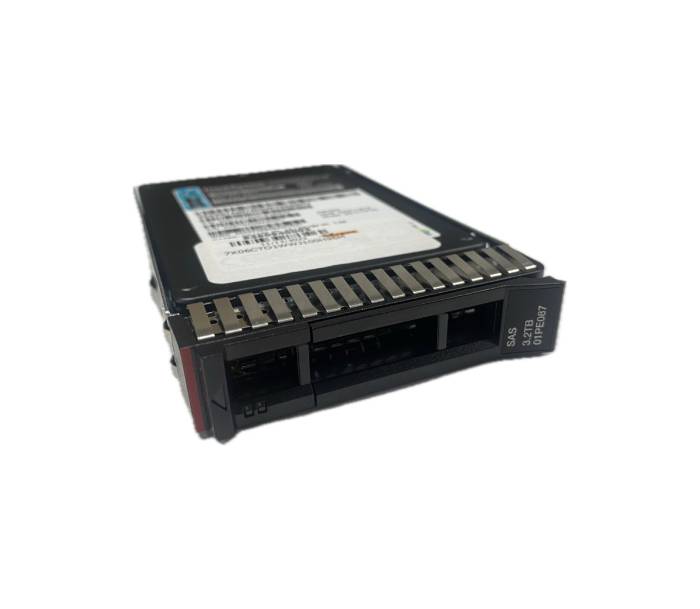
01PE087 - IBM 3.2TB SAS 12Gb/s Hot Swap 2.5-inch Solid State Drive (SSD)
- Price
- $1,250.00
- Brand
- IBM
- Sku
- 01PE087
- Status
- Available
Specifications
- Capacity:2TB
- Interface: SAS 12Gb/s
- Form Factor:5-inch hot swap
- Fit: IBM server and storage platforms
Reasons to Buy:
- IBM-keyed firmware keeps SMART and predictive-failure reporting working in IBM chassis, where generic drives are often flagged.
- 2TB per bay reduces the number of drives in each RAID group, which shortens rebuild windows after a failure.
8. SanDisk Lightning Eco Gen II 800GB eMLC SAS SSD, SED/ISE (SDLTODKR-800G-5CA1)
The SanDisk Lightning Eco Gen II 800GB eMLC SAS SSD pairs high SSD endurance with hardware encryption in one drop-in drive.

SDLTODKR-800G-5CA1 - SanDisk Lightning Eco Gen II 800GB eMLC SAS 12Gb/s (SED / ISE) 2.5-inch Solid State Drive (SSD)
- Price
- $1,289.02
- Brand
- SanDisk
- Sku
- SDLTODKR-800G-5CA1
- Status
- Available
Specifications
- Capacity: 800GB
- Interface: SAS 12Gb/s
- NAND Type: eMLC
- Security: SED and Instant Secure Erase
- Form Factor:5-inch
Reasons to Buy:
- Combines eMLC endurance with hardware encryption, covering write-heavy performance and secure-erase requirements in a single server SSD.
- A strong drop-in replacement for failed legacy SAS SSD units in mixed arrays that still run 12Gb/s controllers.
9. Dell 960GB SATA Mixed Use SSD for PowerEdge (400-AMIG)
The Dell 960GB SATA Mixed Use SSD is the low-cost way to add reliable flash capacity to a PowerEdge server.

400-AMIG - Dell 960GB SATA 6Gb/s Mixed Use MLC NAND (Hot Plug) 2.5-inch Solid State Drive (SSD) for Dell PowerEdge Server
- Price
- $615.00
- Brand
- Attribute not found
- Sku
- 400-AMIG
- Status
- Available
Specifications
- Capacity: 960GB
- Interface: SATA 6Gb/s
- NAND Type: MLC
- Endurance Class: Mixed Use
- Form Factor:5-inch hot plug
Reasons to Buy:
- The Dell part number ships with the tray and firmware PowerEdge expects, so iDRAC reports drive health correctly.
- Mixed-use MLC on SATA gives useful endurance at bulk pricing, ideal for boot pairs, backup targets, and cold tiers.
10. Kingston DC600M 960GB SATA Mixed-Use SSD (SEDC600M960G)
The Kingston DC600M 960GB SATA Mixed-Use SSD delivers data center endurance on the cheapest and most universal server interface.
SEDC600M960G - Kingston DC600M 960GB SATA 6Gb/s Mixed Use 3D NAND TLC 2.5-inch Solid State Drive (SSD)
- Price
- $842.00
- Brand
- Kingston
- Sku
- SEDC600M960G
- Status
- Available
Specifications
- Capacity: 960GB
- Interface: SATA 6Gb/s
- NAND Type: 3D TLC
- Endurance Class: Mixed Use
- Form Factor:5-inch
Reasons to Buy:
- Built for data center duty with power-loss protection and steady latency, unlike consumer SATA drives sold at similar prices.
- A vendor-neutral SATA drive fits almost any backplane, which makes it a safe standard spare across a mixed fleet.
Browse the full range in the Enterprise SSDs category, or filter directly by NAND type in the enterprise eMLC and enterprise eTLC ranges.
Budgeting and Sourcing Your Enterprise Storage
Compare the cost per usable terabyte over the drive’s expected life. That is the only number that matters. A cheaper drive that needs replacing in year three costs more than a well-specified one that runs the full five years, once you factor in downtime, RAID rebuild risk, and engineer hours.
Off-lease and refurbished enterprise SSDs from a specialist supplier close the price gap, provided each unit arrives with verified SMART health data, remaining endurance figures, and a valid warranty. Ask for those three items in writing before you buy. A reputable vendor provides them without hesitation.
Why Choose Direct Macro for Best Enterprise SSD Purchase?
Choosing the right drive is only half the job. Your supplier determines whether that drive arrives healthy, documented, and ready to run for the next five years. Here is what you get when you buy your enterprise storage from Direct Macro.
1. Every Drive Tested and Health-Reported
We test each enterprise SSD before dispatch and record SMART health, remaining endurance, and power-on hours for its serial number.
2. A Real Warranty on Every Unit
Each drive ships with a written warranty, so a failure in month ten results in a straightforward replacement rather than a long argument.
3. Deep Enterprise-Only Inventory
We stock eMLC, 3D eTLC, SAS, and NVMe families side by side, so you can buy for your workload rather than whatever is available.
4. Bulk Pricing and Matched Quantities
Need twenty identical drives? We carry multiple units of the same SKU and offer bulk pricing so you can standardize an entire fleet at once.
5. Compatibility Confirmed Before You Order
Send us your server model, and our team confirms caddy, backplane, and firmware compatibility before your order ever reaches the warehouse.
Final Thoughts
The five steps work in order, and each narrows the list: your workload sets the endurance tier; the interface must match the backplane you already own; your daily write volume sets the DWPD floor; the enterprise-only features rule out repackaged client drives; and the caddy and firmware check prevents a return.
For a small fleet, two drives per tier are usually enough: one main SKU and one spare on the shelf. That simple habit prevents more downtime than any number on the datasheet. It also makes your next storage upgrade a repeat of a choice that already works.
Ready to order? Pick the drive that matches your tier from the list above. Every SKU is in stock, tested, and covered by warranty. For bulk orders and volume pricing, send us your server model, workload type, and quantity, and our team will reply with a matched shortlist, current stock levels, and a quote. Contact us to get started.
Frequently Asked Questions
- Is an NVMe SSD always better than a SAS SSD for servers?
No. An NVMe SSD wins on latency, but a SAS SSD offers dual-port failover and broader backplane compatibility with existing enterprise storage arrays.
- How much SSD endurance do I actually need?
Divide your daily write volume by drive capacity, then add 30 percent headroom. Most mixed-use server SSD deployments land around 3 DWPD.
- Can I use a SATA SSD in an enterprise server?
Yes, for boot volumes, backups, and cold tiers. A SATA SSD is the most cost-effective bulk option, but it lacks dual-port redundancy and throughput.
- Is eMLC or 3D eTLC the better choice for my server?
Choose eMLC for write-intensive logs and cache. Choose 3D eTLC when this enterprise SSD buying guide recommends capacity and mixed-use value.
Categories


tags

Expert team support
We accept POs from fortune 1000 companies, government agencies, defense, schools and hospitals.
Do you need advice on buying or selling hardware? Fill out the form and we will return.

Sales & Support
(855) 483-7810
We respond within 48 hours on all weekdays
Opening hours
Monday to thursday: 08.30-16.30
Friday: 08.30-15.30



