


NAS vs External Hard Drive: Which Is Better for Data Storage
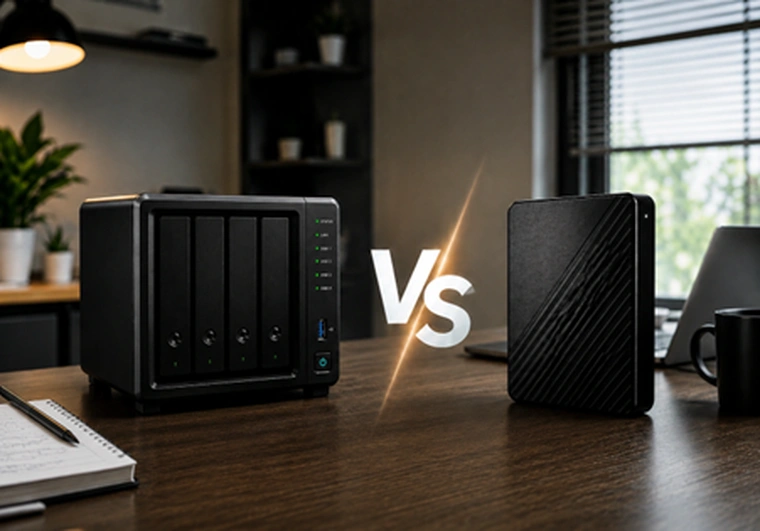
Data storage matters more than ever, whether you’re saving family photos, running a small business, or working as a creative professional. Picking the right storage solution is important. Two common choices are NAS (Network Attached Storage) and external hard drives. So, which one is better for your needs?
In this guide, we’ll compare NAS vs external hard drives, look at their pros and cons, and help you choose the best option for you. We’ll also answer common questions so you have all the information you need.
Understanding the Basics: NAS and External Hard Drives
Before diving into a detailed comparison, let’s clarify what each storage solution actually is.
· What Is a NAS?
NAS, or Network Attached Storage, is a dedicated storage device that connects to your network, allowing multiple users and devices to access and share files. Unlike a standard hard drive that connects directly to a single computer, a NAS device works as a standalone server, typically running its own operating system and offering features like file sharing, media streaming, automated backups, and remote access.
· What Is an External Hard Drive?
An external hard drive is a portable storage device that connects to a computer or other device via USB, Thunderbolt, or eSATA. These drives are often used for expanding storage, backing up files, or transferring data. External hard drives are plug-and-play, easy to use, and highly portable.
Key Differences Between NAS vs External Hard Drive
When comparing NAS storage vs external hard drive, consider these critical factors:
1. Connectivity and Accessibility
- NAS: Connects through your local network. You can access files from any device on the same network and, in many cases, remotely via the internet.
- External Hard Drive: Connects directly to a single device via USB or other ports. To use it with another device, you must unplug and reconnect it.
2. Multi-User Support
- NAS: Designed for multiple users to access and share files at the same time, making it ideal for families, teams, and small businesses.
- External Hard Drive: Typically supports one user at a time. Multi-user access requires sharing the device physically or connecting it to a shared computer.
3. Scalability and Storage Capacity
- NAS: Many NAS systems support multiple hard drives and are easily upgraded as your storage needs grow. Some even support RAID for added redundancy.
- External Hard Drive: Storage is limited to the drive’s capacity. While you can use several external drives, managing them can become inconvenient.
4. Data Protection and Backup
- NAS: Advanced NAS systems offer RAID for data redundancy, automated backups, and cloud sync. They help protect your data against drive failures.
- External Hard Drive: Offers basic backup functionality. If the drive fails and no additional backup exists, you could lose your data.
5. Performance and Speed
- NAS: Speed depends on your network and NAS hardware. Gigabit Ethernet can provide fast speeds, but Wi-Fi access is generally slower.
- External Hard Drive: Direct connection, especially via USB 3.0 or Thunderbolt, usually provides faster transfer speeds than most standard NAS setups.
6. Price and Cost Considerations
- NAS: Higher initial cost, especially for multi-bay or feature-rich models. Ongoing expenses may include additional drives or higher power usage.
- External Hard Drive: Generally, more affordable upfront with no ongoing maintenance costs, but limited options for upgrades.
7. Ease of Use
- NAS: Initial setup can be more complex, including network configuration and user management. Most modern NAS units offer user-friendly interfaces.
- External Hard Drive: Plug-and-play simplicity. No complicated setup required, just connect it and go.
Use Case Scenarios of NAS Drive vs External Hard Drive
Understanding how each storage solution fits into different scenarios can help you make an informed decision.
1. Home Users
The choice between external hard drive vs network attached storage for home users depends on your needs. If you want a centralized location for family photos, music, and videos accessible by everyone in the house (or even remotely), NAS is an excellent choice. If you primarily need to back up your laptop or desktop, an external hard drive may suffice.
2. Small Businesses and Creative Professionals
Teams that collaborate on projects, need file sharing, or require automated backups benefit greatly from NAS storage. A NAS system can act as a mini server, providing secure access, version control, and data redundancy. On the other hand, individual professionals with high storage needs but no requirement for network sharing might find an external hard drive more convenient and cost-effective.
3. Travelers and Mobile Users
If you need to carry large amounts of data and plug into different computers on the go, external hard drives are the clear winner due to their portability. However, some advanced NAS devices offer remote access, allowing you to reach your files from anywhere with an internet connection.
Advantages and Disadvantages of NAS vs External Hard Drive
When choosing between NAS vs External hard drive, keep an eye on these advantages and disadvantages of these hardware’s. This understanding helps you to secure your money and reduce the chances of unstable network and storage issues.
1. NAS – Network Attached Storage
- Advantages
NAS devices provide centralized storage accessible by multiple users from any networked device, making data management seamless, secure, and highly collaborative for home and business environments.
- NAS Disadvantages
NAS systems require higher upfront costs, more complex setup, ongoing management, and rely on stable network connectivity for consistent access to stored data.
2. External Hard Drive
- Advantages
External hard drives offer affordable, portable, plug-and-play storage solutions ideal for quick backups, individual use, and fast data transfer without network dependence.
- External Hard Drive Disadvantages
External hard drives lack multi-user support, advanced data protection, and are vulnerable to loss, theft, or physical damage, limiting them to basic, individual storage needs.
NAS Storage vs External Hard Drive: Which Should You Choose?
When deciding between NAS storage vs external hard drive, consider these key factors:
· How Many Users Need Access?
For multiple users, NAS is best for sharing and collaboration, while external hard drives better suit single users needing simple, portable storage.
· Is Remote Access Important?
NAS enables secure remote access to files from anywhere with internet, but external hard drives require physical presence to access stored data.
· Do You Need Advanced Data Protection?
NAS provides robust data protection with RAID, automated backups, and redundancy, while external hard drives offer only basic backup without built-in redundancy.
· What Is Your Budget?
External hard drives are cost-effective for individuals with limited budgets, while NAS is an investment that benefits businesses or growing storage needs.
· Do You Prioritize Speed?
External hard drives excel in speed for direct transfers, whereas NAS speed depends on your network and device configuration, potentially introducing bottlenecks.
Network Attached Storage vs External Hard Drive: Real-World Examples
Imagine a family with several smartphones,tablets, and laptops. A NAS allows everyone to back up photos, stream movies, or share documents from any device, anywhere in the house. Conversely, someone who simply needs a backup for their work laptop would find an external hard drive more than adequate.
1. Data Transfer
For creative teams working on large video files, a NAS enables seamless file sharing and collaboration, with the added bonus of data redundancy. However, if you need to move terabytes of video footage between different locations, an external hard drive’s portability is unmatched.
2. Security: Protecting Your Data
Security is a major concern in the external hard drive vs NAS debate. NAS systems can include user permissions, encrypted drives, and secure remote access, making them robust against unauthorized access. External hard drives, while physically secure if kept safe, lack these advanced protections.
3. Cost Over Time
While external hard drives are cheaper upfront, the long-term benefits of NAS, such as reduced downtime, data protection, and multi-user accessibility, can offset the initial investment, especially for businesses or power users.
4. Future-Proofing Your Data Storage
NAS devices are designed to grow with your needs, supporting additional drives and offering expandability. External hard drives, while easy to replace, do not provide the same scalability or future-proofing.
Fed Up with Unreliable Suppliers? Discover Why Direct Macro Is the Superior Choice
When it comes to IT hardware, choosing the right provider ensures you get maximum value, support, and reliability. Here are the reasons why Direct Macro is the go-to source for NAS, external hard drives, and all your technology needs:
- Wide Selection: Find a comprehensive range of genuine IT hardware, including NAS, external hard drives, and other storage solutions from top brands.
- Expert Advice: Benefit from a knowledgeable team that offers personalized guidance to help you select the best products for your requirements.
- Competitive Pricing: Take advantage of affordable prices and regular deals, ensuring you get top value for your investment.
- Fast Shipping: Experience prompt and reliable delivery, so you can begin using your new hardware without delay.
- Customer Satisfaction: Enjoy outstanding customer service and support before, during, and after your purchase for a truly hassle-free experience.
Final Thoughts
Both NAS and external hard drives have their place in data storage. Your choice depends on your unique needs, budget, and priorities. If you value centralized, accessible, and secure data storage for multiple users, NAS is likely your best bet. For affordable, portable, and fast storage for one device, an external hard drive is hard to beat.
By understanding the differences between NAS vs External Hard Drive solutions, you can make an informed decision that ensures your data is safe, accessible, and ready when you need it.
Why settle for less? See why Direct Macro outperforms other suppliers. Fill out our contact form for more details, or request a bulk quote for fast shipping on bulk orders.
Frequently Asked Questions (FAQs)
1. Can I use NAS as an external hard drive?
NAS isn’t a traditional external hard drive, but you can use NAS storage similarly by mapping it as a network drive and accessing files across multiple devices.
2. What is the difference between NAS and an external hard drive?
The main difference in NAS vs external hard drive is that NAS connects to a network for multi-device access, while external hard drives connect directly to one device at a time.
3. Which is better NAS or external hard drive for home use?
For home use, NAS is better for multiple users and shared access, while an external hard drive is ideal for simple, individual backups or portable storage.
4. NAS vs external hard drive which is faster?
External hard drives generally offer faster data transfer speeds due to direct connection, while NAS speeds depend on network performance and device capabilities.
5. Is NAS better than external hard drive for backup?
NAS is better than external hard drive for backup because it offers automated, centralized backups, data redundancy, and remote access for multiple users.
Categories


tags

Expert team support
We accept POs from fortune 1000 companies, government agencies, defense, schools and hospitals.
Do you need advice on buying or selling hardware? Fill out the form and we will return.

Sales & Support
(855) 483-7810
We respond within 48 hours on all weekdays
Opening hours
Monday to thursday: 08.30-16.30
Friday: 08.30-15.30



