


The Best Printers For Small Business in 2026
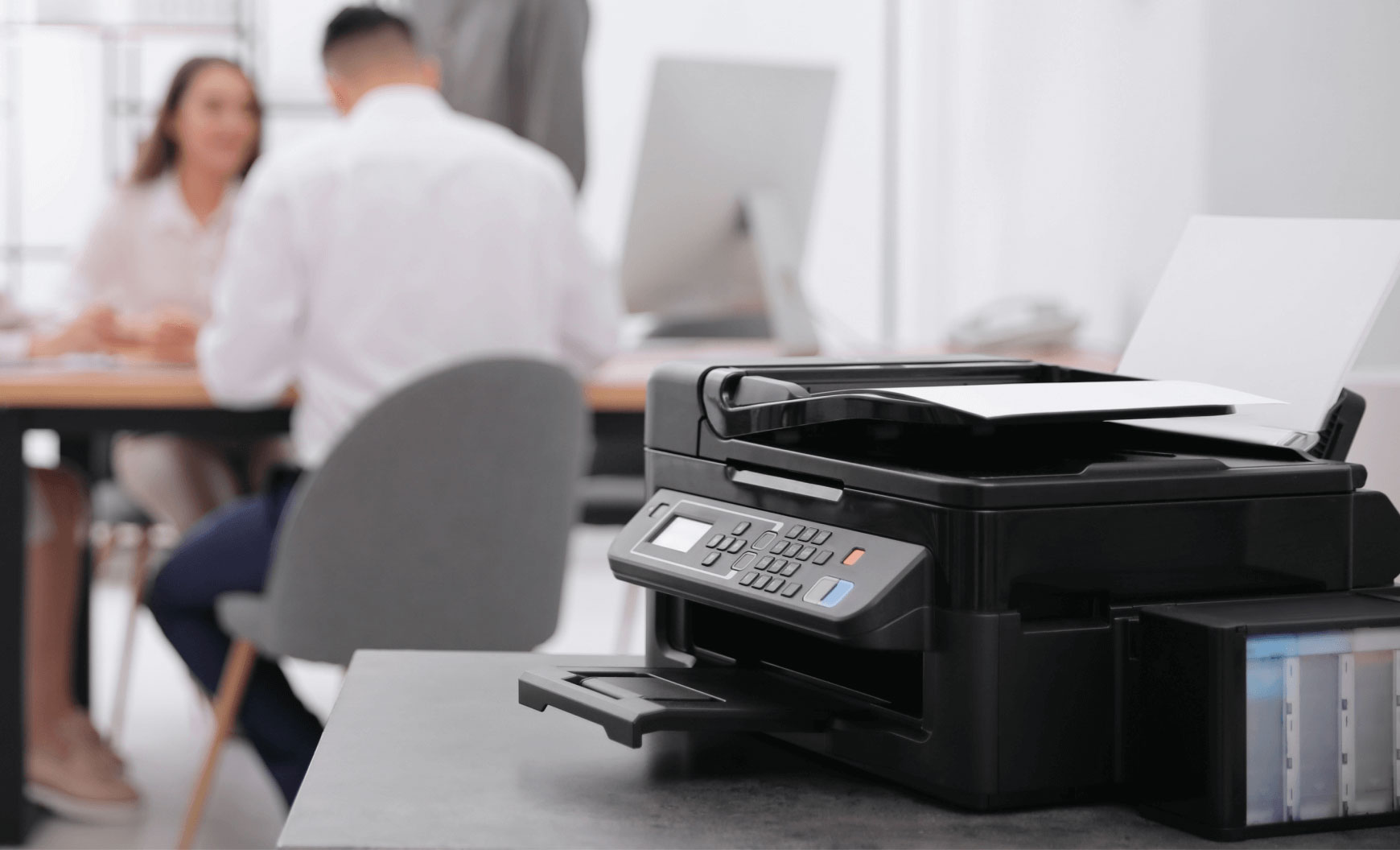
Choosing the right printer can make a big difference for your small business. If you need fast document printing, shipping labels, or high-quality color prints, the right printer will help your business run smoothly and save money. This guide highlights top printers from Direct Macro to help you pick the best option for your needs.
Direct Macro – One Stop Shop for Small Businesses
Every small business requires high quality printer for its everyday printing needs. Direct macro is the platform where you can find all types of printers, such as laser printers, inkjet printers, all in one printer, barcode/label printers, DTF printers and 3D printers at one place. We offer reasonable prices for small businesses and discounts on bulk purchases. Here are some products listed below from our wide range of printer category. You can explore our website to find your desire printer.
1. Best DTF Printer for Small Business
For small businesses needing label printing for products and packaging, thermal transfer printers offer excellent alternatives to traditional DTF equipment.
Zebra 384Z-10300-0001 TLP 3844-Z
The Zebra TLP 3844-Z is a strong alternative to DTF printers for small businesses, using thermal transfer technology that works well for product labels and packaging.
Specifications
- Print Resolution: 300 dpi
- Print Speed: 4 inches per second
- Connectivity: USB, Serial, Parallel
- Print Technology: Thermal Transfer
- Maximum Print Width: 4 inches
- Price: $168.08
Reasons to Buy
- The $168.08 price makes it affordable for startups with tight budgets.
- Its 300-dpi resolution produces clear barcodes and text on labels.
- Zebra’s reliable design helps the printer run smoothly and reduces downtime.
- You can connect it in several ways, making installation flexible for different setups.
Reasons to Avoid
- It only prints labels and tags, so it can’t handle regular documents or full-color photos.
- You’ll need to buy thermal transfer ribbons regularly, which adds to your ongoing costs.
- The maximum print width is four inches, so it can’t print larger labels needed for some shipping tasks.
2. Best 3D Printer for Small Business
If your business needs portable printing for inventory or product tracking, mobile label printers are a practical choice.
Zebra ZQ63-AUWAE11-00 ZQ630
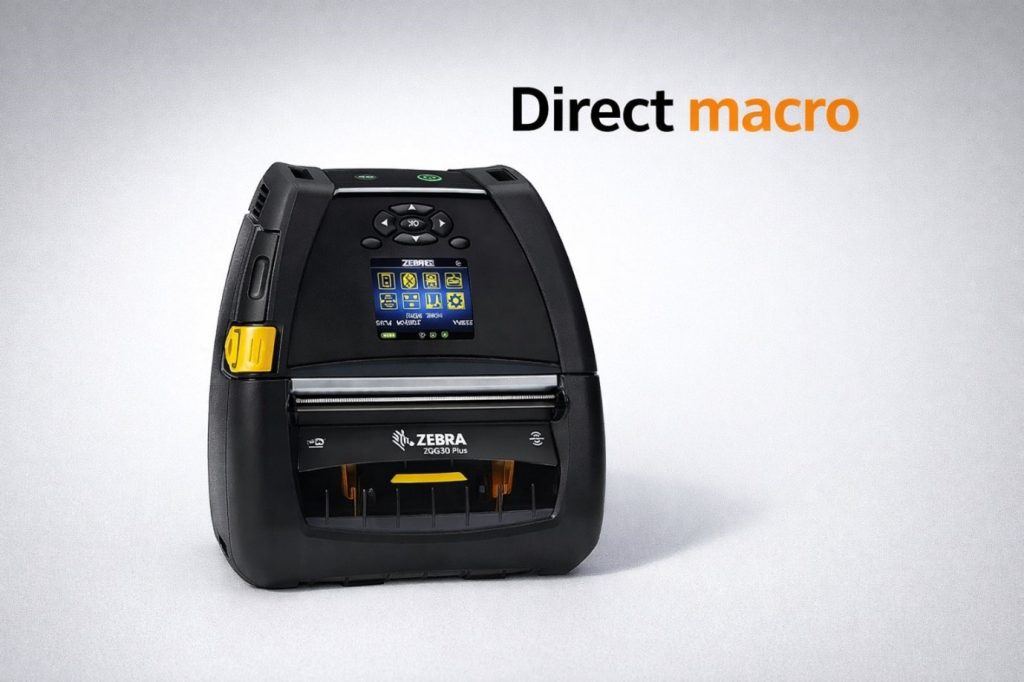
For portable printing needs in inventory management or product tracking, a mobile label printer like the Zebra ZQ630 is a great alternative to a 3D printer for small businesses.
Specifications
- Print Resolution: 203 dpi
- Print Speed: 4.5 inches per second
- Connectivity: USB, Bluetooth, Serial, Wi-Fi, NFC
- Print Technology: Direct Thermal
- Battery: Rechargeable lithium-ion
- Form Factor: Portable
Reasons to Buy
- With Bluetooth, Wi-Fi, and NFC, you can print from any mobile device.
- Its portable, sturdy design and rechargeable battery let field workers print labels wherever they are.
- Linered platen technology helps place labels accurately and cuts down on waste from jams or misaligned labels.
- It offers several ways to connect, so it works well with most warehouse and inventory systems.
Reasons to Avoid
- The higher price is due to advanced features that some businesses may not need or use fully.
- Direct thermal labels can fade if they’re exposed to heat, light, or tough conditions over time.
- It only prints standard label sizes, so it can’t handle custom or extra-large shipping labels.
3. Best All in One Printer for Small Business
All-in-one printers combine printing, scanning, and copying in one device, which saves space and money.
Brother MFC-J1205W INKvestment Tank
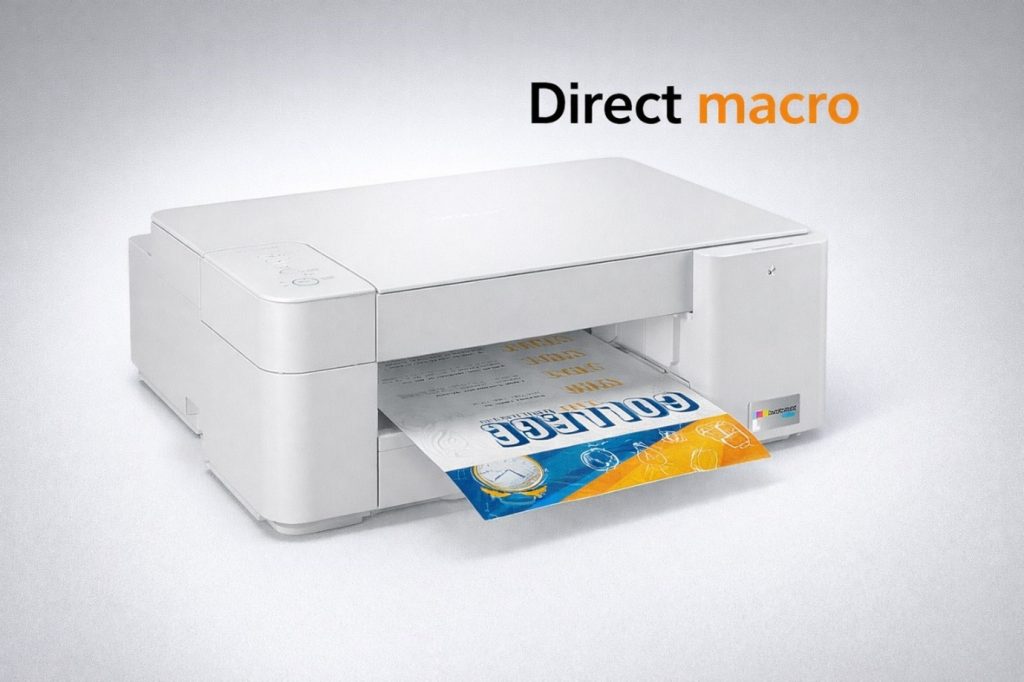
The Brother MFC-J1205W is a top choice for small businesses, offering great value and up to a year’s worth of ink included.
Specifications
- Print Technology: Color Inkjet
- Print Speed: Up to 12 pages per minute
- Print Resolution: 6000 x 1200 dpi
- Paper Capacity: 150-sheet input tray
- Functions: Print, Scan, Copy
- Connectivity: Wi-Fi, Wi-Fi Direct, USB
- Price: Approximately $201.60
Reasons to Buy
- You get up to a year of ink in the box, so you won’t need to replace cartridges often.
- Its compact size (17.1 x 14.1 x 6.3 inches) fits easily in small offices.
- With Wi-Fi and Wi-Fi Direct, you can print from your smartphone, tablet, or laptop.
- The Brother Mobile Connect app lets you print remotely and check ink levels from your phone or tablet.
- INKvestment Tank technology uses high-capacity cartridges to lower your printing costs compared to regular inkjets.
Reasons to Avoid
- It doesn’t have automatic two-sided printing, so you’ll need to flip the paper yourself for double-sided documents.
- There’s no automatic document feeder, so scanning or copying several pages takes more time and effort.
- Photo printing is slower, which might be a problem if you need fast results for projects with lots of images.
4. Best Color Printer for Small Business
Color printing is important for making marketing materials, presentations, and professional documents for clients.
HP Color LaserJet Pro MFP 4301fdw
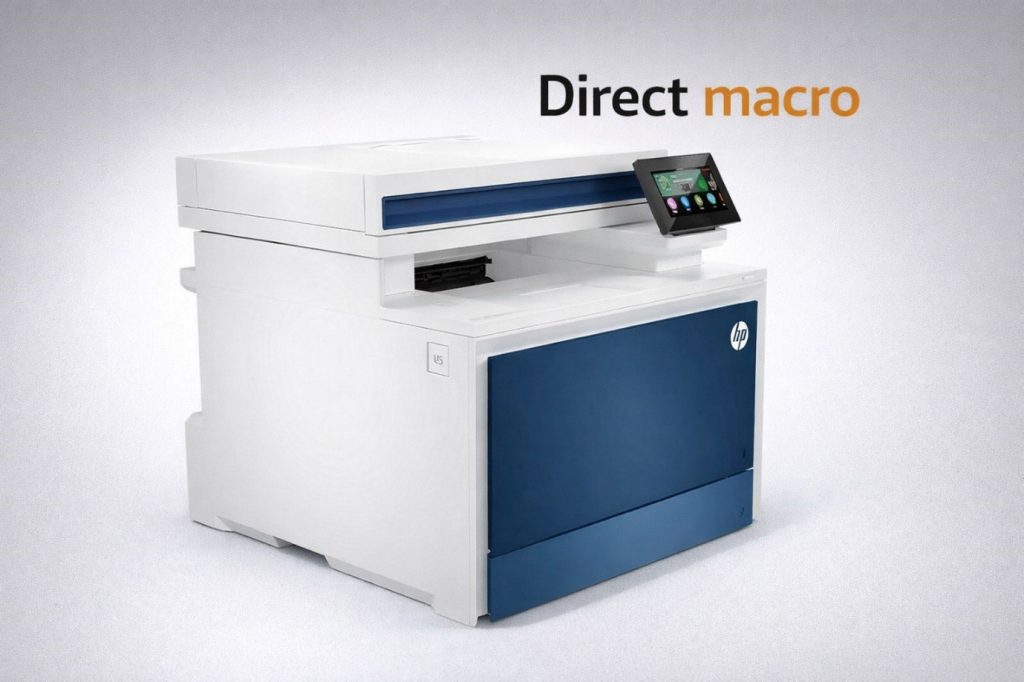
The HP Color LaserJet Pro MFP 4301fdw is a top pick for small businesses needing fast, vibrant color printing.
Specifications
- Print Technology: Colour Laser
- Print Speed: 35 pages per minute
- Print Resolution: 600 x 600 dpi
- Connectivity: USB, Wireless, Ethernet
- Scanner: Automatic document feeder with touch LCD
- Monthly Duty Cycle: Up to 4,000 pages
- Price: $895.00
Reasons to Buy
- It prints up to 35 pages per minute in color and black, helping your office get more done.
- The professional color quality makes your presentations, brochures, and marketing materials look impressive to clients.
- The touch LCD screen makes it easy for anyone to use the printer, adjust settings, and fix issues.
- Automatic two-sided printing saves paper and money, and it’s better for the environment.
Reasons to Avoid
- The $895 price tag may be too high for startups or businesses with tight budgets.
- Replacing color toner cartridges can get expensive over time.
- Its larger size means you’ll need a dedicated desk or cabinet, which might not work in small offices.
5. Best Laser Printer for Small Business
Laser printers are fast, reliable, and cost-effective for printing lots of text documents.
HP LaserJet Pro Managed Flow E57540c
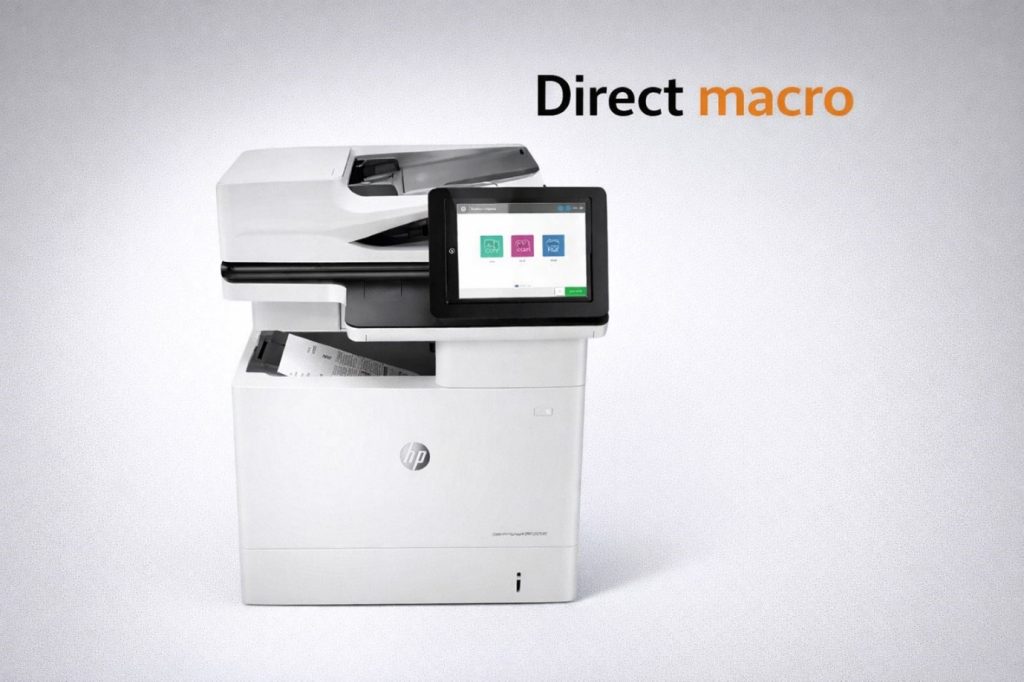
The HP LaserJet Pro Managed Flow E57540c is a top choice for small businesses that need to print lots of color documents.
Specifications
- Print Technology: Color Laser
- Print Speed: 40 pages per minute
- Print Resolution: 1200 x 1200 dpi
- Connectivity: USB, Ethernet
- Scanner: Automatic duplex with touchscreen
- Form Factor: Desktop Multifunction
- Price: $2127.50
Reasons to Buy
- It prints up to 40 pages per minute, so you can handle large jobs quickly and spend less time waiting.
- The 1200 dpi resolution gives you sharp, professional-looking text and graphics on every document.
- Automatic two-sided scanning and printing make document handling easier and help you save on paper.
- The large, easy-to-use touchscreen helps staff learn quickly and makes complex tasks simpler.
- Managed flow features help organize document routing, scanning, and automatic distribution to the right people.
Reasons to Avoid
- The $1,322.50 price is a big investment for small businesses with limited funds.
- You’ll need a dedicated desk or cabinet for this printer, which may not fit in a small office.
- The cost of replacing color toner adds up over time, making the printer more expensive in the long run.
6. Best Multifunction Printer for Small Business
Multifunction printers combine key office tools in one device, saving space and adding value.
Epson Workforce Pro WF-7310
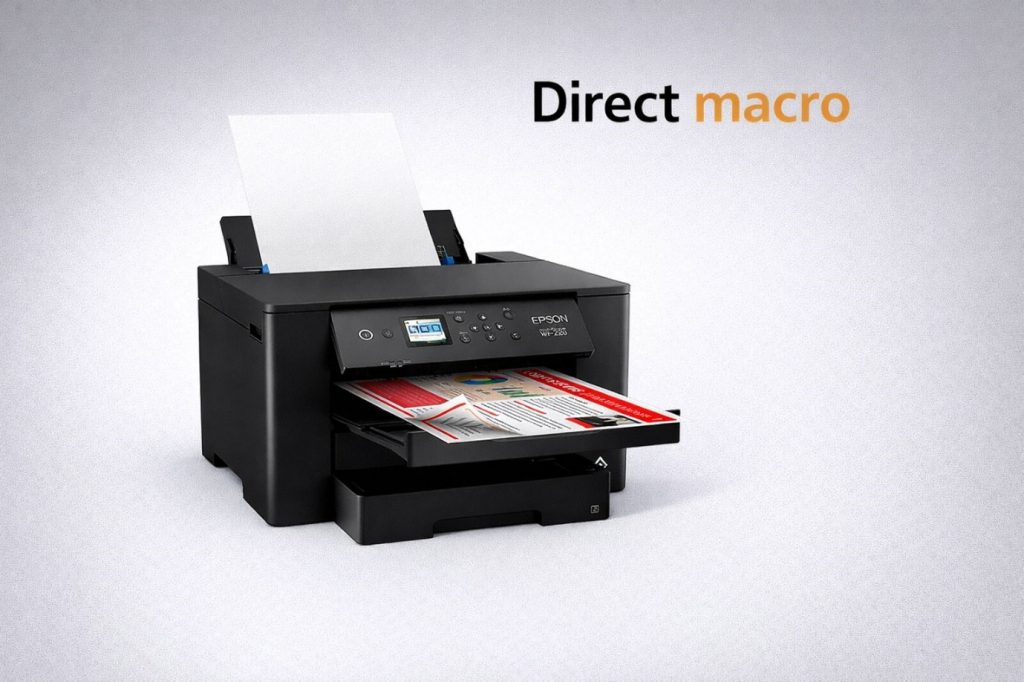
The Epson Workforce Pro WF-7310 earns recognition as the best multifunction printer for small business use, especially for those requiring wide-format capabilities.
Specifications
- Print Technology: Precision Core Inkjet
- Print Speed: 18 ppm (black), 10 ppm (color)
- Maximum Paper Size: 13 x 19 inches (A3+)
- Paper Capacity: 250 sheets standard
- Connectivity: WiFi, Ethernet, USB, WiFi Direct
- Monthly Duty Cycle: Up to 20,000 pages
Reasons to Buy
- Perfect for printing large spreadsheets, custom print posters, and tabloid-size marketing materials with ease and precision.
- Delivers much richer colors and finer detail for photos and graphics than standard office laser printers.
- Consumes significantly less power during operation than laser models, helping reduce your office’s overall electricity footprint.
- The specialized ink ensures your documents are smudge, water, and fade resistant for long-lasting professional results.
Reasons to Avoid
- While precise, the inkjet process takes longer per page than the rapid-fire output of a laser printer.
- High-volume users may find themselves replacing individual ink cartridges often, increasing long-term maintenance tasks.
- Requires regular use to prevent ink from drying; otherwise, you may face frustrating maintenance cleaning cycles.
7. Best Label Printer for Small Business
Label printers are fundamental tools for shipping, inventory management, product labeling, and organizational tasks.
Honeywell Intermec PC43t Barcode Label Printer
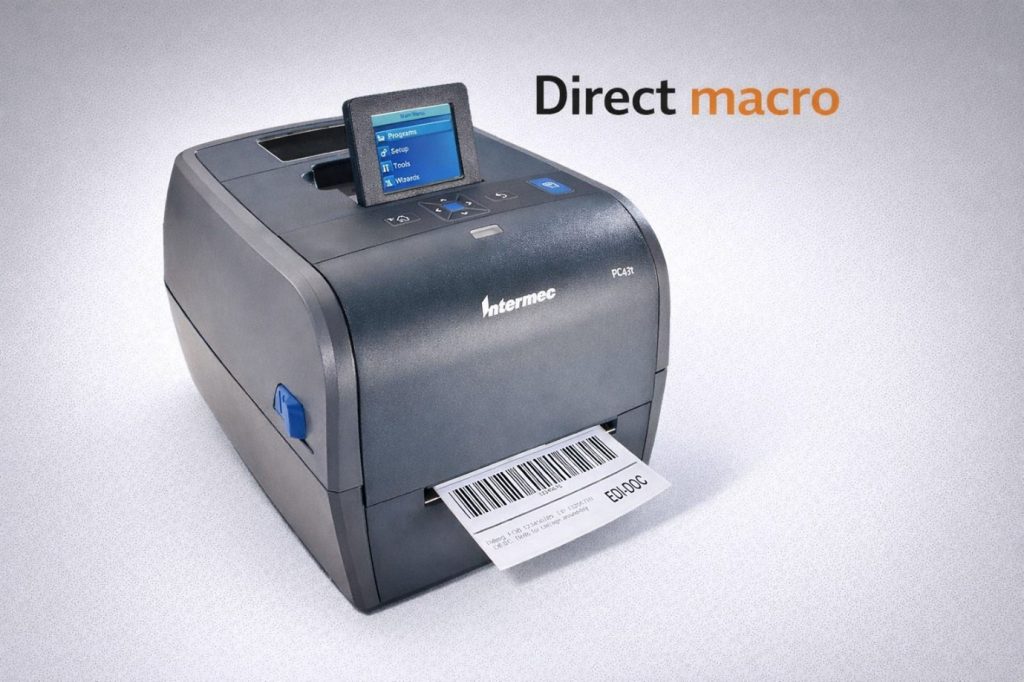
The Honeywell PC43t is a small, easy-to-use desktop printer made for reliable light labeling tasks in retail, healthcare, and office settings.
Specifications
- Print Technology: Thermal Transfer and Direct Thermal
- Print Speed: Up to 8 ips (203.2 mm/sec)
- Resolution: 203 dpi (standard for model PC43TB00100201)
- Maximum Print Width: 4.1 inches (104 mm)
- Connectivity: USB 2.0 (standard), USB Host; optional Ethernet/Wi-Fi
- Memory: 128 MB Flash, 128 MB RAM
- User Interface: 2.36″ Color LCD with multi-language support
- Price: 623.75
Reasons to Buy
- The color LCD and one-handed media loading make it easy for beginners to set up and use.
- It works with both thermal transfer and direct thermal modes, so you can print shipping tags and durable asset labels.
- Its small size and wall-mount option make it a good fit for crowded desks or tight retail counters.
- You can connect keyboards or scanners directly to the printer’s USB host port to use it on its own.
Reasons to Avoid
- This printer is made for light tasks. Using it in high-volume industrial settings may cause the plastic parts to wear out faster.
- The 203-dpi resolution does not work well for very small labels or graphics that need high clarity.
- Essential business features like Ethernet or Wi-Fi connectivity are modular and require an additional purchase.
- It does not have the tough metal housing of industrial models, so it can be damaged more easily in harsh warehouse settings.
How to Choose the Best Printer for Your Small Business?
Choosing the right printer means thinking about your business’s needs and any limits you might have.
Assess Your Printing Volume
Most small businesses print 1,000 to 10,000 pages. If you print a lot, a laser printer with a big toner cartridge is best. If you print less, an inkjet or tank printer can save you money.
Consider Print Quality Requirements
Think about the print quality you need. Laser printers are best for sharp text, while inkjets are better for colorful marketing materials. Choose a printer that fits your main printing tasks.
Evaluate Total Cost of Ownership
Look at the total cost, including ink or toner, paper, and maintenance. Tank printers and high-yield cartridges may cost more upfront but save money over time.
Determine Necessary Features
Multifunction capability eliminates separate scanners and copiers. Automatic document feeders accelerate batch scanning. Wireless connectivity supports flexible office layouts, and mobile printing enables productivity from anywhere.
Final Thoughts
To find the best printer for your small business, balance your print volume, quality needs, budget, and workflow. Direct Macro has great options in every category for 2026.
The HP Color LaserJet Pro MFP 4301fdw is a great all-in-one for all your document needs. For shipping and labeling, the Zebra TLP 3844 is reliable and efficient. If you print a lot of color documents, the HP LaserJet Pro Managed Flow E57540c offers speed and quality.
Check out our wide range of printers and find the right one for your business. Direct Macro offers good prices, real products, and expert help to support your business for the long term.
For more information about printers types for home and office work, call us at (855) 483-7810 or visit our website for bulk order.
Frequently Asked Questions
What is the best printer for a small business?
The Brother MFC-J1205W represents excellent value as the best overall printer for small businesses, offering multifunction capabilities, wireless connectivity, and up to one year of included ink at an affordable price.
What is the best DTF printer for a small business?
For thermal transfer printing needs, the Zebra 384Z-10300-0001 TLP 3844-Z provides professional-quality label printing at $168.08, though traditional DTF printing requires specialized industrial equipment not sold at Direct Macro.
How to choose the best printer for your small business?
Evaluate your monthly printing volume, required print quality, total ownership costs including consumables, necessary features like scanning and wireless connectivity, available space, and future scalability needs to match capabilities with workflow.
What are the main differences between laser and inkjet printers?
Laser printers use toner powder for faster, more economical text printing with higher reliability and lower maintenance. Inkjet printers spray liquid ink for superior color quality and photo printing.
How much does it cost to operate a small business printer?
Operating costs vary by technology and usage. Laser printers average 2-3 cents per black page and 10-15 cents per color page. Inkjet tank systems offer the lowest costs, under 1 cent per page.
Categories


tags

Expert team support
We accept POs from fortune 1000 companies, government agencies, defense, schools and hospitals.
Do you need advice on buying or selling hardware? Fill out the form and we will return.

Sales & Support
(855) 483-7810
We respond within 48 hours on all weekdays
Opening hours
Monday to thursday: 08.30-16.30
Friday: 08.30-15.30



