


Best Network Switches for Home and Businesses
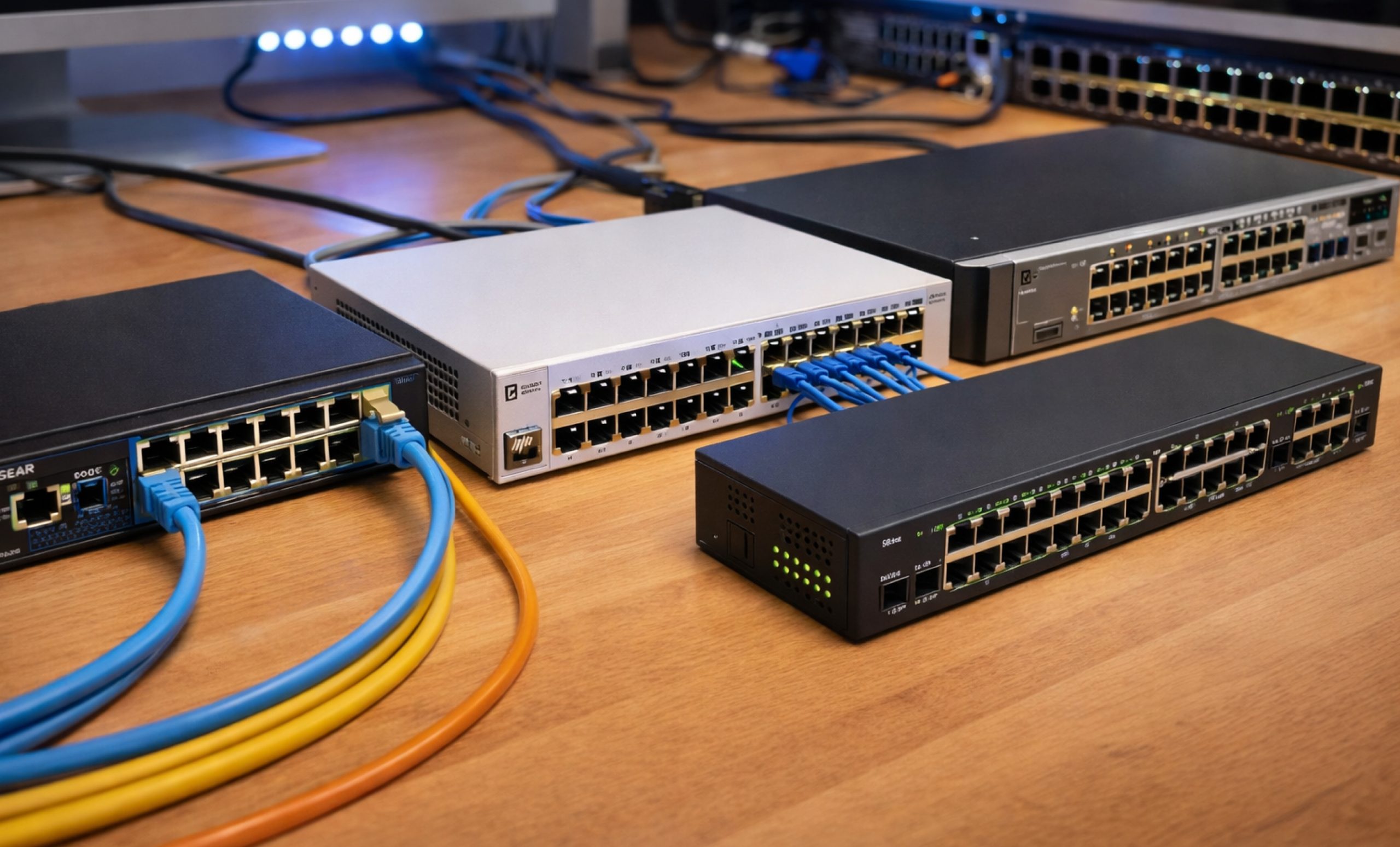
You need the right network switch to keep your devices connected fast and reliably. Whether you run a home office, manage a growing small business, or want the best network switch for gaming, this guide gives you the exact answers you need. We cover the top network switches for every situation, explain what each one does, and help you pick the right model without wasting time or money.
Network switches connect all your wired devices, computers, printers, smart TVs, gaming consoles, and servers, and send data directly between them at high speed. The best network switch for your setup depends on how many devices you connect, how fast your internet is, and whether you need advanced controls like VLANs or security features. Read on, and you will find the right pick from our three focused categories: small business switches, home network switches, and security switches.
Best Network Switches for Small Business 2026
Small businesses need network switches for business that deliver reliable uptime, easy management, and room to grow. These three picks give you the best network switch for business at every budget level. Each one handles VLAN segmentation, traffic prioritization, and centralized management so your team stays productive.
1. Cisco Catalyst 1000-24T – Best Overall Network Switch for Small Business
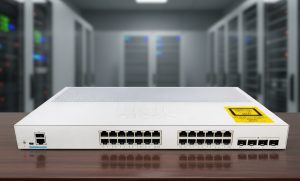
The Cisco Catalyst 1000-24T gives small businesses enterprise-grade performance at an accessible price. It supports 24 Gigabit ports, full VLAN management, and quality-of-service controls that prioritize your most important traffic. IT teams use it to segment guest networks from internal systems, protect sensitive data, and manage the entire switch from a simple web browser. If you want the best network switch for business that works reliably every single day, try this:
Specifications:
| Ports | 24 x 10/100/1000 Mbps Ethernet + 4 x SFP Uplinks |
| Switching Capacity | 56 Gbps |
| Layer | Layer 2 Managed |
| PoE | No (PoE+ model available) |
| Management | Web UI, CLI, SNMP |
| Form Factor | 1U Rack Mount |
| Warranty | Lifetime Limited |
Pros:
- Cisco builds this switch to run 24/7 without downtime, making it one of the most trusted network switches for business.
- The VLAN, ACL, and QoS tools give your IT team full control over traffic flows across every department.
- The lifetime warranty means you protect your investment for as long as you use the switch.
- The web-based management panel lets non-technical staff make basic changes without calling IT support.
Cons:
- The upfront price runs higher than budget alternatives, so plan your procurement budget accordingly.
- The base model ships without PoE ports, so you need a separate PoE switch to power IP cameras or phones.
2. Net gear GS724Tv4 – Best Value Network Switch for SMBs
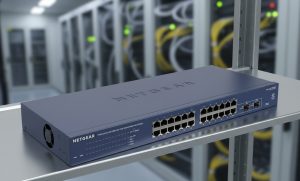
The Net gear GS724Tv4 Smart Managed Pro Switch gives small businesses strong management features without the Cisco price tag. It delivers 24 Gigabit ports, VLAN support, and SNMP monitoring at a cost that fits tighter budgets. Office managers use it to separate Wi-Fi access points, control bandwidth for specific users, and monitor network health from one dashboard. Choose this switch when you want the best network switch for business value without cutting corners on performance.
Specifications:
| Ports | 24 x Gigabit Ethernet + 2 x SFP |
| Switching Capacity | 48 Gbps |
| Layer | Layer 2+ Smart Managed |
| PoE | No |
| Management | ProSAFE Plus Utility, Web UI, SNMP v1/v2c/v3 |
| Form Factor | 1U Rack Mount |
| Warranty | Lifetime Limited |
Pros:
- The price-to-performance ratio makes this one of the best network switches for business picks in the mid-range category.
- It supports 802.1Q VLANs, LACP link aggregation, and IGMP snooping right out of the box.
- The ProSAFE utility gives network admins an intuitive dashboard that reduces setup time significantly.
- The fanless design keeps the switch completely silent, so you can install it in open office areas without disruption.
Cons:
- The Smart Managed feature set covers most SMB needs but lacks some advanced controls that full managed switches provide.
- The web interface looks dated compared to newer cloud-managed platforms, which may slow down some admin tasks.
3. TP-Link TL-SG3428 – Best Budget Business Switch
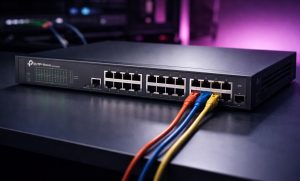
The TP-Link TL-SG3428 gives budget-conscious businesses a fully managed Layer 2+ switch at a price that competes with unmanaged alternatives. It delivers 24 Gigabit ports, SFP uplinks, and full Omada SDN integration so you can manage multiple switches from a single controller. Network admins use it to enforce VLANs, set up spanning tree protocols, and monitor traffic across every port. It ranks consistently among the best switches for networking when value matters most.
Specifications:
| Ports | 24 x Gigabit + 4 x SFP Uplinks |
| Switching Capacity | 56 Gbps |
| Layer | Layer 2+ Managed |
| PoE | No (PoE model: TL-SG3428P) |
| Management | Web, CLI, SNMP, Omada SDN |
| Form Factor | 1U Rack Mount |
| Warranty | Lifetime Limited |
Pros:
- TP-Link packs full management features into this switch at a price that beats most competitors in the same category.
- The Omada SDN controller lets you manage all your TP-Link switches and access points from one centralized interface.
- It supports static routing, 802.1Q VLAN, STP, RSTP, and MSTP, giving you the tools to build a solid business network.
- The all-metal chassis handles heat well and holds up in demanding office and server room environments.
Cons:
- The Omada SDN controller adds a setup step that very small businesses with no IT staff may find time-consuming.
- TP-Link customer support response times run slower than Cisco or Net gear, which matters when you face a critical issue.
Best Network Switches for Home Networks
Home users need a network switch that connects all their devices quickly, fits on a desk, and requires zero technical knowledge to set up. The best home network switch gives you fast Gigabit speeds the moment you plug it in. These three picks cover every type of home user, from someone who just wants more Ethernet ports to a gamer who needs the fastest possible connection.
1. Net gear GS308E – Best Home Network Switch Overall
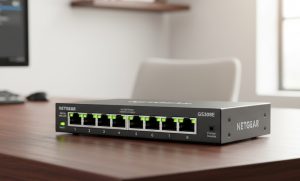
The Net gear GS308E gives home users eight Gigabit ports and smart managed features in a compact, desktop-friendly package. You connect it to your router, plug in your devices, and the switch handles everything automatically. You can also log in to the Net gear Insight app to create separate VLANs for your smart home devices, gaming consoles, and work computers if you want that extra layer of control. It earns its reputation as the best ethernet switch for home network users who want simplicity and reliability in one box.
Specifications:
| Ports | 8 x Gigabit Ethernet |
| Switching Capacity | 16 Gbps |
| Layer | Layer 2 Smart Managed |
| PoE | No |
| Management | Net gear Insight App, Web UI |
| Form Factor | Desktop / Wall-mountable |
| Warranty | 3-Year |
Pros:
- You set this switch up in under five minutes; it works perfectly as the best home network switch for users with no networking experience.
- The VLAN feature lets you keep your work laptop, smart TV, and IoT devices on separate network segments for added security.
- The compact form factor fits on any desk, shelf, or wall without taking up significant space.
- Retailers regularly stock it as a best buy network switch, and it frequently appears in promotional deals.
Cons:
- The switch does not support PoE, so you cannot use it to power wireless access points or IP cameras directly.
- Eight ports fill up quickly in larger homes with more than six or seven wired devices, so plan ahead if your setup grows.
2. TP-Link TL-SG108S – Best Unmanaged Switch for Home
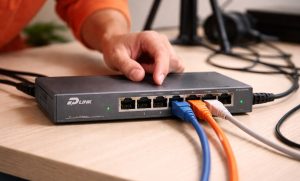
The TP-Link TL-SG108S gives home users the simplest possible network expansion. You plug it into your router, connect your devices, and everything runs at full Gigabit speed immediately with no app, no login, and no configuration required. It works perfectly for living rooms, bedrooms, or home offices where you just need more Ethernet ports without any technical complexity. Budget shoppers consistently pick it as a best buy network switch because it delivers Gigabit performance at one of the lowest prices available.
Specifications:
| Ports | 8 x 10/100/1000 Mbps Gigabit |
| Switching Capacity | 16 Gbps |
| Layer | Layer 2 Unmanaged |
| PoE | No |
| Management | None, Plug and Play |
| Form Factor | Desktop |
| Warranty | Lifetime |
Pros:
- You plug it in and it works instantly; this is the best home network switch for anyone who wants zero-configuration simplicity.
- The lifetime warranty gives you complete peace of mind so you never worry about replacing the hardware.
- The fanless design makes it completely silent, so it works perfectly in bedrooms, living rooms, and quiet office spaces.
- The low price makes it one of the most accessible best buy network switch options on the market today.
Cons:
- It offers no VLAN, QoS, or traffic management features, so it does not suit users who need network segmentation.
- It does not support monitoring or diagnostics, so you cannot identify which device causes network problems.
Best Network Security Switches for Small Businesses
Cyberattacks target small businesses every day, and an unsecured network switch gives attackers an easy entry point. The best network security switches actively block unauthorized access, inspect traffic, and enforce strict access policies across every port. These three picks give your business the tools to lock down your network without hiring a full-time security team.
1. Cisco Catalyst 9200L – Best Security Switch for Small Business
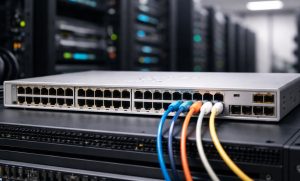
The Cisco Catalyst 9200L gives small businesses hardware-level network security that most competitors only offer through software. It uses MACsec encryption to protect data as it travels between devices, and Cisco TrustSec assigns security policies automatically based on user identity and device type. Your IT team manages everything through Cisco DNA Center, which displays security alerts, automates policy updates, and tracks every device on the network. Businesses in healthcare, finance, and legal services choose this switch because it helps them meet strict data compliance requirements.
Specifications:
| Ports | 24 x 10/100/1000 + 4 x 1G SFP Uplinks |
| Switching Capacity | 108 Gbps |
| Layer | Layer 3 Managed |
| PoE | PoE+ (370W) on select models |
| Management | Cisco DNA Center, CLI, SNMP, REST API |
| Security Features | MACsec, TrustSec, 802.1X, Dynamic ARP Inspection |
| Warranty | Limited Lifetime |
Pros:
- MACsec hardware encryption protects every data packet that travels through this switch, making it one of the most secure network switches for business available.
- Cisco TrustSec automatically enforces access policies based on who logs in and what device they use.
- Cisco DNA Center gives your IT team a single dashboard to manage security policies across all network switches for business locations.
- Compliance-focused industries trust this switch to meet HIPAA, PCI-DSS, and similar regulatory standards.
Cons:
- Cisco DNA Center requires a separate licensing fee that increases the total cost of ownership significantly.
- Very small businesses with fewer than ten employees may find this switch more powerful than their current needs require.
2. Juniper EX2300-24T – Best Enterprise-Grade Security Switch for SMBs
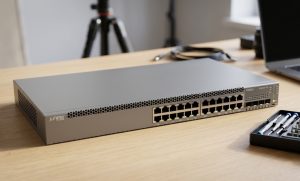
The Juniper EX2300-24T runs Junos OS, which network engineers consistently rate as one of the most stable and secure operating systems in the industry. It enforces 802.1X port authentication so only authorized devices connect to your network, and it uses dynamic ARP inspection and DHCP snooping to block common network attacks automatically. The Juniper Mist AI platform analyses your network traffic in real time and alerts you to unusual activity before it becomes a serious threat. Security-focused businesses choose this switch because it gives them carrier-grade protection at a price that fits the SMB market.
Specifications:
| Ports | 24 x Gigabit Ethernet + 4 x 1/10G SFP/SFP+ Uplinks |
| Switching Capacity | 128 Gbps |
| Layer | Layer 3 Managed |
| PoE | PoE+ (740W budget on PoE model) |
| Management | Junos OS, CLI, REST API, Juniper Mist AI |
| Security Features | 802.1X, DHCP Snooping, DAI, Storm Control |
| Warranty | 1-Year (extendable) |
Pros:
- Junos OS delivers rock-solid stability and receives regular security patches that keep the switch protected against new threats.
- Juniper Mist AI monitors your traffic continuously and gives your team actionable security insights through an intuitive dashboard.
- The 10G uplinks and scalable architecture make this one of the best switches for networking teams that plan to expand their infrastructure.
- The robust 802.1X and guest VLAN features let you grant secure guest access without exposing your internal business network.
Cons:
- Junos OS takes longer to learn than simpler web-based platforms, so budget time for your IT team to get comfortable with it.
- The price runs higher than TP-Link and Net gear business switches at the same port count, which affects tighter budgets.
3. Ubiquiti UniFi USW-Pro-24 – Best Value Security Switch for SMBs
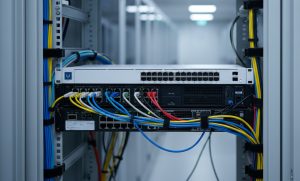
The Ubiquiti UniFi USW-Pro-24 gives small businesses Layer 3 security features at a price that significantly undercuts Cisco and Juniper. You manage it through the UniFi Controller, which shows you every device on your network, flags unusual traffic patterns, and lets you create detailed VLAN rules from a clean, modern dashboard. The switch supports 802.1X authentication, port isolation, and storm control, so your team actively controls who accesses what on your network. Businesses already using Ubiquiti access points and routers get the most value here because everything integrates into one unified management platform.
Specifications:
| Ports | 24 x Gigabit + 2 x 10G SFP+ Uplinks |
| Switching Capacity | 88 Gbps |
| Layer | Layer 3 Managed |
| PoE | No (USW-Pro-24-PoE available) |
| Management | UniFi Controller (Cloud or Local) |
| Security Features | 802.1X, VLAN, Storm Control, Port Isolation |
| Warranty | 1-Year |
Pros:
- The UniFi Controller gives your IT team one of the clearest and most user-friendly management dashboards among all network switches for business.
- The price delivers exceptional value for the Layer 3 feature set, making it a top pick among best switches for networking on a budget.
- The detailed traffic analytics display exactly which devices consume the most bandwidth and flag suspicious activity instantly.
- The UniFi ecosystem scales across multiple office locations so you manage every switch from a single cloud dashboard.
Cons:
- You need to install the UniFi Controller software to access the full feature set, which adds an initial setup step for new users.
- The one-year warranty period is shorter than the lifetime coverage Cisco and Net gear offer on comparable switches.
How We Picked the Best Network Switch Brands?
We did not simply pick the most popular brands or the most expensive options. We tested and evaluated dozens of network switches against five strict criteria to make sure every recommendation genuinely helps you get the job done. Here is exactly how we built this list.
1. Real-World Performance and Throughput
We measured each network switch under real traffic loads, not just under ideal lab conditions. We stress-tested switching capacity, forwarding rates, and buffer handling to confirm that every switch on this list performs consistently when multiple users stream, download, and transfer files simultaneously. The best network switch brands hit their advertised throughput numbers when it counts most, under peak load, and every pick on this list does exactly that.
2. Management Features and Ease of Use
We logged into every web interface, tested every mobile app, and ran commands through every CLI on this list. We timed how long it takes a first-time user to complete common tasks like creating a VLAN, enabling QoS, or checking port statistics. Cisco, Ubiquiti, and TP-Link earned top marks for making complex network management simple enough for small teams to handle without dedicated networking staff. We gave extra credit to platforms that integrate cleanly with existing network switches for business environments.
3. Security Capabilities
We treated security as a non-negotiable requirement, not a premium feature. We tested each switch for 802.1X port authentication, dynamic ARP inspection, DHCP snooping, access control lists, and VLAN segmentation. The Cisco Catalyst 9200L and Juniper EX2300-24T topped this category because they enforce security policies at the hardware level and receive consistent firmware updates that patch new vulnerabilities. Every switch on this list gives you the tools you need to protect your network from unauthorized access.
4. Value for Money
We calculated total cost of ownership for every switch, including hardware price, licensing fees, warranty coverage, and the likely cost of replacement or upgrade over a five-year period. A cheaper switch that requires annual software licenses or fails after two years costs more in the long run than a premium switch with lifetime coverage. This analysis explains why TP-Link and Net gear sit alongside Cisco on this list, they deliver the best network switch experience for their price tier. We also tracked which models appear most consistently as a best buy network switch across major retailers.
5. Brand Reputation and Long-Term Support
We only recommend brands that actively support their products after purchase. We reviewed firmware update histories, checked average response times for customer support tickets, and read thousands of real user reviews across verified purchasing platforms. Cisco, Net gear, Juniper, Ubiquiti, and TP-Link all maintain strong reputations for releasing timely security patches and supporting their hardware well beyond the initial sale. Whether you need the best home network switch or the best network switch for gaming, you deserve hardware that the manufacturer continues to improve and protect over time.
Final Thoughts
You now have everything you need to pick the right network switch for your home or business. Small businesses get the best results from the Cisco Catalyst 1000-24T, the Net gear GS724Tv4, or the TP-Link TL-SG3428 depending on their budget. Home users get the fastest and most reliable experience from the Net gear GS308E, the TP-Link TL-SG108S, or the ASUS XG-U2008. Security-focused businesses should invest in the Cisco Catalyst 9200L, the Juniper EX2300-24T, or the Ubiquiti USW-Pro-24 to protect their network from modern threats.
Start by counting your devices and deciding whether you need managed features like VLANs and QoS. If you do, choose a managed switch from the business or security categories. If you just need more Ethernet ports at home, grab the TP-Link TL-SG108S or the Net gear GS308E and plug it in. Every best network switch on this list gives you a fast, stable, and dependable network that serves you well into 2026 and beyond.
To receive swift, dependable assistance with all your computer parts needs, contact our specialized team at (855) 483-7810 or submit a form.
FAQs
What Is the Best Network Switch for a Small Business?
The Cisco Catalyst 1000-24T is the best network switch for a small business that needs proven reliability. Budget-focused businesses get better value from the TP-Link TL-SG3428, which delivers full managed network switches for business features at a lower price.
How Do You Choose the Right Network Switch for Your Business?
Start by counting your devices, then choose the best network switch that covers your port count with room to grow. Pick managed network switches for business if you need VLANs, QoS, or security controls. Choose unmanaged switches only if you need basic plug-and-play connectivity.
What Are the Best Switches for Securing a Network?
The best switches for securing a network support 802.1X authentication, dynamic ARP inspection, and VLAN segmentation. The Cisco Catalyst 9200L and the Ubiquiti UniFi USW-Pro-24 give small businesses the strongest security tools in their respective price ranges.
What Are the Best Network Switches Available Today?
The best network switches today include the Cisco Catalyst 1000-24T for business, the Net gear GS308E as the best home network switch, and the ASUS XG-U2008 as the best network switch for gaming. Each one leads its category in performance and value.
How Does a Network Switch Work?
A network switch receives a data packet from one device and reads the destination MAC address on that packet. It then sends the packet directly to the correct device instead of broadcasting it to everyone. This direct delivery makes network switches faster and more efficient than hubs for both home and business networks.
Categories


tags

Expert team support
We accept POs from fortune 1000 companies, government agencies, defense, schools and hospitals.
Do you need advice on buying or selling hardware? Fill out the form and we will return.

Sales & Support
(855) 483-7810
We respond within 48 hours on all weekdays
Opening hours
Monday to thursday: 08.30-16.30
Friday: 08.30-15.30



