


Network Switch: Things You Need to Know Before Buying

Looking to build a strong enterprise network? A network switch is an essential component for any business, whether small or large. This network switch buying guide shares everything you need to know before choosing the right switch for your setup.
What is a Network Switch?
Network switches play an important role in creating and maintaining networks among devices. A switch is a central hub that connects multiple devices and enables them to transmit data packets to each other. This creates a local area network on a designated geographic area, such as business premises or house buildings, where all devices can freely connect with each other with high bandwidth.
Difference between Ethernet Hub & Network Switch
Networking switches and Ethernet hubs both help with data-handling solutions. However, networking switches offer a more advanced solution compared to an Ethernet hub. An Ethernet hub receives data packets on a port and indiscriminately broadcasts them to all other ports. In contrast, networking switches identify each device connected to the network through a MAC address and selectively transmit data only to the intended recipient. This creates a more efficient network with higher data transfer speeds by reducing unnecessary traffic between devices.
How does a Network Switch Work?
DATA Packet transmission:
A switch network device is a data-handling platform that connects multiple devices and transmits data packets from one device to another. It receives data signals from one device and forwards them only to the device that is intended to receive the information.
MAC Address Identification
The device gets its media access control address as soon as it is connected to the switch. The switch maintains the record of all connected devices and their respective ports. That way, the switch network receives and forwards data packets to only the device that is supposed to obtain that data.
Network Segmentation:
In the case of an ethernet hub, all connected devices receive data together. Therefore, there are chances of data collision in cases where two devices send signals simultaneously. A networking switch reduces the chances of data collision as it forwards data to only the designated device instead of broadcasting.
Enhanced network Performance:
Network switch segments devices and reduces network traffic as it sends data packets to only designated devices. This creates a high data transferring speed between the sending and receiving devices.
Networking Security:
MAC table controls all the devices connected to the network, which ensures secure data transmission. In addition to that, 802.1x Authentication that is found in managed network switches restricts access of unauthorized devices to the network switch.
Further Reading:
Types of Switches?
Unmanaged Network Switches:
Unmanaged network switches work with plug-and-play systems; there is no need for manual driver installation. In this type of switch, you don’t need to go to settings and specifically monitor the network. You can simply plug the switch into the power sources connected to your device with it. The switch will read the MAC address, store it in the MAC table, and then automatically direct data signals to the connected devices. Unmanaged switches are widely used in small enterprises or house, that do not need customized settings.
Managed Network Switches:
Managed network switches allow users to adjust their ports and make customized settings. These switches offer more control over monitoring and configuration changes through a command or web interface. These switches are generally used by large enterprises where customized configuration is critical for control and security. In managed switches, network administration can manage the network setting, monitor the quality of service, traffic congestion, and a lot more to ensure a strong device network.
Power Over Ethernet Switches
These types of switches use Ethernet cables to supply power and data to the devices connected to them. This switch is based on layer technology through which data signals, as well as electrical power, can be transmitted. This type of switch network is used in locations where power outlets are not available. The right data ethernet cables reduce data packet loss.
Why does a Network Switch have a Limited Network Reach?
Switches create a local area network with all connected devices within a geographic region. It has limited network reach due to that designated area only because:
Cable Type and Length
Switches’ reach depends a lot on the cable type you are using with it. Switches that use category 5 or category 6 cables ensure more effective data transmission within the (LAN). With these cables, you can only create a network of devices over 100 meters. Beyond that, its signal will drop gradually, and there might be data packet loss. Therefore, network switches often have limited network reach due to cable type and length.
Signal Attenuation
Signal Attenuation is another reader that hinders network connectivity over a local area network. Signal attenuation is the loss of signal strength over long distances. This is often the case with the data transmitting cables; the longer the distance, the weaker the signals get. However, over short distances, they perform well.
Buying Considerations for Network Switch?
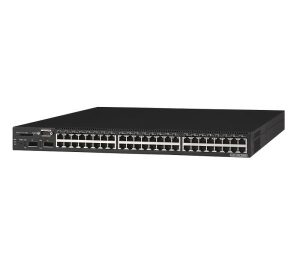
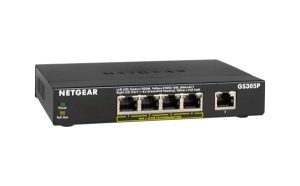
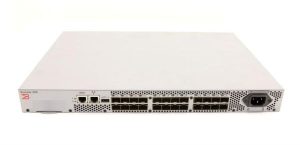
If you are looking forward to a value-packed switch, here is your best buying consideration. Direct Macro has a wide range of brand-new network switches as well as mint-condition refurbished network switches to offer you a fantastic enterprise network. Whether you need a 24 port network switch or 48 port network switch, here are the best picks listed for you:
Conclusion
If you want fast, reliable, and efficient communication within your enterprise network, a network switch can help. Wondering which switch network is best for your setup? This blog provides network switches explained, covering how they work and which type is best for different scenarios. Looking for a reliable and affordable switch for your business? Check discounted prices from Direct Macro.
FAQ’s
Difference Between Network Switch and Router?
A network switch is a central hub for many connected devices in the local area network. In contrast, a router is a central hub for many connected switches in a designated area channel.
Why Should You Prefer Network Switch?
If you are aiming for minimal data latency, network scalability, and enhanced network security, then prefer a managed network switch. It also reduces data traffic collision and ensures high data bandwidth.
What is a gigabit network Switch?
A gigabit Network switch is generally an ethernet cable-based switch that offers data transmission to connected devices at a speed of up to 1 GB or more.
What does a network switch do?
A network switch connects multiple devices within a network and manages data traffic between them. It receives data packets from one device and forwards them only to the intended recipient device, which improves network efficiency and reduces unnecessary traffic.
What is a network switch used for?
A network switch is used to enable communication between devices on a local area network (LAN). It helps computers, servers, printers, and other devices share data quickly and securely while maintaining high network performance.
What are network switches?
Network switches are hardware devices that connect multiple devices within a network and manage how data is transmitted between them. They create a reliable and efficient network by directing data only to the device that needs it, unlike hubs, which broadcast data to all devices.
Categories


tags

Expert team support
We accept POs from fortune 1000 companies, government agencies, defense, schools and hospitals.
Do you need advice on buying or selling hardware? Fill out the form and we will return.

Sales & Support
(855) 483-7810
We respond within 48 hours on all weekdays
Opening hours
Monday to thursday: 08.30-16.30
Friday: 08.30-15.30



